 English
  Français
 Deutsch
 Español
 Italiano
 Nederlands
 Português
 Русский
 中文 (中国)
 한국어
한국어 日本語
日本語 Svenska
 Türkçe
System requirements:
PC running Windows® 10/11 or later natively
Game consoles: Xbox Series X|S™, PlayStation®5
This article explains how to install a ready-to-play mapping profile for your Thrustmaster product in Microsoft Flight Simulator 2024.
Important: Most Thrustmaster products compatible with Microsoft Flight Simulator 2024 (e.g. TCA Sidestick Airbus, TCA Yoke Boeing, T.Flight Hotas One, T.Flight Hotas 5, T.16000M FCS, etc.) already include a pre-configured mapping profile in the game.
Some products from the latest Thrustmaster ranges will have a default mapping file available for free installation from the Microsoft Flight Simulator Marketplace. Additional mapping files will then be released for existing products.
New mappings available: T.Flight HOTAS NEO and T.Flight HOTAS NEO X in NEO mode; TCA Sky Yoke (Xbox / PC) and TCA Sky Yoke (PlayStation / PC) |
The demonstration in this article was performed using an AVA Base equipped with a Viper HOTAS Add-On Grip.
1. Check whether a mapping profile is already available.
You must navigate using your keyboard or mouse (on PC) or your game controller (on console).
Connect your product, launch Microsoft Flight Simulator 2024, open Settings, and go to CONTROLS.
In Device List, you should see the Thrustmaster device detected by the game. In this example: AVA [R] Viper.
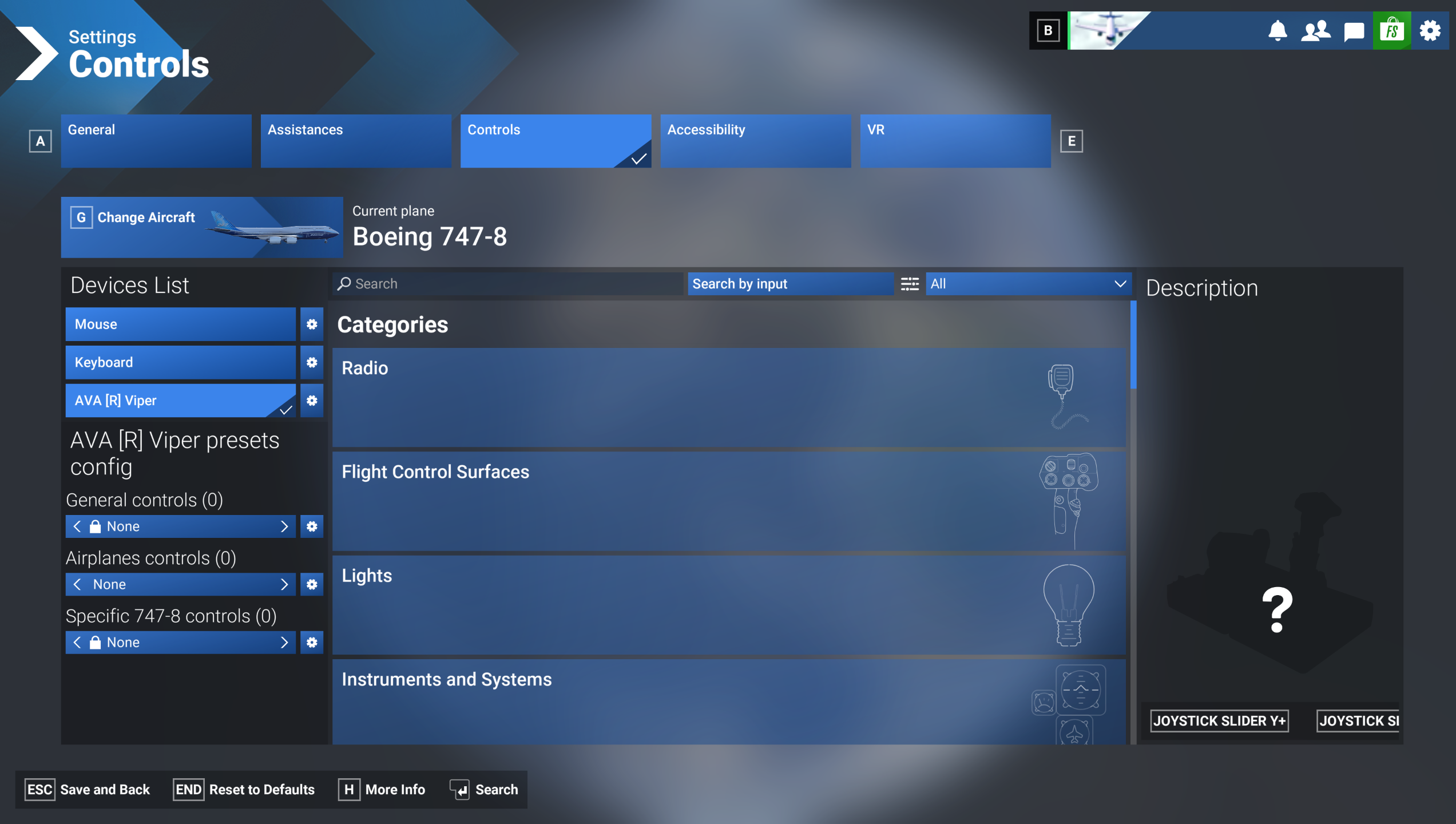
(Controls Settings page in Microsoft Flight Simulator 2024)
Under "Presets Config", two mapping profile categories are displayed: General Controls (non-flight functions) and Airplanes Controls (aircraft controls).
If you have (1), scroll through the profiles using the arrow and then save. You are ready to play.
If you have (0), you must install a mapping profile.
2. Access the Microsoft Flight Simulator Marketplace.
The link to the Microsoft Flight Simulator Marketplace is available from the Microsoft Flight Simulator 2024 home page.
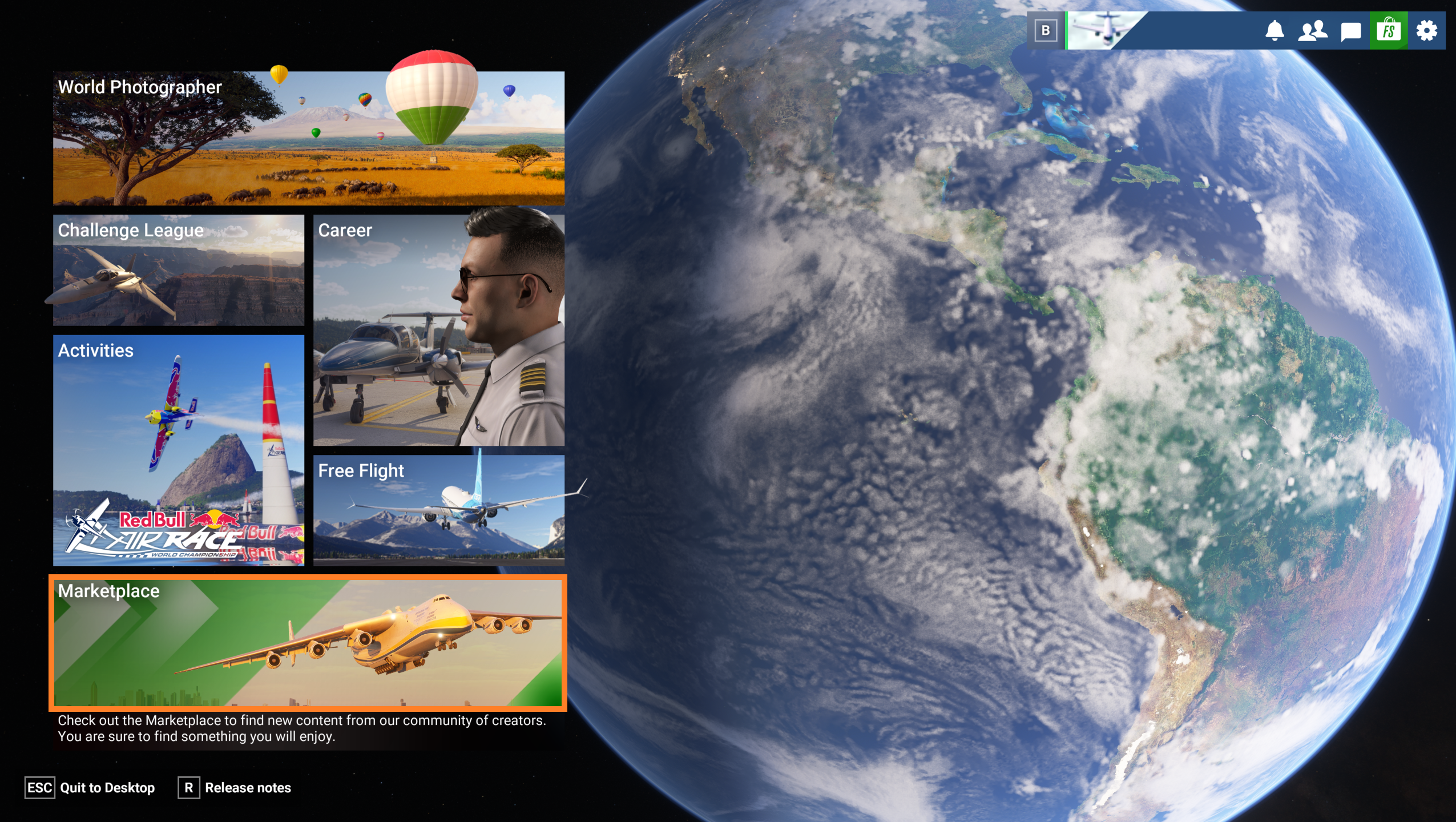
(Microsoft Flight Simulator 2024 home page)
3. Select a mapping file.
In the Marketplace section, type Thrustmaster in the search box.
Select a profile file.
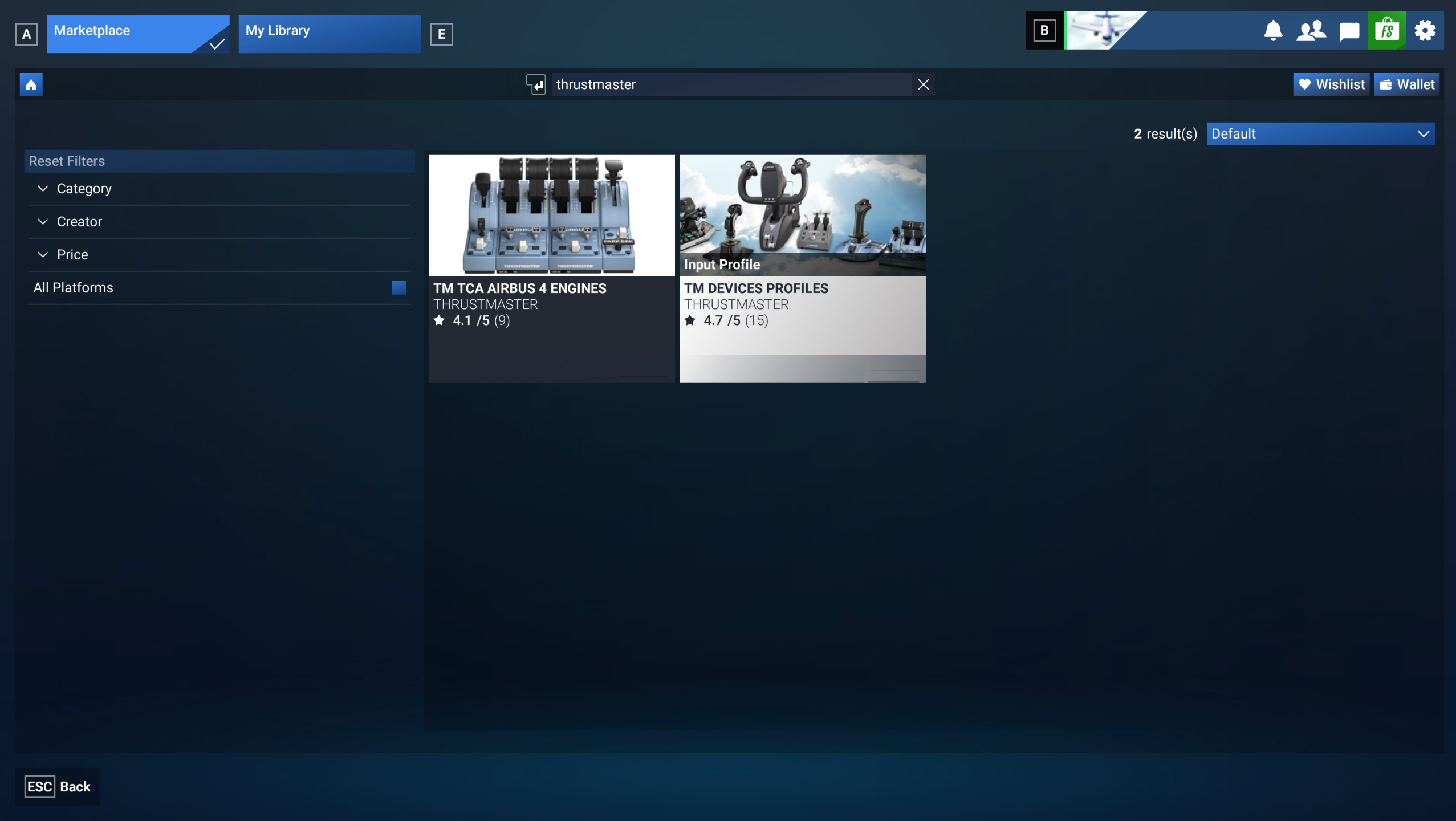
(Microsoft Flight Simulator Marketplace page)
4. Click to acquire the mapping file.
You are now on the mapping file presentation page.
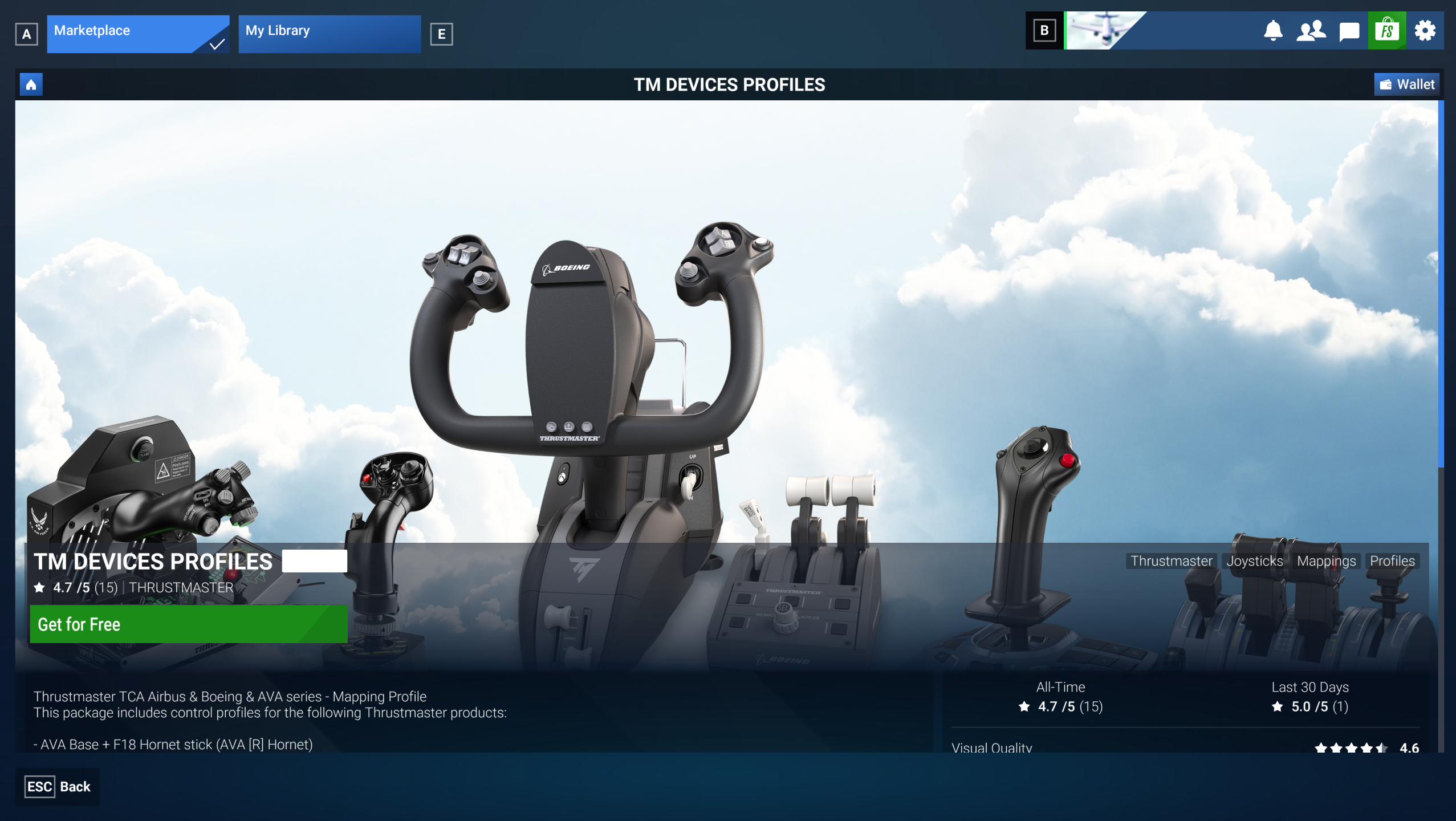
(Mapping file presentation page in Microsoft Flight Simulator Marketplace)
To check whether your product is included in the mapping profile, scroll down to view the list of supported products.
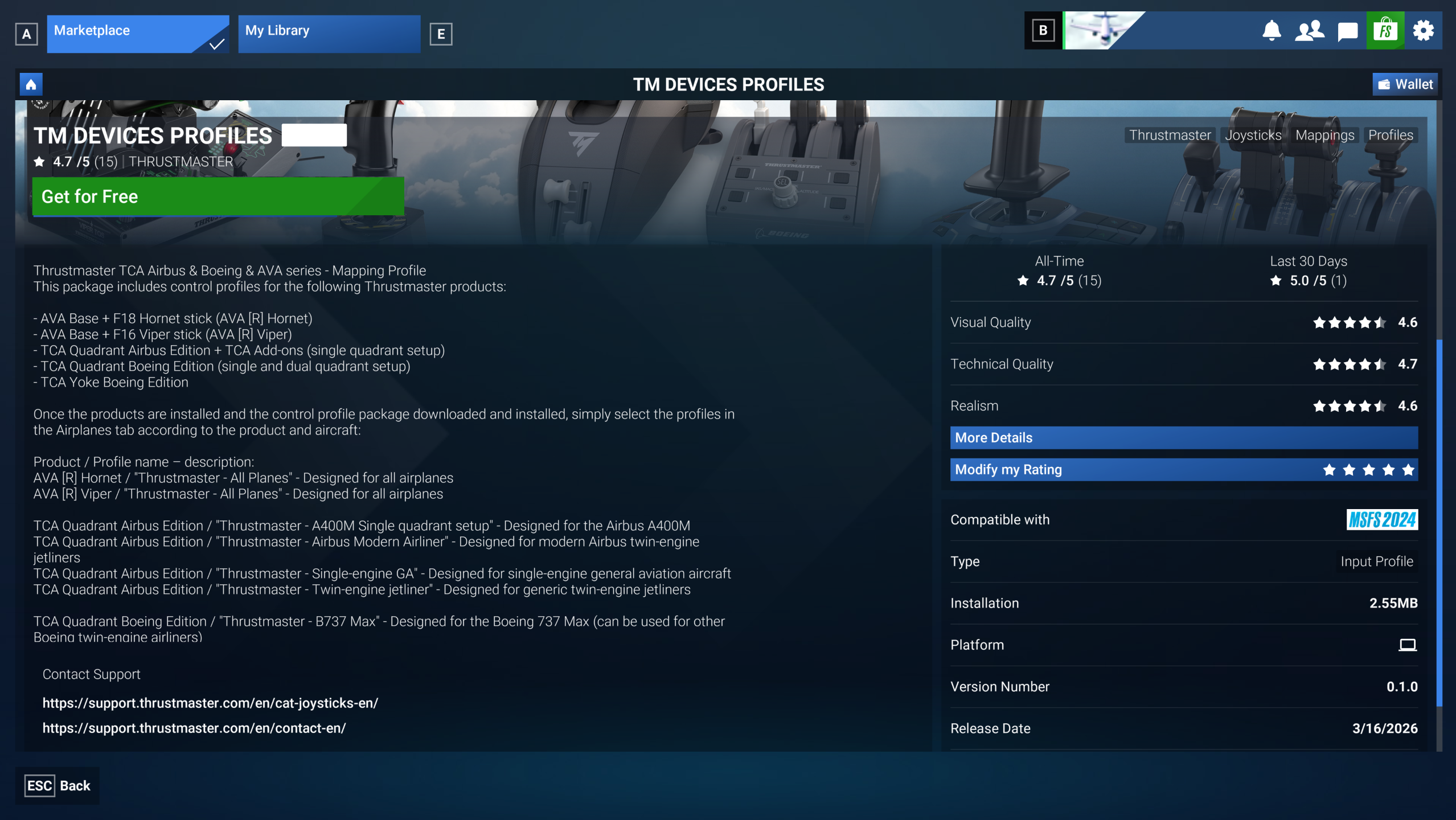
(List of products included in the mapping file in Microsoft Flight Simulator Marketplace)
Click GET FOR FREE.
5. Wait while the mapping file is being acquired.
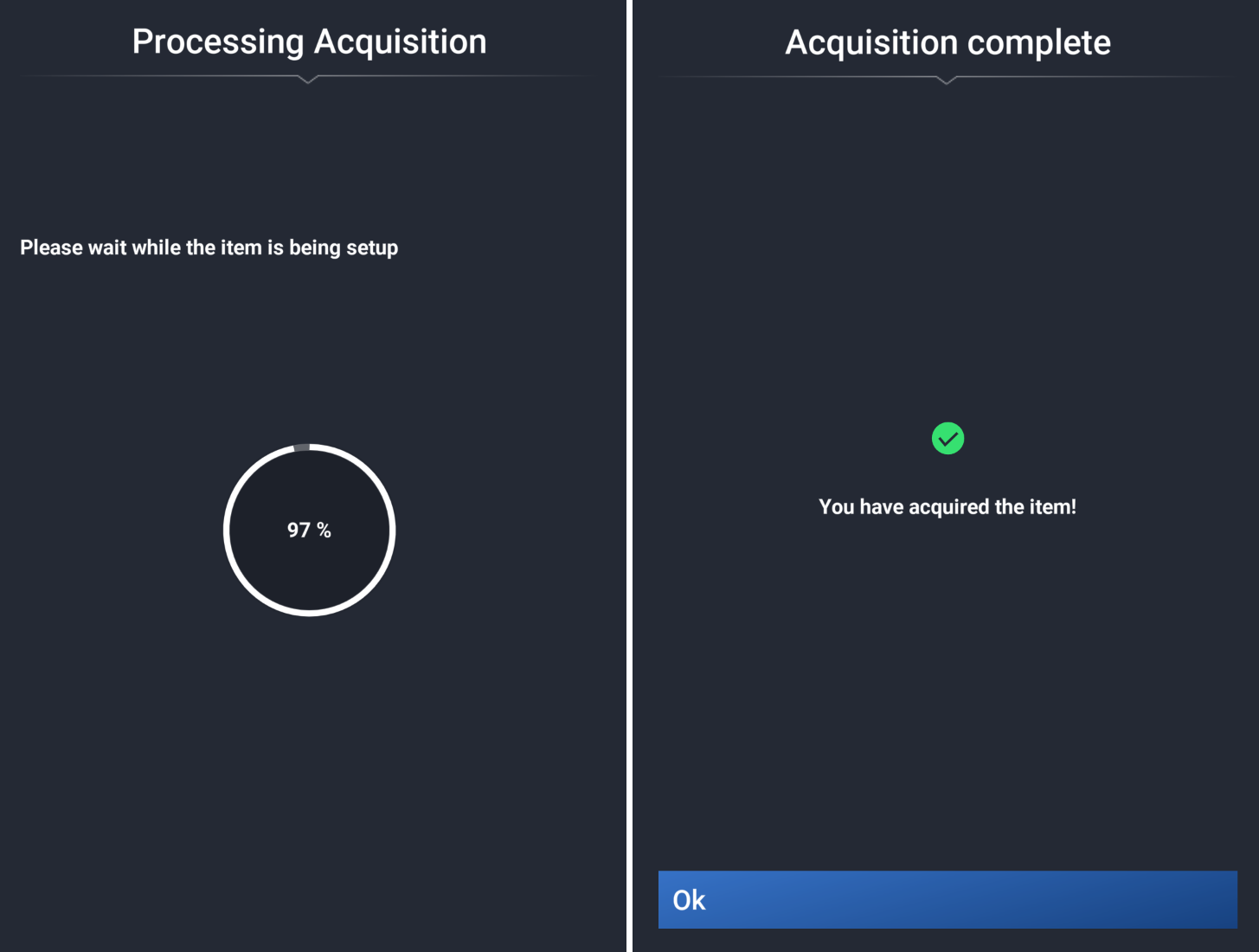
(Acquisition page for the mapping file in Microsoft Flight Simulator Marketplace)
Once the acquisition is complete, click OK.
Important:
The mapping is now available via streaming. If you want to save the mapping to your PC, follow steps 6, 7, and 8 (optional).
However, step 9 is mandatory to activate the mapping in the game.
6. Access your library.
On the mapping file presentation page, click Manage in My Library.
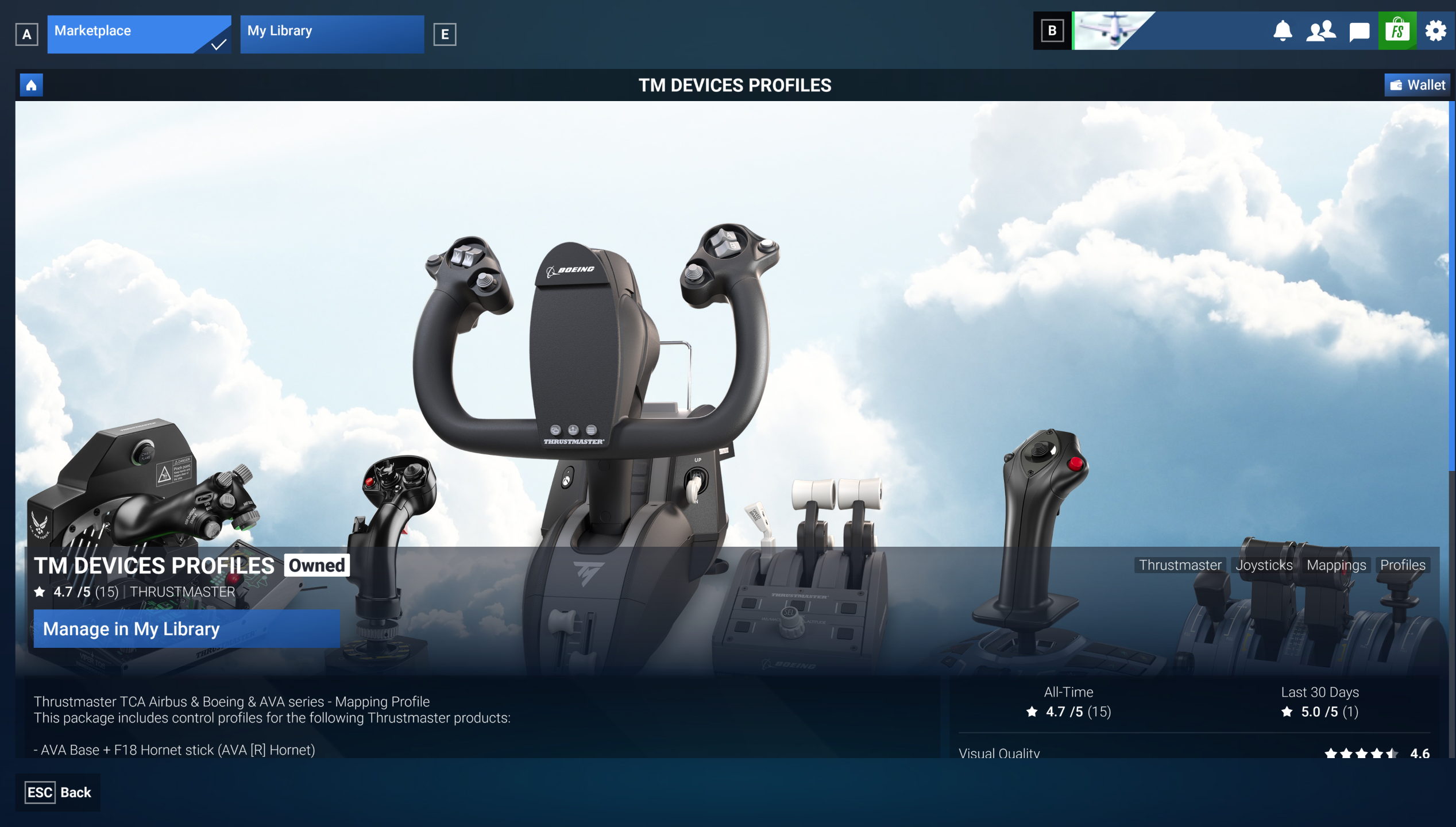
(Mapping file presentation page in Microsoft Flight Simulator Marketplace)
7. Download the mapping file.
At this stage, the mapping file is available in your library, but you must download it to your PC.
In My Library, select the file and click Download.
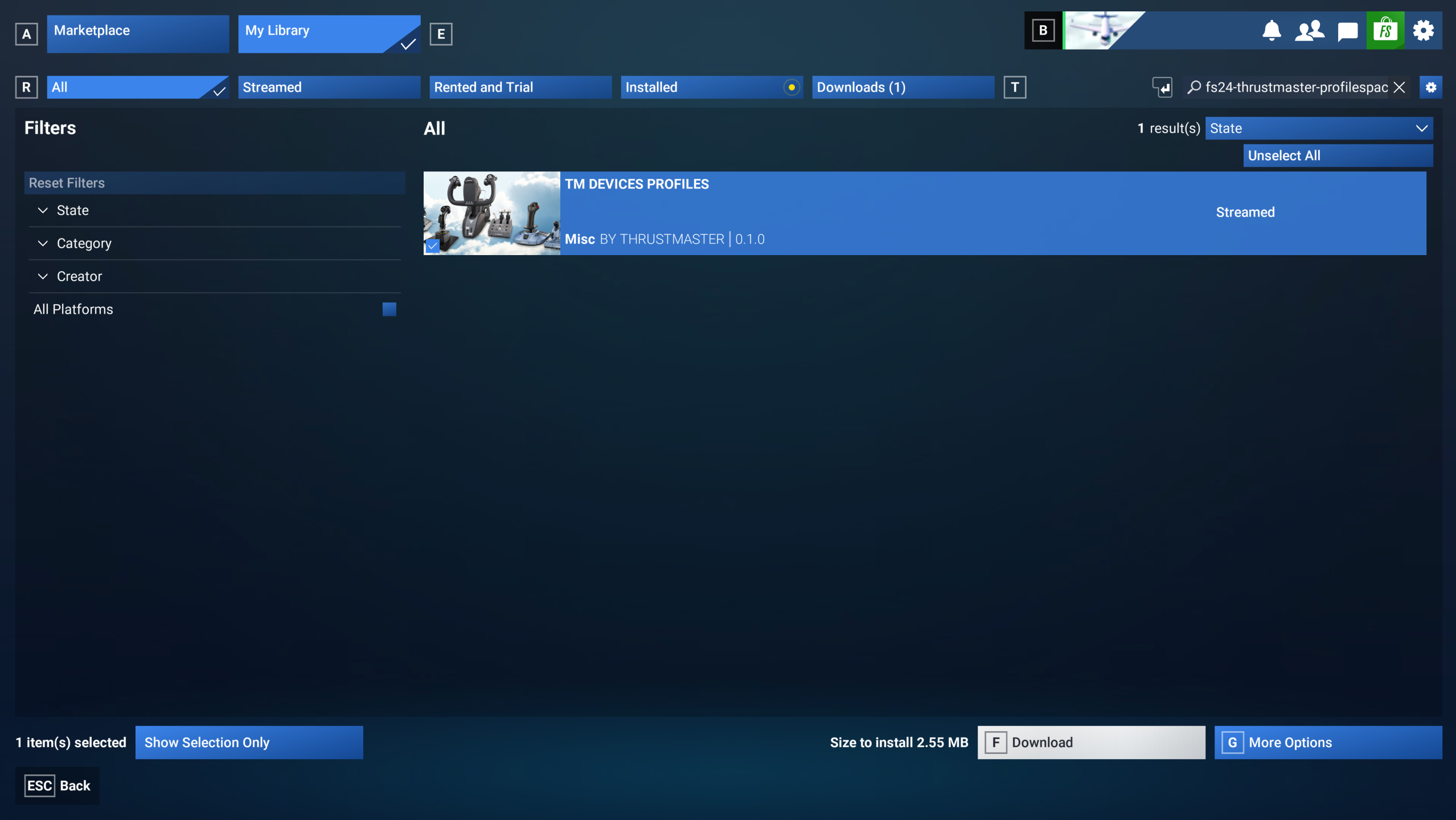
(Download page in the Microsoft Flight Simulator Marketplace library)
8. Install the mapping file.
Once the download is complete, click Install.
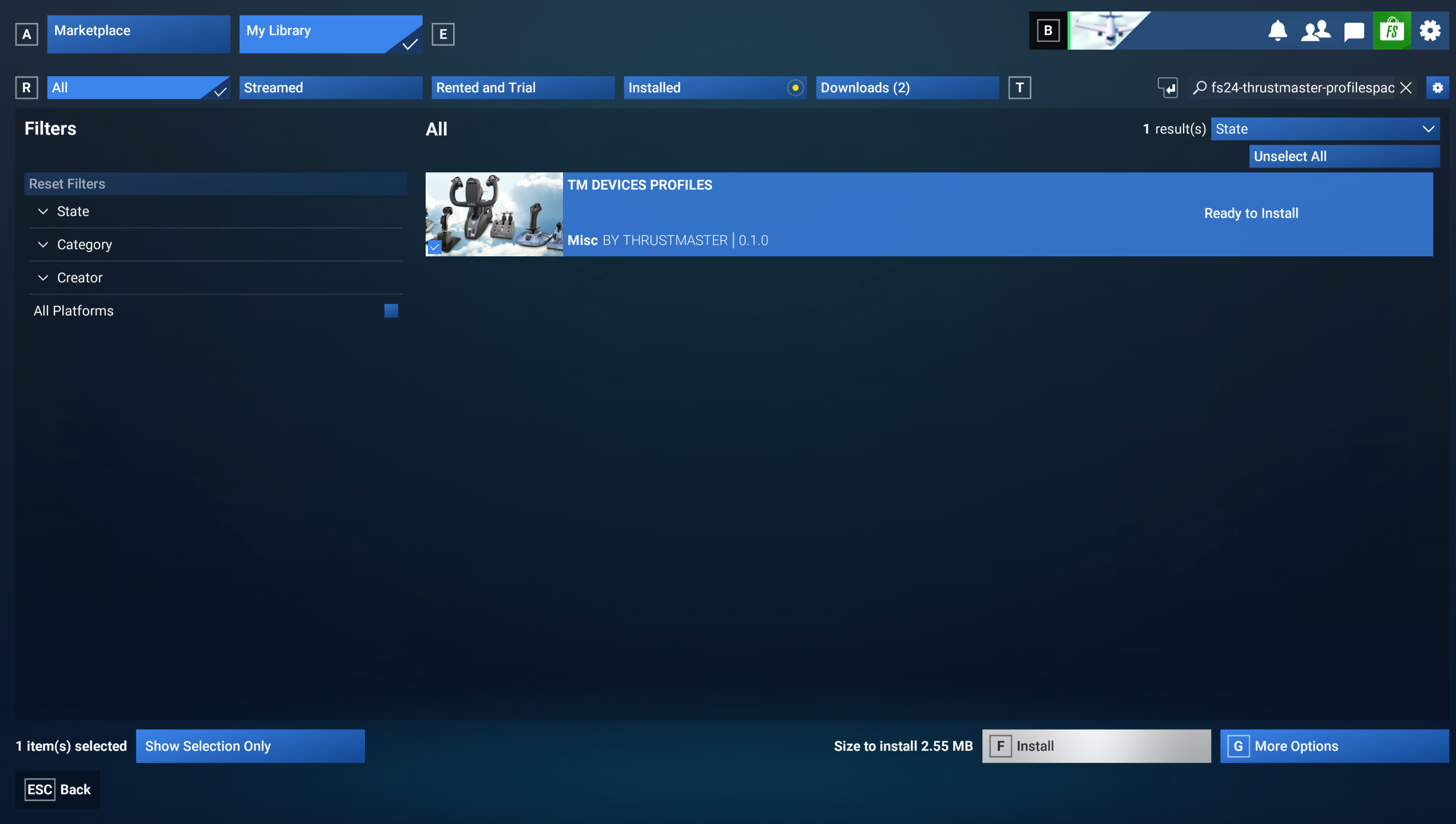
(Installation page in the Microsoft Flight Simulator Marketplace library)
The installation is confirmed.
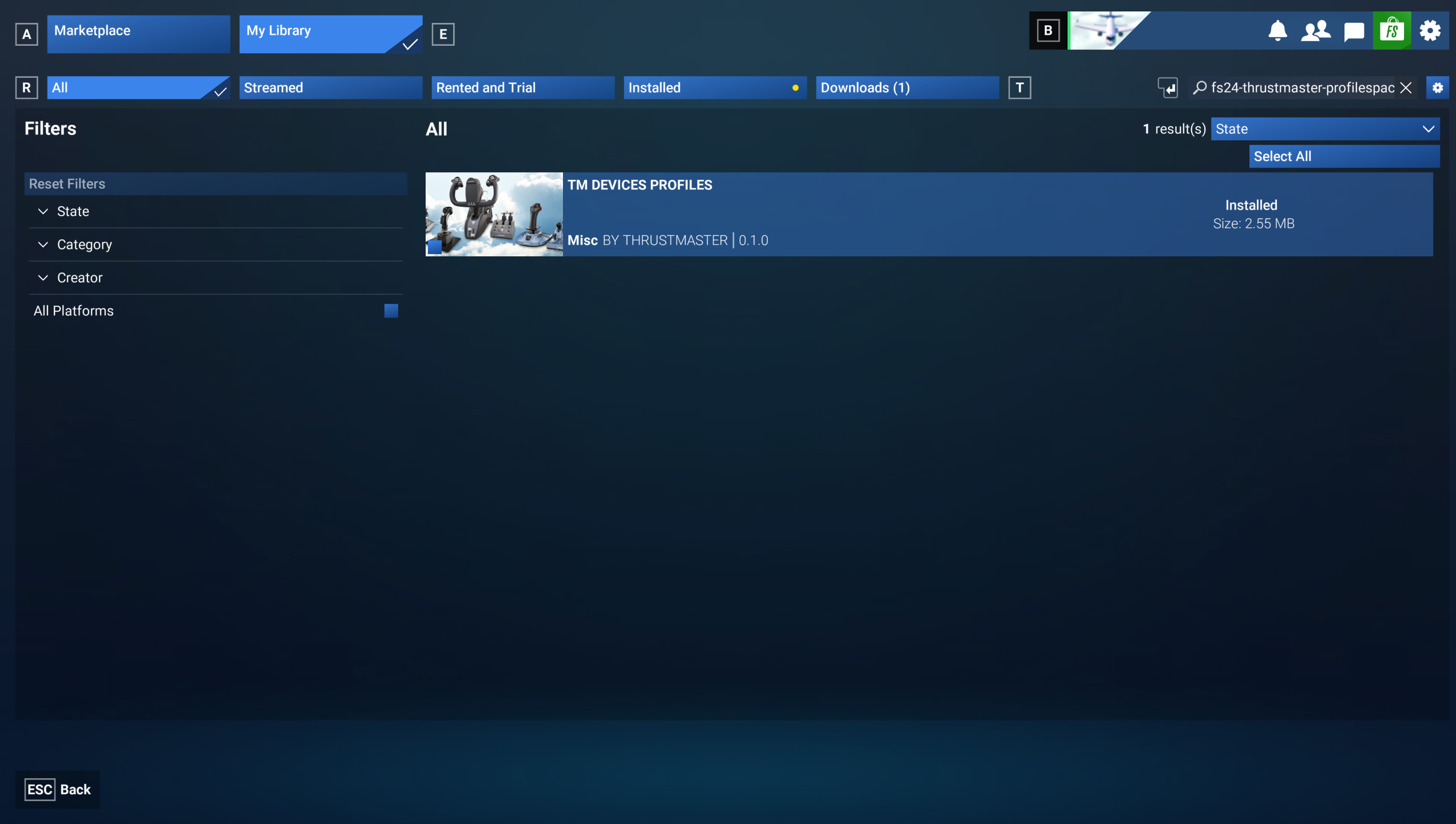
(Installation confirmation page in the Microsoft Flight Simulator Marketplace library)
9. Select the profile and save.
Return to Microsoft Flight Simulator 2024 and go to SETTINGS / CONTROLS.
In Device List:
Airplanes Controls: this mapping section applies to all products because it manages aircraft controls. You should have at least one available profile (1). Scroll to the right using the arrow to select the profile (in this example: Thrustmaster – All Planes).
General Controls: this section covers functions outside aircraft control (menu navigation, camera controls, etc.). Some Thrustmaster products include a profile for these functions, but not all of them. If you see an available profile (1), scroll to the right using the arrow to select it (in this example: Thrustmaster – General).
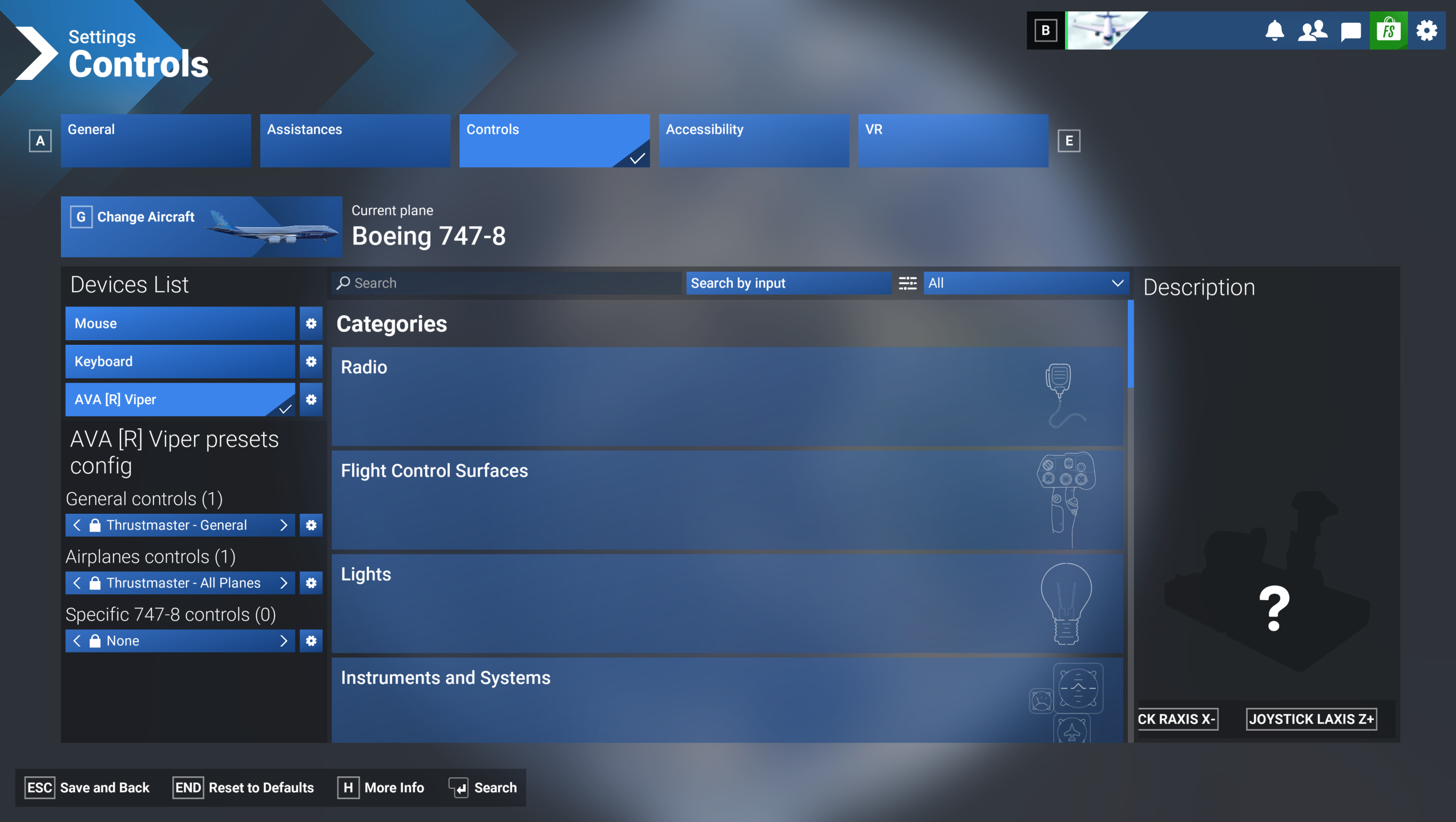
(Controls Settings page in Microsoft Flight Simulator 2024)
Once the profiles have been selected, click Save and Back.
You are now ready to play!