 English
  Français
 Deutsch
 Español
 Italiano
 Nederlands
 Português
 Русский
 中文 (中国)
 한국어
한국어 日本語
日本語 Svenska
 Türkçe
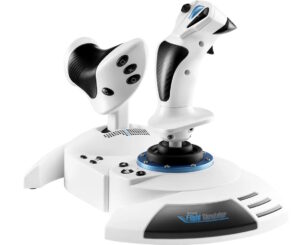
T.FLIGHT HOTAS 5 MSFS SPECIAL EDITION
Product number 4160949 4160950
Manual

Drivers
 Drivers - Package 2026_TFHT_3 + Firmware [System Requirement: Windows® 10 / 11]PC
 Release notes - Drivers - Package 2026_TFHT_3 + Firmware [System Requirement: Windows® 10 / 11]
Drivers - Package 2026_TFHT_3 + Firmware [System Requirement: Windows® 10 / 11]
This driver package is compatible with Joysticks:
- Airbus Add-On Grip- AVA Advanced Versatile Aviation- Hotas Warthog MKII- Simtask Farmstick (PC)- SimTask FarmStick (Xbox Series/PC)- SimTask FarmStick (PS5/PC)- SOL-R Flightstick- SOL-6 Throttle- T.16000M- T.16000M FCS- T.Flight Hotas 4- T.FLIGHT HOTAS 5 MSFS SPECIAL EDITION- T.Flight Hotas One *- T.Flight Hotas One - Microsoft Flight Simultor Edition*- T.FLIGHT HOTAS Neo (PS5/PC)- T.FLIGHT HOTAS Neo X (Xbox Series/PC)- TCA Sidestick Airbus Edition*- TCA Quadrant Airbus Edition- TCA Yoke Boeing Edition*- TCA Quadrant Boeing Edition- TCA Sidestick X Airbus Edition- TCA Sky Yoke (Xbox Series/PC)- TCA Sky Yoke (PS5/PC)- TWCS Throttle- Viper TQS- Viper Panel
* On PC, the USB sliding switch on the base must always be set to the PC position!
System Requirement:
- Windows® 11 & 10
**Changes made in new package version 2026_TFHT_3
- Add support for Hotas Warthog MKII- Add support for T.Flight Hotas NEO (Xbox Series/PC)- Add support for T.Flight Hotas NEO (PS5/PC)- Add support for TCA Sky Yoke (Xbox Series/PC)- Add support for TCA Sky Yoke (PS5/PC)
**Changes made in previous package version 2026_TFHT_2
- Add FW Boeing Yoke v1.56_BETA (Double command)
Changes made in previous package version 2026_TFHT_1
- Add support for T.FLIGHT HOTAS 5 MSFS SPECIAL EDITION- Add support for Airbus Add-On Grip
Changes made in previous package version 2025_TFHT_5
- Add support for SOL-R 6 Throttle- Added Firmware V1.34 for SOL-R Flightstick
Changes made in previous package version 2025_TFHT_4
- Add support for SimTask FarmStick (PS5/PC)- Added Firmware V1.14/ H V1.11 for SimTask FarmStick (PC)
Changes made in previous package version 2025_TFHT_3
- Add support for SOL-R Flightstick- Added Firmware V1.35/ H V2.03 for SimTask FarmStick (Xbox One/Xbox Series/PC)- Added Firmware v2.07 for AVA Advanced Versatile Aviation- Added dedicated control panel for AVA Advanced Versatile Aviation
Changes made in previous package version 2025_TFHT_2
- Added support for SimTask FarmStick (Xbox One/Xbox Series/PC)- Added Firmware V1.14/ H V1.10 for SimTask FarmStick (PC)
Changes made in previous package version 2025_TFHT_1
- Added support for T.Flight Hotas One - Microsoft Flight Simultor Edition
Changes made in previous package version 2024_TFHT_1
- Added support for AVA Advanced Versatile Aviation
Changes made in previous version 2023_TFHT_2:
- Added support for Simtask Farmstick- Added Firmware v1.26 for Viper TQS- TCA Quadrant Boeing: corrected a Control panel graphical glitch.
Changes made in previous version 2023_TFHT_1:
- Added support for Viper TQS- Added support for Viper Panel
Changes made in previous version 2022_TFHT_1:
- Added support for TCA Sidestick X Airbus Edition
Changes made in previous version 2021_TFHT_2:
- Added support for TCA Yoke Boeing Edition- Added support for TCA Quadrant Boeing Edition- Added Firmware V1.50 for Yoke Boeing Edition
Changes made in new previous version 2021_TFHT_1:
- Added Firmware V1.69 for TCA Quadrant Airbus Edition
Changes made in previous version 2020_TFHT_5:
- Added Firmware V1.61 for TCA Quadrant Airbus Edition
Changes made in previous version 2020_TFHT_5:
- Added Firmware V1.60 for TCA Quadrant Airbus Edition
Changes made in previous version 2020_TFHT_3:
- Improved CPL for TCA Sidestick Airbus Edition (Added Throttle mode selector)- Added Firmware V1.11 for TCA Sidestick Airbus Edition- Added Firmware V1.56 for TCA Quadrant Airbus Edition
Changes made in version 2020_TFHT_2:
- Improved CPL for TCA Sidestick Airbus Edition (ajout du selecteur de mode throttle)- Added Firmware V1.11 for TCA Sidestick Airbus Edition
Changes made in version 2020_TFHT_1:
- Added Support for TCA Sidestick Airbus Edition and TCA Quadrant Airbus Edition- Added Firmware V1.08 for TCA Sidestick Airbus Edition- Added Firmware V1.17 for TCA Quadrant Airbus Edition
Changes made in version 2019_TFHT_1:
- Added new firmware V1.17 for the T.Flight Hotas One joystick (V1.17 fixes an issue of axes freeze found on the joystick after Xbox One startup when the console was configured in Energy-saving / Full Shutdown mode).
Changes made in driver version 2018_TFHT_1:
- Added new firmware V25 for the T.Flight Hotas 4 Joystick (V25 brings a new Tip/Feature on PS4™ to program & combine the T.Flight Rudder Pedals with the T.Flight Hotas 4)
Your joystick’s Firmware version appears in the bottom right in the Control Panel’s tabs:
- T.Flight Hotas 4: V25- T.Flight Hotas 5: V1.09- T.Flight Hotas One: V1.17- T.Flight Hotas One - MSFS edition: V2.04- T.FLIGHT HOTAS Neo: v1_22_v108- T.FLIGHT HOTAS Neo X: v1_25_v108- TWCS Throttle: V8- TCA Sidestick Airbus Edition: V1.11- TCA Quadrant Airbus Edition: V1.69- TCA Yoke Boeing Edition: V1.50- TCA Quadrant Boeing Edition: V1.28- TCA Sidestick X Airbus Edition: V1.27- Viper TQS: V1.26/1.15- Viper Panel: V1.18- Simtask Farmstick (PC): V1.14/ H V1.11- SimTask FarmStick (Xbox One/Xbox Series/PC): V1.35/ H V2.03- SimTask FarmStick (PS5/PC): V1.24/ H V2.03- AVA Base: V1.14 / V2.07- SOL-R Flightstick: V1.34/ H V1.33- SOL-R Throttle: V1.04- Airbus Add-On Grip: V1.16
Important:
- DO NOT CONNECT the device to your PC before being prompted to do so.- DO NOT CLICK in any Windows-specific panes that may appear during the update process.- RESTART THE COMPUTER once the package setup is complete.
Create a folder for all your Thrustmaster downloads: right-click the Windows desktop, then point to New/Folder.
- Name the folder Thrustmaster Downloads.- Click the download link.- A File Download dialog box appears. Click Save.- A Save As dialog box appears. Select the Thrustmaster Downloads folder you have created and then click Save.
Installation:
**NOTE**: If a driver package for your product is already installed on the computer, running the package installation once will actually uninstall the previous version. It will then be necessary to run it again to proceed to the installation of the new version.
1- Double-click the installation file (2026_TFHT_3.exe) to proceed with the installation.
2- Follow the instructions displayed onscreen.
3- When done, select
- Start/All Apps/Thrustmaster/Control Panel.
The Game controllers dialog box is displayed.
The Throttle appears under the name TWCS Throttle, with the status OK.
The Joystick appears onscreen with the name T.FLIGHT HOTAS 4 and status indication OK
The Joystick appears onscreen with the name T.FLIGHT HOTAS One and status indication OK
4- In the Game Controllers dialog box, select Properties to test and view all functions.
a) TWCS throttle
Note: The Enable Center Deadzone tab allows you to activate or deactivate the mini-stick’s axes center dead zone. Your selection is automatically saved to the TWCS’s internal memory.
b) T.Flight Hotas 4
- “4/6 Axis Mode” (PS indicator light is Red) : On PC axes Rocker (Slider 0), Twist (RZ) & Rudder (Slider 1) are all combined on a single axis (RZ)- “5/8 Axis Mode” (PS indicator light is Green): On PC all axes are separated and independents.
c) T.Flight Hotas One/ T.Flight Hotas One - MSFS edition
- “4/6 Axis Mode” (Xbox buttons indicator light is On): On PC axes Rocker (Slider 0), Twist (RZ) & Rudder (Slider 1) are all combined on a single axis (RZ)- “5/8 Axis Mode” (Xbox buttons indicator light is Off): On PC all axes are separated and independents.
Click on OK to save your settings and exit the Control Panel.
d) TCA Quadrant Airbus Edition
“Enable Virtual Buttons” allows you to activate or deactivate the virtual buttons for the Throttle and Air Brake axes (with Add on installed).
Click on APPLY to save your settings and exit the Control Panel.
You are now ready to play!
Software

Games settings
- JOYSTICK - Compatibility with CLOUD GAMING and STREAMING
- T.Flight Hotas 5 - PlayStation®4 Games list / Liste des jeux / Liste der spielePS4™
- T.Flight Hotas 5 - PlayStation®5 Games list / Liste des jeux / Liste der spielePlayStation®5
-
 Mapping - Microsoft Flight Simulator 2024 - T.Flight Hotas 5 PlayStation®5
JOYSTICK - Compatibility with CLOUD GAMING and STREAMING
EN
The CLOUD GAMING/STREAMING services (Xbox Game Pass, Xbox Remote Play, PlayStation® Plus, Amazon Luna, etc.) do not support Thrustmaster joysticks. The game must be installed locally on the PC (Windows 10/11) or game console in order to play online with the joystick.
Exception: Some Thrustmaster joysticks (T.Flight Hotas One, T.Flight Hotas 4, HOTAS Warthog) are compatible with the NVIDIA GeForce NOW service (Windows, macOS) for Streaming gameplay. Please check the NVIDIA GeForce NOW website to see if your Country or Region is eligible.
FR
Les services de CLOUD GAMING/STREAMING (Xbox Game Pass, Xbox Remote Play, PlayStation® Plus, Amazon Luna, etc.) ne prennent pas les joysticks Thrustmaster en charge. Le jeu doit être installé localement sur le PC (Windows 10/11) ou la console de jeux afin de jouer en ligne avec le joystick.
Exception: Des joysticks Thrustmaster (T.Flight Hotas One, T.Flight Hotas 4, HOTAS Warthog) bénéficient de la compatibilité avec le service NVIDIA GeForce NOW (Windows, macOS) pour jouer en Streaming dans les pays éligibles. Veuillez vérifier le site NVIDIA GeForce NOW pour voir si votre Pays ou Région est éligible.
DE
Die CLOUD-GAMING-/STREAMING-Dienste (Xbox Game Pass, Xbox Remote Play, PlayStation® Plus, Amazon Luna usw.) unterstützen die Joysticks von Thrustmaster nicht. Das Spiel muss lokal auf dem PC (Windows 10/11) oder der Spielkonsole installiert sein, um online mit dem Joystick spielen zu können.
Ausnahme: Einige Thrustmaster‑Joysticks (T.Flight Hotas One, T.Flight Hotas 4, HOTAS Warthog) sind mit dem Dienst NVIDIA GeForce NOW (Windows, macOS) für Streaming kompatibel. Bitte überprüfen Sie die NVIDIA GeForce NOW‑Website, um festzustellen, ob Ihr Land oder Ihre Region berechtigt ist.
ES
Los servicios de CLOUD GAMING/STREAMING (Xbox Game Pass, Xbox Remote Play, PlayStation® Plus, Amazon Luna, etc.) no son compatibles con los joysticks de Thrustmaster. El juego debe estar instalado localmente en el PC (Windows 10/11) o en la consola para poder jugar en línea con el joystick.
Excepción: Algunos joysticks de Thrustmaster (T.Flight Hotas One, T.Flight Hotas 4, HOTAS Warthog) sí son compatibles con el servicio NVIDIA GeForce NOW (Windows, macOS) para jugar en Streaming. Por favor, revisa el sitio web de NVIDIA GeForce NOW para ver si tu País o Región es elegible.
IT
I servizi di CLOUD GAMING/STREAMING (Xbox Game Pass, Xbox Remote Play, PlayStation® Plus, Amazon Luna, ecc.) non supportano i joystick Thrustmaster. Il gioco deve essere installato localmente sul PC (Windows 10/11) o sulla console per giocare online con il joystick.
Eccezione: Alcuni joystick Thrustmaster (T.Flight Hotas One, T.Flight Hotas 4, HOTAS Warthog) sono compatibili con il servizio NVIDIA GeForce NOW (Windows, macOS) per il gioco in Streaming. Per favore, controlli il sito web di NVIDIA GeForce NOW per verificare se il Suo Paese o la Sua Regione è idoneo.
PT
Os serviços de CLOUD GAMING/STREAMING (Xbox Game Pass, Xbox Remote Play, PlayStation® Plus, Amazon Luna, etc.) não são compatíveis com os joysticks Thrustmaster. O jogo deve estar instalado localmente no PC (Windows 10/11) ou na consola para jogar online com o joystick.
Exceção: Alguns joysticks Thrustmaster (T.Flight Hotas One, T.Flight Hotas 4, HOTAS Warthog) são compatíveis com o serviço NVIDIA GeForce NOW (Windows, macOS) para jogar em Streaming. Por favor, verifique o site da NVIDIA GeForce NOW para ver se o seu País ou Região é elegível.
NL
De CLOUD GAMING-/STREAMING-diensten (Xbox Game Pass, Xbox Remote Play, PlayStation® Plus, Amazon Luna, enz.) ondersteunen de Thrustmaster‑joysticks niet. De game moet lokaal op de pc (Windows 10/11) of de spelconsole geïnstalleerd zijn om online met de joystick te kunnen spelen.
Uitzondering: Sommige Thrustmaster‑joysticks (T.Flight Hotas One, T.Flight Hotas 4, HOTAS Warthog) zijn compatibel met de NVIDIA GeForce NOW‑dienst (Windows, macOS) voor Streaming‑games. Controleer alstublieft de NVIDIA GeForce NOW‑website om te zien of uw Land of Regio in aanmerking komt.
日本語
CLOUD GAMING/ストリーミングサービス(Xbox Game Pass、Xbox Remote Play、PlayStation® Plus、Amazon Luna など)は、Thrustmaster 製ジョイスティックに対応していません。ジョイスティックでオンラインプレイを行うには、ゲームを PC(Windows 10/11)またはゲーム機にローカルインストールする必要があります。
例外:一部の Thrustmaster ジョイスティック(T.Flight Hotas One, T.Flight Hotas 4, HOTAS Warthog)は、ストリーミングプレイに対応した NVIDIA GeForce NOW(Windows、macOS)サービスと互換性があります。お住まいの国または地域が対象かどうか、NVIDIA GeForce NOW のウェブサイトでご確認ください。
简体中文
云端游戏/串流服务(Xbox Game Pass、Xbox Remote Play、PlayStation® Plus、Amazon Luna 等)不支持 Thrustmaster 操纵杆。要使用操纵杆进行在线游戏,必须将游戏本地安装在电脑(Windows 10/11)或游戏主机上。
例外:部分 Thrustmaster 操纵杆(T.Flight Hotas One, T.Flight Hotas 4, HOTAS Warthog)与 NVIDIA GeForce NOW(Windows、macOS)串流服务兼容,可进行串流游戏。请在 NVIDIA GeForce NOW 网站上查看您的国家或地区是否符合条件。
한국인
CLOUD GAMING/스트리밍 서비스(Xbox Game Pass, Xbox Remote Play, PlayStation® Plus, Amazon Luna 등)은 Thrustmaster 조이스틱을 지원하지 않습니다. 조이스틱으로 온라인 플레이를 하려면 게임을 PC(Windows 10/11) 또는 게임 콘솔에 로컬로 설치해야 합니다.
예외: 일부 Thrustmaster 조이스틱(T.Flight Hotas One, T.Flight Hotas 4, HOTAS Warthog)은 스트리밍 플레이를 위한 NVIDIA GeForce NOW(Windows 10/11, macOS) 서비스와 호환됩니다. 해당 국가 또는 지역이 지원 대상인지 NVIDIA GeForce NOW 웹사이트에서 확인해 주십시오.
T.Flight Hotas 5 - PlayStation®4 Games list / Liste des jeux / Liste der spiele
EN - The T.FLIGHT HOTAS 5 joystick is compatible with the following PS4™ games when in BLUE Mode:
FR - Le joystick T.FLIGHT HOTAS 5 est compatible avec les jeux PS4™ suivants en mode BLEU:
DE - Der T.FLIGHT HOTAS 5-Joystick ist im Spielmodus „BLAU“ mit den folgenden PS4™-Spielen kompatibel:
- Ace Combat 7™ : Skies Unknown – PS4™(**) [Game mode: BLUE only]- Air Missions: Hind – PS4™(**) [Game mode: BLUE only]- Air Conflicts: Secret Wars – PS4™(**) [Game mode: BLUE only]- Dogfighter - World War 2 [Game mode: BLUE only]- Elite Dangerous – PS4™(**) [Game mode: BLUE only]- End Space - PS4™(**) [Game mode: BLUE only]- EVE: Valkyrie™ – PS4™(*) [Game mode: BLUE only]- EVE: Valkyrie™ Warzone – PS4™ (*) [Game mode: BLUE only]- Starblood Arena™ – PS4™(**) [Game mode: BLUE only]- STAR WARS™: Squadrons – PS4™ (*) [Game mode: BLUE only]- Ultrawings – PS4™(**) [Game mode: BLUE only]- THE CREW™ 2 – PS4™(*) [Game mode: BLUE only]- War Thunder – PS4™(*) [Game mode: BLUE only]
EN - (*) In this game, the TFRP (T.Flight Rudder Pedals– sold separately) is natively compatible when connected to the joystick’s connector.
FR - (*) Dans ce jeu, le TFRP (T.Flight Rudder Pedals – vendu séparément) est compatible nativement lorsqu’il est branché sur le port du joystick.
DE - (*) In diesem Spiel ist das TFRP (T.Flight Rudder Pedals – separat erhältlich) nativ kompatibel, wenn es an den Anschluss des Joysticks angeschlossen ist.
EN - (**) In this game, the rudder axis of the TFRP (T.Flight Rudder Pedals – sold separately) is compatible when connected to the joystick’s connector and using this tip: http://ts.thrustmaster.com/download/accessories/manuals/tfh4/TFH4_TFRP_Combined_PS4.pdf
FR - Dans ce jeu, l’axe de gouvernail du TFRP (T.Flight Rudder Pedals – vendu séparément) est compatible lorsque le palonnier est branché sur le port du joystick et que l'astuce suivante est appliquée : http://ts.thrustmaster.com/download/accessories/manuals/tfh4/TFH4_TFRP_Combined_PS4.pdf
DE - (**) In diesem Spiel ist die Ruderachse des TFRP (T.Flight Rudder Pedals – separat erhältlich) kompatibel, wenn es an den Anschluss des Joysticks angeschlossen wird und dieser Tipp befolgt wird: http://ts.thrustmaster.com/download/accessories/manuals/tfh4/TFH4_TFRP_Combined_PS4.pdf
Many other games coming very soon / Nombreux autres titres à venir très prochainement / Viele andere Spiele folgen in Kürze
T.Flight Hotas 5 - PlayStation®5 Games list / Liste des jeux / Liste der spiele
EN - Your joystick works with the following PS5™ games (#):
Note: On PlayStation®5, your joystick also works with all PS4™ compatible games listed in the LIST OF PLAYSTATION®4 GAMES section when in Game Mode BLUE.
FR - Votre joystick fonctionne avec les jeux PS5™ suivants (#):
Remarque : Sur PlayStation®5, votre joystick fonctionne également avec tous les jeux PS4™ compatibles en mode de compatibilité BLEU. Liste disponible dans la catégorie LISTE DES JEUX PLAYSTATION®4.
DE - Ihr Joystick funktioniert mit den folgenden PS5™-Spielen (#):
Hinweis: Auf PlayStation®5 funktioniert Ihr Joystick im Spielmodus „BLAU“ auch mit allen PS4™-Spielen, die kompatibel sind. Die Liste finden Sie in der Kategorie LISTE DER PLAYSTATION®4-SPIELE.
- War Thunder – PS5™ (*) [Game mode: BLUE only]- Ultrawings 2 – PS5™ (*) [Game mode: BLUE only]- Awesome Asteroids – PS5™ (*) [Game mode: BLUE only]- Microsoft Flight Simulator – PS5™ (*) [Game mode: BLUE or RED]
EN - (*) In this game, the TFRP (T.Flight Rudder Pedals– sold separately) is natively compatible when connected to the joystick’s connector.
FR - (*) Dans ce jeu, le TFRP (T.Flight Rudder Pedals – vendu séparément) est compatible nativement lorsqu’il est branché sur le port du joystick.
DE - (*) In diesem Spiel ist das TFRP (T.Flight Rudder Pedals – separat erhältlich) nativ kompatibel, wenn es an den Anschluss des Joysticks angeschlossen ist.
Many other games coming very soon
Nombreux autres titres à venir très prochainement
Viele andere Spiele folgen in Kürze
EN - (#) PS5 games compatibility has been tested and endorsed by Thrustmaster. At stage of publication, PS5 compatibility of the full range has not been yet tested nor endorsed by Sony Interactive Entertainment Inc.
FR - (#) Compatibilité avec les jeux PS5 testée et endossée par Thrustmaster. Au moment de la publication, Sony Interactive Entertainment Inc. n'a pas encore testé ni endossé la compatibilité PS5 avec toute la gamme.
DE - (#) Die Kompatibilität mit PS5-Spielen wurde von Thrustmaster getestet und bestätigt. Zum Zeitpunkt der Veröffentlichung wurde die PS5-Kompatibilität des gesamten Sortiments noch nicht von Sony Interactive Entertainment Inc. getestet und bestätigt.
Mapping - Microsoft Flight Simulator 2024 - T.Flight Hotas 5
PlayStation®5
Knowledge base


Licenses
PlayStation® Official Licensed Product