 English
  Français
 Deutsch
 Español
 Italiano
 Nederlands
 Português
 Русский
 中文 (中国)
 한국어
한국어 日本語
日本語 Svenska
 Türkçe
Products: Raceline LC upgrade ; Raceline Pedals III LC
Platforms:
PC running Windows 10/11 or later
PlayStation®5, PlayStation®4
Xbox Series X™, Xbox Series S™, Xbox One™
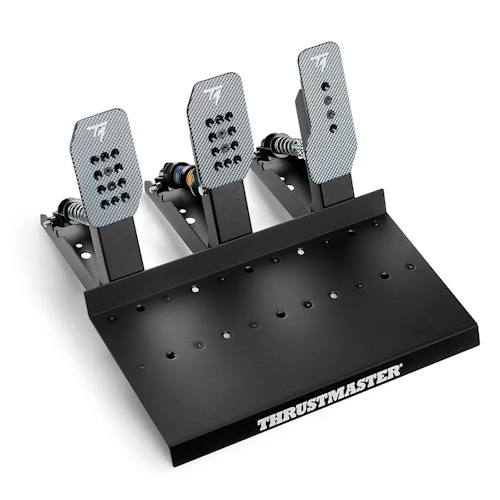
This article covers all possible connection methods for the Raceline pedal set equipped with the Raceline LC upgrade (Load Cell brake pedal). You will find our recommendations for each cable/connector, the pedal set mode required for compatible wheel bases, and essential information.
We also recommend referring to the user manual.
Important: To use the Raceline LC connected via RJ45 or USB, you must update the pedal set firmware: Raceline LC update |
I. Raceline LC connections and wheel base pedal set mode
Connection diagrams are explained below, but you can also refer to the instruction manual.
1. RJ45 (PC, PlayStation, Xbox): for T598
- Connect the two Jack cables to link the accelerator pedal and the clutch pedal to the brake pedal
- Connect the RJ45 cable to the brake pedal, then connect the Raceline LC (Load Cell) to the RJ45 port of the T598
- Connect your T598 to your PC or game console
Pedal set mode for RJ45: the T598 must be set to TRLP-LC mode
2. USB (PC): for T818 and all wheel bases
- Connect the two Jack cables to link the accelerator pedal and the clutch pedal to the brake pedal
- Connect the USB cable to the brake pedal, then connect the Raceline LC (Load Cell) to a USB port on the PC
- Connect your wheel base to the PC
The USB connection makes the Raceline LC pedal set an independent device.
3. RJ12 (PC, PlayStation, Xbox): for T248R and all compatible wheel bases
- Connect the splitter cable to the Jack port of each pedal, paying attention to the markings: C for CLUTCH; B for BRAKE; G for GAS (accelerator)
- Connect the RJ12 plug of the splitter cable to the RJ12 port of your wheel base
- Connect your wheel base to your PC or game console
Pedal set mode for RJ12: the wheel base must be set to T3PA mode
II. Summary, compatibility and recommendations for Raceline LC cables / connectors
Please note:
- Only one cable/connector must be used at a time (RJ45, USB, or RJ12). You must unplug the cables you are not using
- The RJ45 connection applies only to the T598 and will not provide any signal on a T818
Applicable cable / connector depending on the wheel base and platform:
| T598 (PS4/PS5/PC) | T598 (Xbox One/Xbox Series/PC) | T818 | T248R | TS-PC | PS FFB wheel bases* | Xbox FFB wheel bases** | |
| PC | RJ45 USB | RJ45 USB | USB | USB | USB | USB | USB |
| PlayStation | RJ45 | X | X | RJ12 | X | RJ12 | X |
| Xbox | X | RJ45 | X | X | X | X | RJ12 |
Legend :
* PS FFB wheel bases = T128P, T150, T248P, T300, T‑GT / T‑GT II
** Xbox FFB wheel bases = T128X, TMX, T248X, TX, TS‑XW
Possible connections for each cable / connector:
| T598 (PS4/PS5/PC) | T598 (Xbox One/Xbox Series/PC) | T818 | T248R | TS-PC | PS FFB wheel bases* | Xbox FFB wheel bases** | |
| RJ45 | PC / PlayStation | PC / Xbox | X | X | X | X | X |
| USB | PC | PC | PC | PC | PC | PC | PC |
| RJ12 | PC / PlayStation | PC / Xbox | PC | PC / PlayStation | PC | PC / PlayStation | PC / Xbox |
Good race!