 English
  Français
 Deutsch
 Español
 Italiano
 Nederlands
 Português
 Русский
 中文 (中国)
 한국어
한국어 日本語
日本語 Svenska
 Türkçe
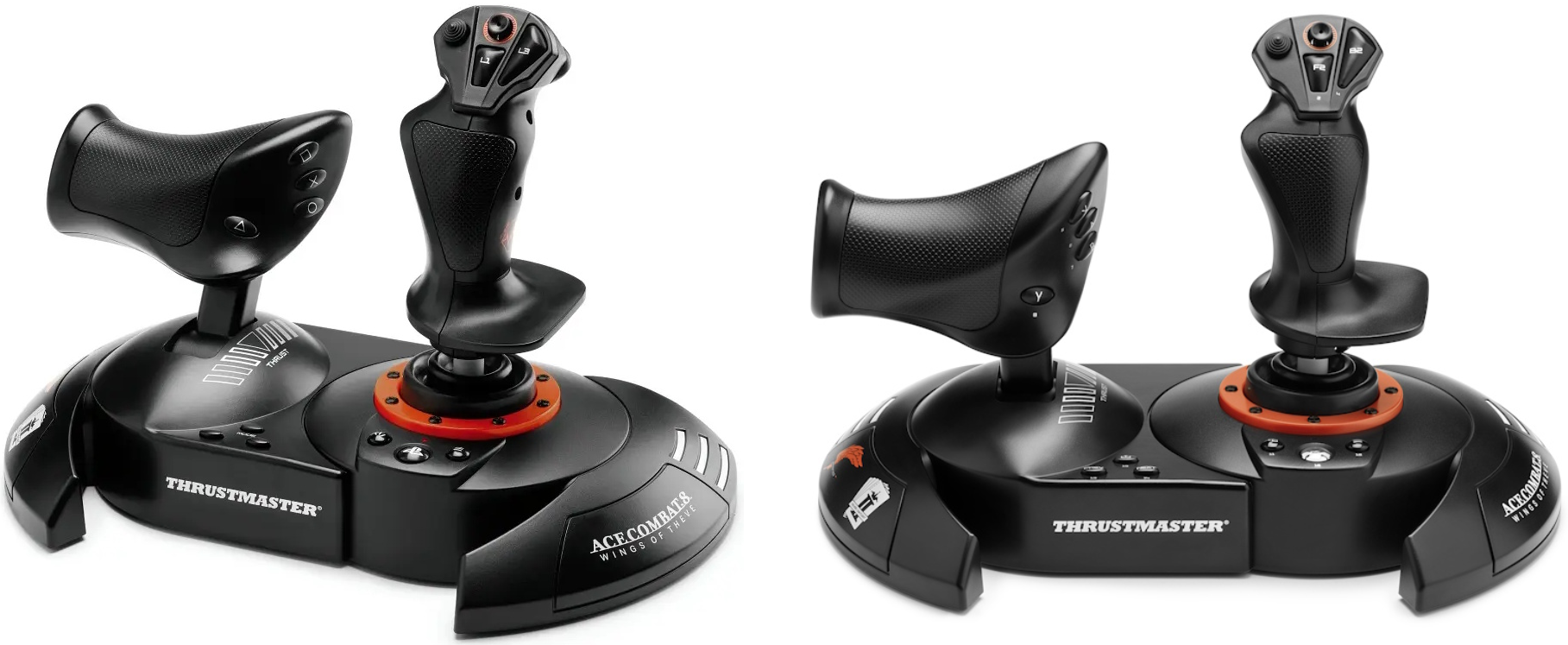
Products: T.FLIGHT HOTAS NEO; T.FLIGHT HOTAS NEO X
Platforms:
PC running Windows® 10/11 or later natively.
PlayStation®5, PlayStation®4.
This article shows how to calibrate your T.FLIGHT HOTAS NEO or T.FLIGHT HOTAS NEO X. It may help if an axis is no longer progressive, for example if it immediately jumps from 0% to 100%.
No driver is required for the calibration process.
Important: The calibration procedure described in this article applies when using the device on PC (T.FLIGHT HOTAS NEO and T.FLIGHT HOTAS NEO X), PlayStation 5, or PlayStation 4 (T.FLIGHT HOTAS NEO).
If you are using your T.FLIGHT HOTAS NEO X on an Xbox console, the calibration procedure is different. Click here. |
1. Connect your T.FLIGHT HOTAS NEO or T.FLIGHT HOTAS NEO X.
The LED near the PS or Xbox button lights up.
2. Press and hold buttons 13 and 14 for 5 seconds.
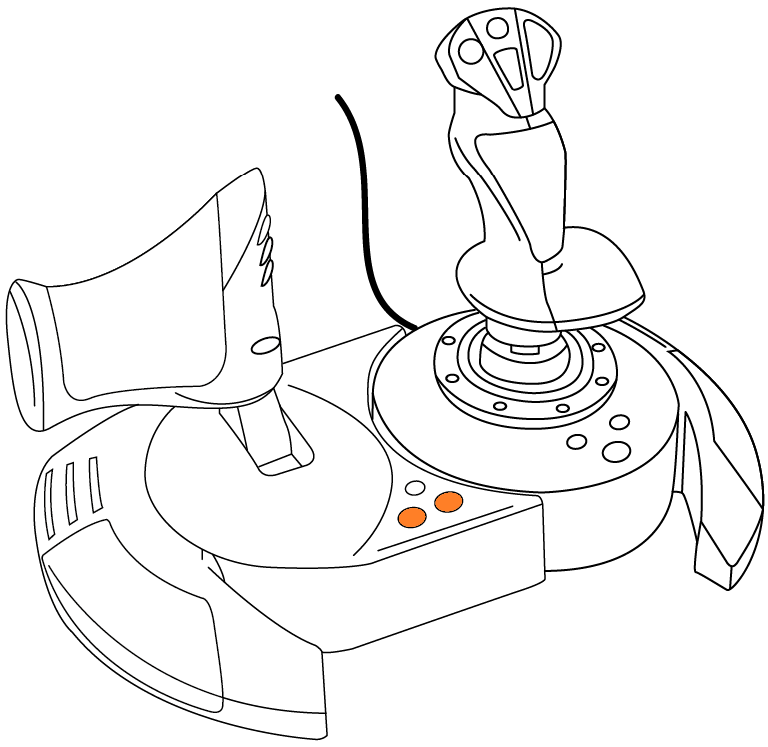
The LED starts flashing.
Release buttons 13 and 14.
3. Move the throttle to its center position.
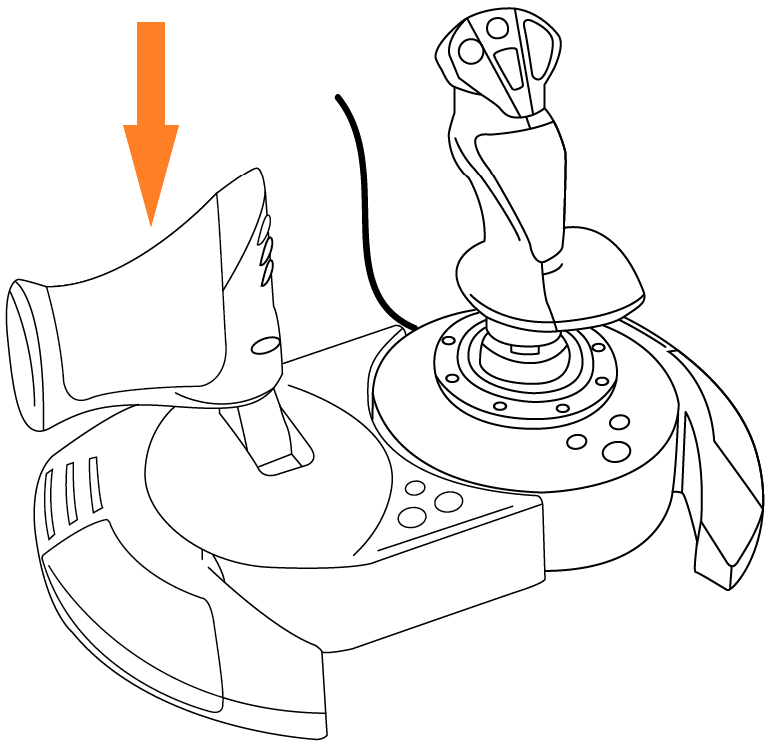
You will feel a detent when the throttle is physically at 50%.
4. Move the RZ axis to its minimum position and then to its maximum position.
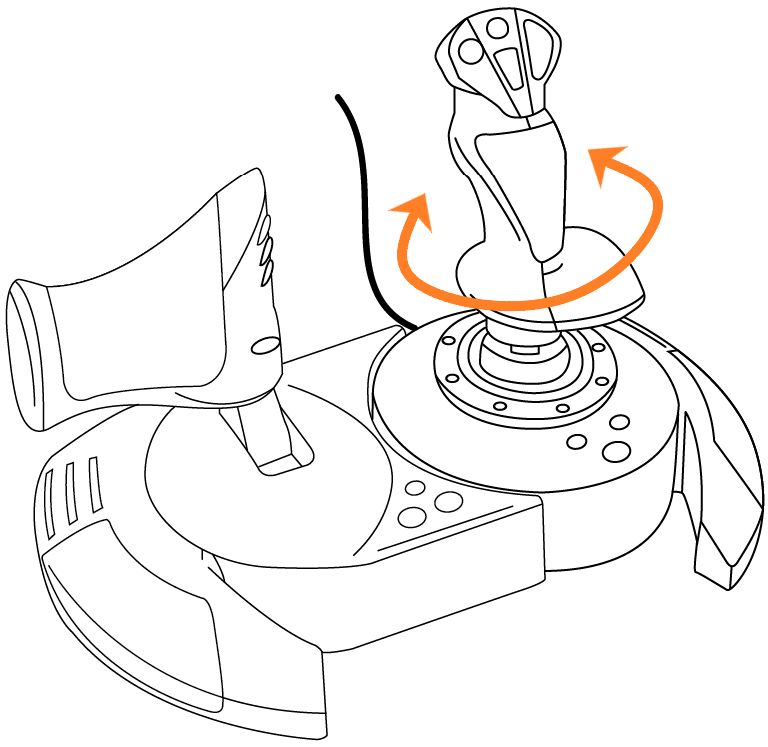
Keep the stick perfectly upright:
Rotate the stick (RZ axis) counterclockwise until it reaches the stop, then release it.
Rotate the stick (RZ axis) clockwise until it reaches the stop, then release it.
5. Press and release the PS or Xbox button.
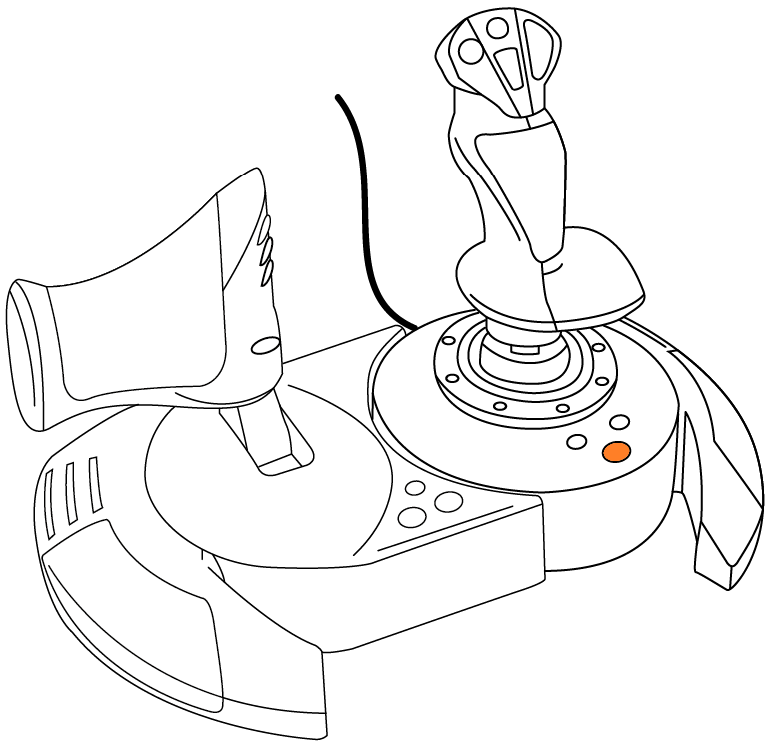
The LED stops flashing (it may turn off).
6. Unplug and reconnect your T.FLIGHT HOTAS NEO or T.FLIGHT HOTAS NEO X.
The calibration process is complete.