 English
  Français
 Deutsch
 Español
 Italiano
 Nederlands
 Português
 Русский
 中文 (中国)
 한국어
한국어 日本語
日本語 Svenska
 Türkçe
Products: T598 (PS4/PS5/PC) ; T598 (Xbox One/Xbox Series/PC)
Platforms:
PC running Windows® 10/11 or later natively.
PlayStation®5, PlayStation®4.
Xbox Series X|S™, Xbox One™.
In this article, we highlight the RJ12 and RJ45 ports available on the T598 to help you use them correctly when connecting your pedal set. If your pedal set is not working, this article may help you.
1. RJ12 port.
The RJ12 connection port allows you to connect most Thrustmaster pedal sets to the T598 racing wheel base.
On the rear of the T598 racing wheel base, the RJ12 port is labeled PEDALS.
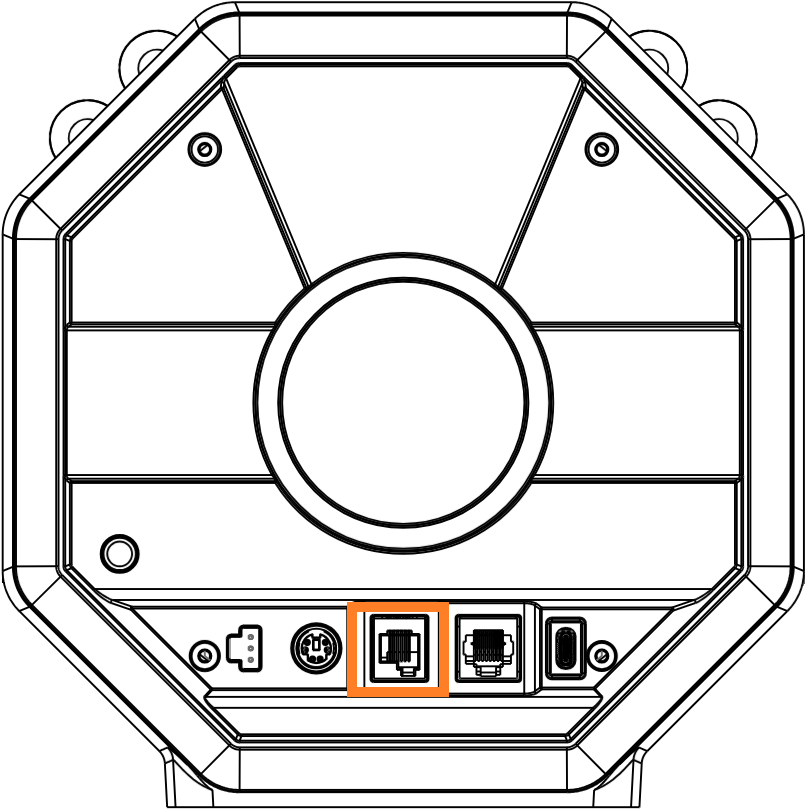
You must connect the following pedal sets to the RJ12 port:
Raceline pedal sets equipped with magnetic sensors: Raceline Pedals LTE, Raceline Pedals III.
Compatible pedal sets from other Thrustmaster ranges: T-LCM Pedals, T3PM, T2PM, T3PA Add-On, T3PA-PRO Add-On, T2PA.
2. RJ45 port.
The RJ45 connection port is specifically designed for the high-resolution Load Cell sensor.
On the rear of the T598 racing wheel base, the RJ45 port is labeled DIO.
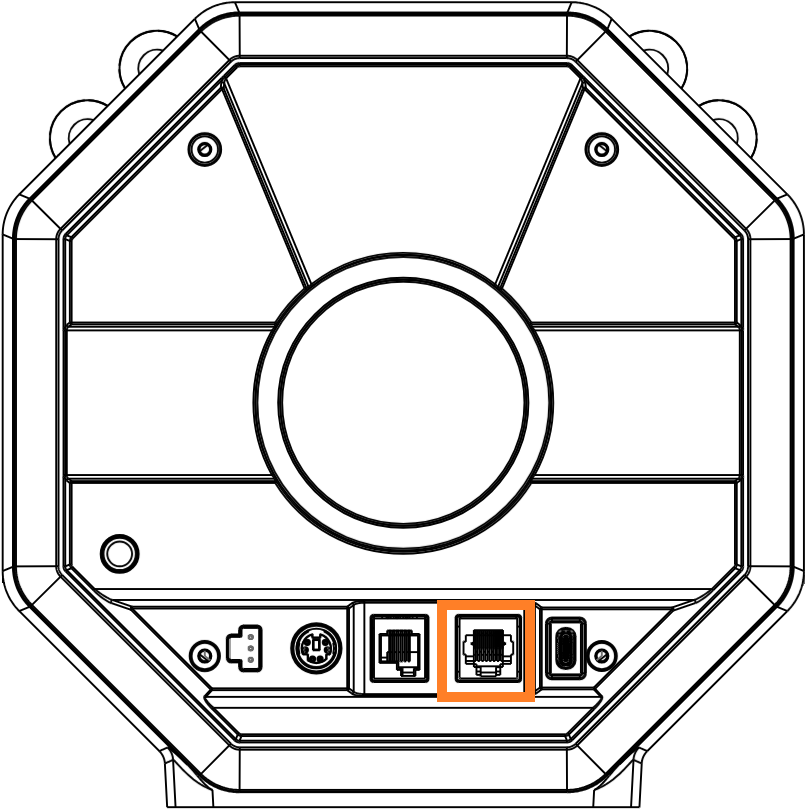
You must connect the following pedal sets to the RJ45 port:
Raceline pedal sets equipped with a Load Cell brake: Raceline Pedals III LC, Raceline LC Upgrade.
Have a nice race!