 English
  Français
 Deutsch
 Español
 Italiano
 Nederlands
 Português
 Русский
 中文 (中国)
 한국어
한국어 日本語
日本語 Svenska
 Türkçe
Product: Formula Wheel Add-On Ferrari SF-25 Edition
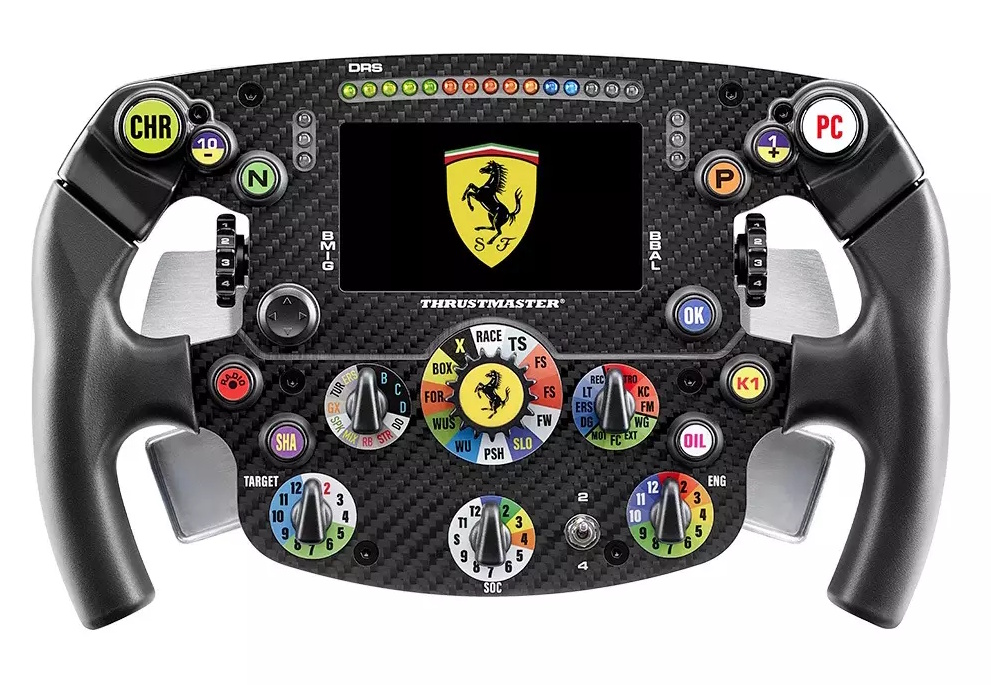
System requirements: My Thrustmaster Panel is available only on PC running Windows® 10/11 or later.
The wake-up method (Bootloader) is a procedure that allows you to attempt to reinstall the firmware on your Ferrari SF-25 if it is no longer recognized by your Direct Drive racing wheel base (T598, T818), typically following firmware loss.
This article explains the procedure using the My Thrustmaster Panel application.
Important notice The Bootloader procedure should only be used when the Ferrari SF-25 is completely inactive (LCD screen does not start, LEDs do not light up, no buttons respond). |
1. Prepare your Ferrari SF-25 for connection
Important: the Formula Wheel Add-On Ferrari SF-25 Edition must be detached from the racing wheel base.
Unscrew and remove the paddle shifters from the back of the Ferrari SF-25.
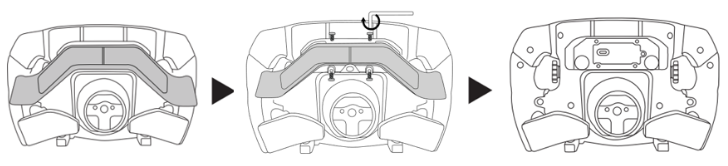
Connect the USB cable to the USB-C port of the Ferrari SF-25.
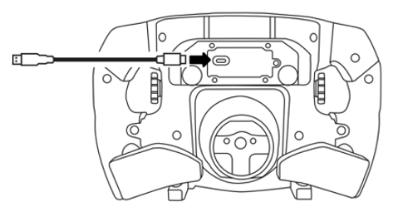
Wait before connecting the Ferrari SF-25 to the PC.
2. Press and hold buttons P and 1+

3. Connect your Ferrari SF-25 to a USB port on the PC while holding buttons P and 1+
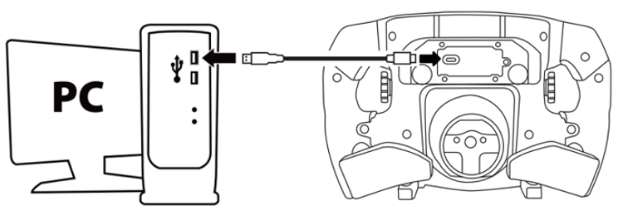
As soon as the Ferrari SF-25 is connected to the PC, wait 5 seconds, then release buttons P and 1+.
4. Open My Thrustmaster Panel
Your Ferrari SF-25 is not displayed on the home screen.
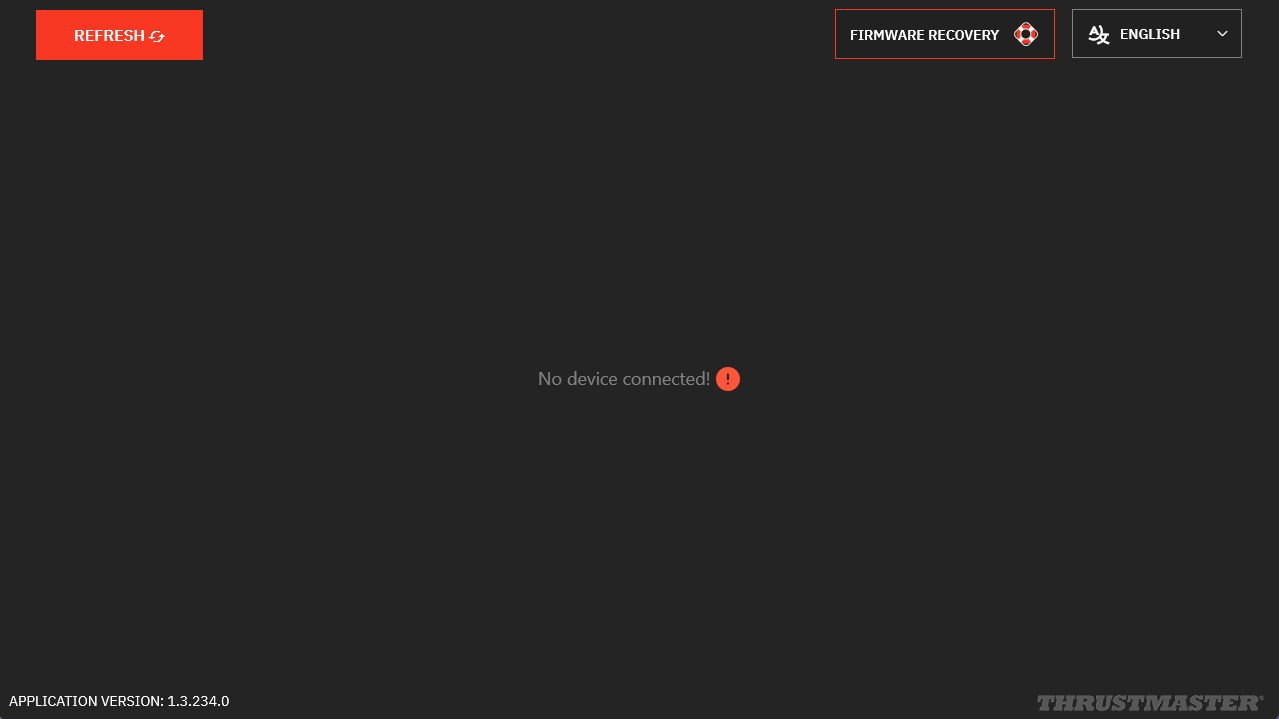
Click REFRESH to display the Ferrari SF-25.
5. Click FIRMWARE RECOVERY
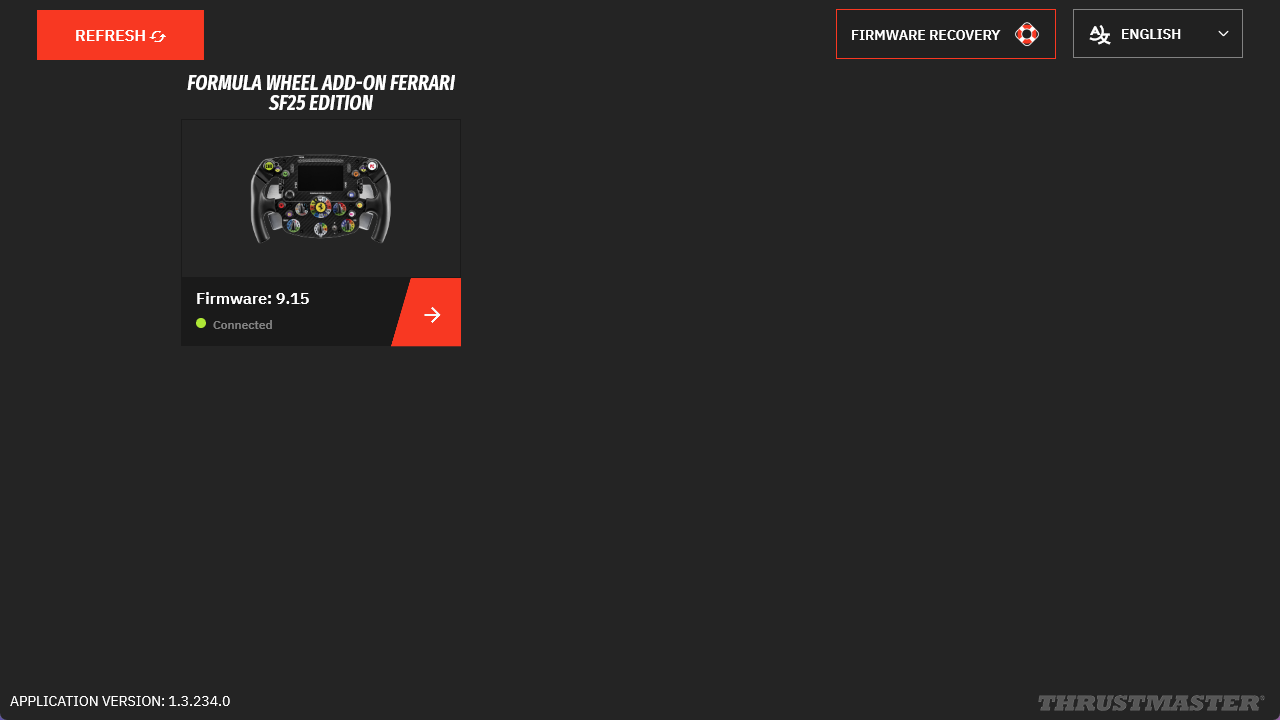
- Click OPEN FIRMWARE UPDATER
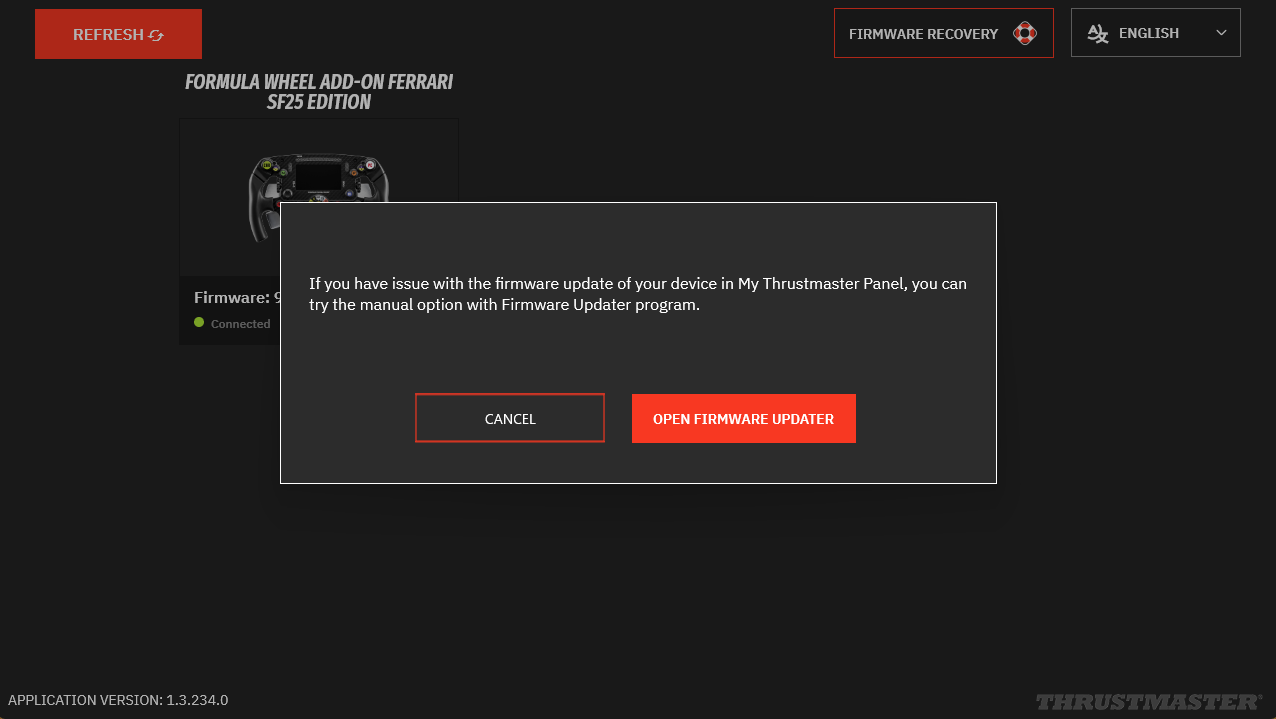
6. In Firmware Updater
The “Thrustmaster – Firmware Updater” window opens:
- Device: your Ferrari SF-25 appears in [Boot] mode
- Firmware: indicates the firmware version that will be applied
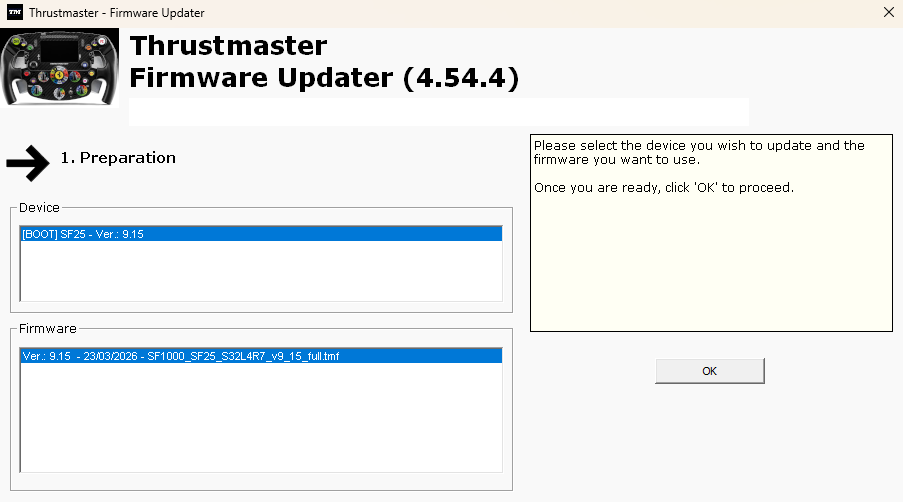
7. Click OK to perform the firmware update
Wait while the firmware loads and DO NOT DISCONNECT the USB connectors, either on the wheel or on the PC.
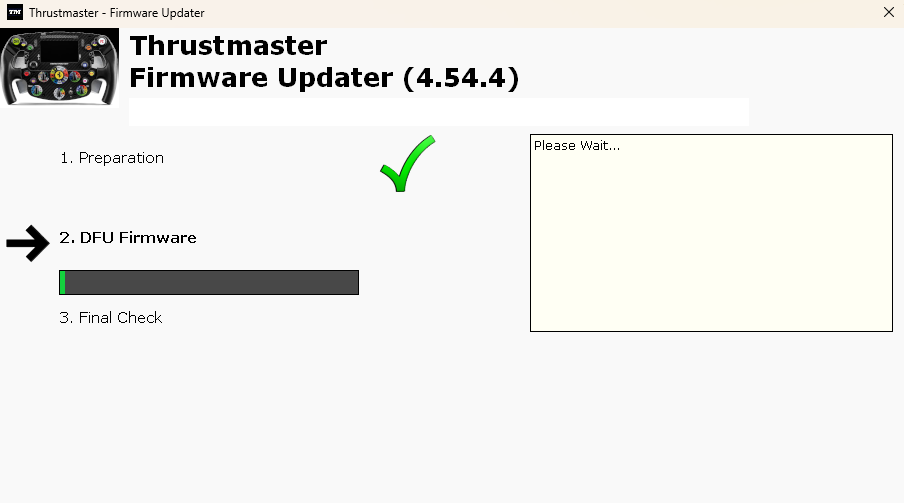
8. Disconnect and reconnect the Ferrari SF-25 USB as requested
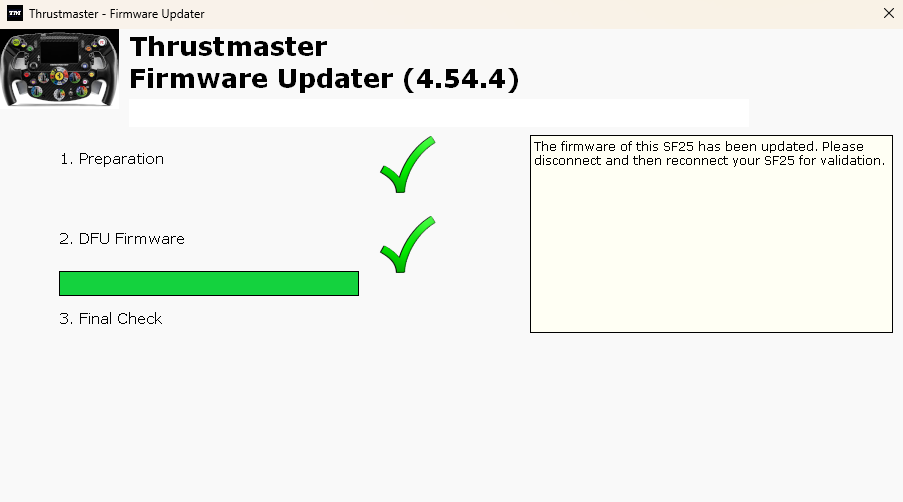
9. The update is confirmed
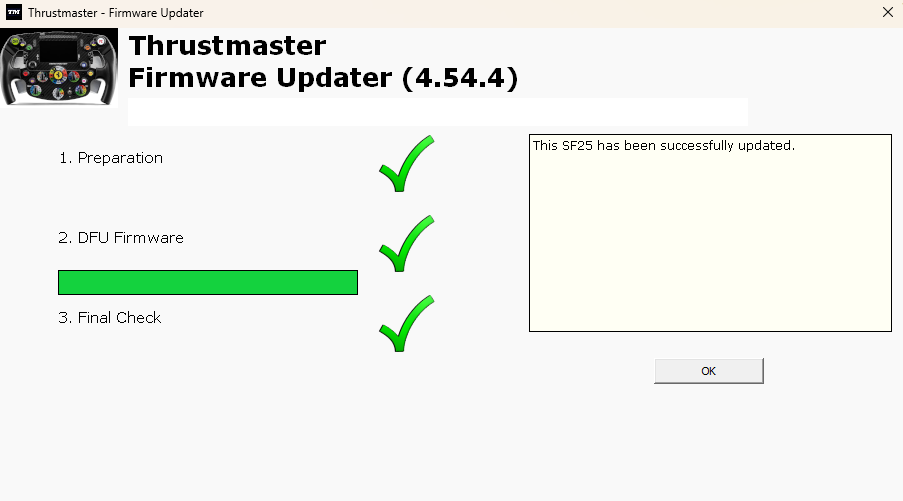
10. Wake-up procedure complete
Click OK and close the FIRMWARE UPDATER window.
If the procedure did not wake up your Ferrari SF-25:
- If possible, try the procedure on another PC
- Try another USB-C / USB-A cable