 English
  Français
 Deutsch
 Español
 Italiano
 Nederlands
 Português
 Русский
 中文 (中国)
 한국어
한국어 日本語
日本語 Svenska
Products: T98 Ferrari 296 GTB (PS4/PS5/PC) ; T98 Ferrari 296 GTS (Xbox One/Xbox Series/PC)
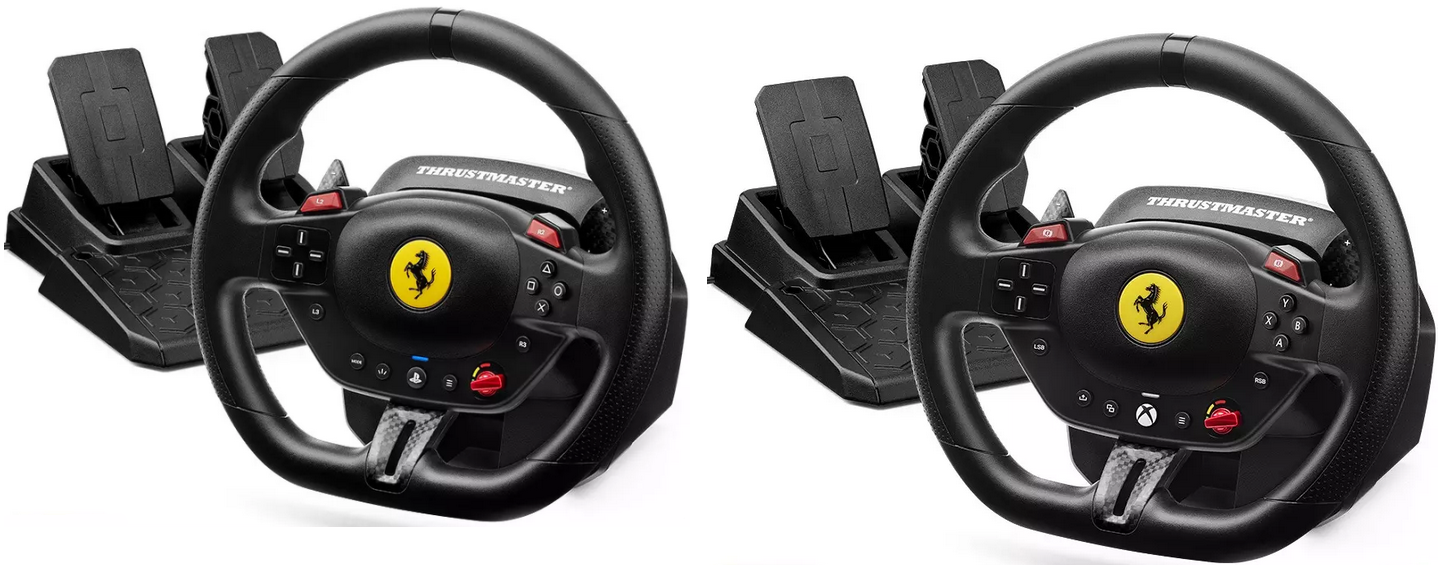
System requirements: PC running Windows® 10/11 or more recent
This article provides solutions to ensure your T98 is recognized by your PC and games and explains how to test and configure it quickly.
Questions and Answers:
1- Is my T98 detected by my PC?
1.1 - Is the T98 PC Mode activated?
1.2 - Do I need to install a driver?
1.3 - How to test the T98 via the Control Panel
2- Is my T98 compatible with my PC game?
2.1 - How to map the T98 in a PC game?
2.2 - Mapping for Forza Horizon 5 (PC)
2.3 - Mapping for F1® (PC)
3- Why does my T98 still not work?
3.1 - Game installation and Cloud Gaming
3.2 - Antivirus
1- Is my T98 detected by my PC?
1.1 - Is PC Mode active?
Plug the T98 into a USB port. The wheel’s LED should light up green.

For more details on PC Mode and the T80 driver, check our T98P/T98X articles.
1.2 - Do I need a driver?
No, the T98 works without a driver.
If you previously had a T80, uninstall its driver (see T98P/T98X articles).
To play, go to the Mapping section.
1.3 - Test the T98 using the Control Panel
Connect the T98 (green LED):
- Click the Windows search icon on your PC desktop, type “joy.cpl” and open it
- In “Game Controllers,” check for T98 Ferrari 296 GT
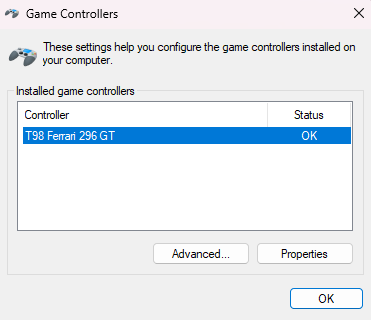
- Click Properties to test buttons and axes.
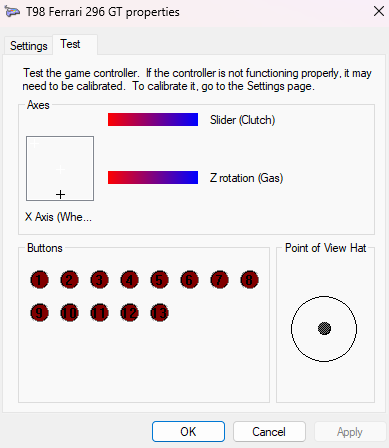
Warning: Do not use calibration (Settings), as it may disrupt the steering wheel’s axes.
2- Is my T98 compatible with my PC game?
2.1 - Mapping the T98 in a PC game
Some games recognize the T98 natively, other ones as a T80.
Most require manual mapping:
- Connect the T98 and launch the game
- Go to Settings / Controls and assign axes and buttons
Mappings are available in “Game Settings”:
- Games settings - T98 Ferrari 296 GTB (PS4/PS5/PC)
- Games settings - T98 Ferrari 296 GTS (Xbox One/XBox Series/PC)
2.2 - Mapping Forza Horizon 5 (PC)
Check our dedicated article: T98 mapping in Forza Horizon 5 (PC version)
Menu navigation and profile selection must be done with the keyboard.
2.3 - Mapping F1® (PC)
Article available: T98 mapping in F1® (PC version)
Important: F1® 25 is natively compatible. For F1® 2015 to F1® 24, manual mapping is required.
3- Why does my T98 still not work?
3.1 - Game installation and Cloud Gaming
The game must be installed locally (with its .exe file present).
Important: Cloud gaming and streaming only support standard controllers.
3.2 - Antivirus
Some antivirus programs may block the wheel from being detected by the game (e.g., Bitdefender).
Solution: Add an exception in your antivirus for the game’s .exe file (e.g., F124.exe).