English
  Français
 Deutsch
 Español
 Italiano
 Nederlands
 Português
 Русский
 中文 (中国)
 한국어
한국어 日本語
日本語 Svenska
T598 (Xbox One/Xbox Series/PC)
Product number 4469033
Warning
On Xbox, two compatibility modes are available with the T598 racing wheel:
•NATIVE mode (with a white bar on the base’s screen), which is the default mode.
•LEGACY mode (with a purple bar on the base’s screen), which is the backward compatibility mode. In this mode, T598 is recognized as a TS-XW Racer racing wheel.

Some games (such as EA SPORTS™ F1® 23 / F1® 24 / F1® 25) only work in LEGACY (Legacy) mode.
Select LEGACY (Legacy) mode if you encounter compatibility (or functionality) issues with an Xbox game.
The firmware version of your T598 wheel base (and some wheel rims) is displayed on the screen of your T598 wheel base.
•NATIVE mode (with a white bar on the base’s screen), which is the default mode.
•LEGACY mode (with a purple bar on the base’s screen), which is the backward compatibility mode. In this mode, T598 is recognized as a TS-XW Racer racing wheel.
Some games (such as EA SPORTS™ F1® 23 / F1® 24 / F1® 25) only work in LEGACY (Legacy) mode.
Select LEGACY (Legacy) mode if you encounter compatibility (or functionality) issues with an Xbox game.
• FW: 1.60 is the latest firmware version for the T598 wheel base.
It is imperative that you update your base with the latest firmware version.
To carry out the firmware update, install the My Thrustmaster Panel software (download link available below in the SOFTWARE section) and follow the instructions.
Important note regarding the FERRARI 488 GT3 WHEEL ADD-ON and EVO RACING 32 WHEEL ADD-ON and HYPERCAR WHEEL ADD-ON wheel rims (sold separately):
In order for these wheel rims to work properly with the T598 & T818 base you must update them with a new firmware version V2.06
Improvement: This new wheel rim firmware avoids telemetry disconnections and some force feedback issues in games
To carry out the firmware update, install the My Thrustmaster Panel software and follow the instructions.
# FERRARI 488 GT3 WHEEL ADD-ON – Firmware Update Process – V2.06
# EVO RACING 32 WHEEL ADD-ON – Firmware Update Process – V2.06
# HYPERCAR WHEEL ADD-ON – Firmware Update Process – V2.06
Important note regarding the Raceline LC (Load Cell) pedal set (sold separately):
In order for this pedal set to work properly with the T598 you must update it with a new firmware version V2.53
Note regarding My Thrustmaster Panel software
The software automatically installs the(DRIVER).
Read more
Manual
 Quick Install - T598 bundle(Xbox One/Xbox Series/PC)PC Xbox One™ Xbox Series X|S™
- Template - Raceline Pedals LTE (Size + Threaded holes for cockpits)
- Template - T598 Clamp only (Size + Threaded holes for cockpits)
- Thrustmaster Warranty information
- User Manual - T598 Bundle (Xbox One/Xbox Series/PC) - ENPC Xbox One™ Xbox Series X|S™
- User Manual - T598 Bundle (Xbox One/Xbox Series/PC) - FRPC Xbox One™ Xbox Series X|S™
Template - T598 Base only (Size + Threaded holes for cockpits)
Software
 My Thrustmaster Panel [VERSION: 1.3.234.0] PC
 Release notes - My Thrustmaster Panel [VERSION: 1.3.234.0]
My Thrustmaster Panel [VERSION: 1.3.234.0]
• Supported devices: T248R, T598X, T598P, T818, Raceline LC
* NEW: [APPLICATION VERSION: 1.3.234.0]
== Hot-Fix
• T248R show in HOMEPAGE in any condition
* NEW: [APPLICATION VERSION: 1.3.230.0]
== New feature:
• Add Raceline LC support in USB
• Add Raceline LC support in DIO / RJ45 (with the T598 base only)
• Add Raceline LC user Journey with TTRS Drivers support
• Add EVO Levers Support
• Add Formula Wheel Add-On Ferrari SF25 Edition Support
• Add Formula Wheel Add-On Ferrari SF1000 Edition Firmware Update process
== Improvement:
• App behaving when outdated component is founded.
• Improved global firmware update process.
• GT Wheel add-on UI.
• Toast notification Rework.
== Know issues:
• Wheel Rims connected might not refresh until Wheel base is restarted while the app is open.
• UI - Can be incorrect in 4K with 200% Windows scale.
• My Thrustmaster Panel automatically reboots after firmware update.
• SF1000 Wheel Add On could be display instead of the attached wheel add on.
• SF25 can be show as SF1000 before Firmware update.
• SF1000 Firmware version is not showing.
• T598 - Can be shown with Firmware version 1.80 when no drivers are installed.
• T598X - Gear Jolt & Engine Roar can cause issue in the forcefeedback effect.
• SPORTCAR Wheel rims can show incorrect firmware version as 58.233.
• T248R Auto center Slider can be moved to 0% in certains conditions.
• Weblink are not localized.
== Bug Fix:
• SF1000 Wheel Add On flickering on HOMEPAGE screen.
• Various UI Fixes.
• Various Tooltips correction.
* NEW: [APPLICATION VERSION: 1.2.143.0]
== New feature:
• Add T818 7.39 Firmware Support: New Settings & Pattern lighting modes.
• Add Hypercar Wheel Add On firmware process & update support.
== Improvement:
• Reworked T818 Presets module.
• New UI for Links page.
• Improved presets prompt to handle T818 external settings changes.
• Improved notifications for available updates with connected devices.
== Know issues:
• Wheel Rims connected might not refresh until Wheel base is restarted while the app is open.
• UI - Can be incorrect in 4K with 200% Windows scale.
• My Thrustmaster Panel automatically reboots after firmware update.
• SF1000 Wheel Add On could be display instead of the attached wheel add on.
• T598 - Can be shown with Firmware version 1.80 when no drivers are installed.
• T248R Auto center Slider can be moved to 0% in certains conditions.
• Weblink are not localized.
• T598 wording is used instead of T818 for Wheel rim firmware update warning.
== Bug Fix:
• SF1000 Wheel Add On flickering on HOMEPAGE screen.
• Various UI Fixes.
* NEW: [APPLICATION VERSION: 1.1.134.0]
== Hot-Fix
• SPORTCAR Wheel Rim firmware update fix
* NEW: [APPLICATION VERSION: 1.1.133.0]
== New feature:
• Add T248R Support.
• Add T598 Xbox version Support.
• Add SPORTCAR Wheel Rim Firmware update support when connected to a T598 servo base.
== Improvement:
• New Settings categories page layout.
• New UI for Overview, Settings and Testing page.
• Improved Firmware update process when bootmode not correctly engaged.
• Improved notifications for available updates with connected devices.
== Know issues:
• Wheel Rims connected might not refresh until Wheel base is restarted while the app is open.
• UI - Can be incorrect in 4K with 200% Windows scale.
• My Thrustmaster Panel automatically reboots after firmware update.
• SF1000 Wheel Add On could be display instead of the attached wheel add on.
• T598 - Can be shown with Firmware version 1.80 when no drivers are installed.
• Weblink are not localized.
• T248R Auto center Slider can be moved to 0% in certains conditions.
== Bug Fix:
• T818 - Two device instead of one can be seen at first start-up of the app.
• Various UI Fixes.
* NEW: [APPLICATION VERSION: 1.0.518.0]
== Hot-Fix
• Firmware Recovery Update - Only the latest firmware available is now downloaded
• Firmware Update - Device Bootmode verification logic is improved to minimize waiting time
• Ferrari 488 GT3 & EVO racing HUB - Firmware Update now show properly the update progress.
* NEW: [APPLICATION VERSION: 1.0.514.0]
== New feature
• Add T598 SETTINGS page.
• Add T818 Support.
• Add T818 Presets settings (D, 1, 2, 3).
== Improvement
• New prompt to inform My Thrustmaster Panel will reboot after firmware update.
• New T598 HD illustration.
• New REFRESH prompt & logic on HOMEPAGE.
• New update logic flow as the Drivers is updated before the firmware.
• Updated TM Firmware updater.
== Know issues:
• UI - Can be incorrect in 4K with 200% Windows scale.
• My Thrustmaster Panel will automatically reboot after firmware update.
• SF1000 Wheel Add On could be display instead of the attached wheel add on.
• T598 - Can be shown with Firmware version 1.80 when no drivers are installed.
• T818 - Two device instead of one can be seen at first start-up of the app.
• Weblink are not localized.
== Bug Fix
• EVO racing HUB - Update instructions are localized.
• EVO racing HUB - Support webpage link Added.
• Ferrari 488 GT3 - No longer display EVO racing HUB device.
• Hypercar Wheel Add On - Support webpage link Added.
• SF1000 Wheel Add On - Correct Firmware version is now showing.
• SF1000 Wheel Add On - App no longer close when use "Set center".
• Ferrari F1 Wheel - Added button 18-19-20-21 on TESTING screen.
• T598 - In Blue mode and without any drivers install now only show 1 device.
• T598 - Buttons layout for TM Open Wheel Add On and Ferrari 488 Challenge add on in TESTING screen.
• It is impossible to cancel the checking for only 1 device right before performing a firmware update.
• The REFRESH button will update the FW Updater when a wheel is connected via USB.
• Various UI fixes.
* OLD: [APPLICATION VERSION: 1.0.326.0]
== New feature
• Wheel Rims firmware update from My Thrustmaster Panel.
• Add Recovery Mode to open firmware updater from My Thrustmaster Panel.
== Improvement
• Add firmware version verification in the Wheel Rim page.
• Add firmware Updater shortcut in the Wheel Rim update process.
• Possibility to see device in bootmode in the HOMEPAGE.
== Know issues:
• My Thrustmaster Panel will automatically reboot after firmware update.
• Device are shown in the HOMEPAGE only after hitting "REFRESH" button.
• Weblink are not localized.
• SF1000 Wheel is shown randomly instead of the correct wheel add on.
• SF1000 Wheel Add On firmware version is not showing or incorrect value.
• Ferrari F1 Wheel: Missing button 18-19-20-21 on Testing Tab.
• Hypercar Wheel Add On don't have support webpage link.
• Extra EVO Racing HUB can be displayed when plugging the USB cable into Ferrari 488 GT3 or Evo Racing Addon.
• EVO racing HUB update instructions are not localized.
• EVO racing HUB don't have support webpage link.
• The refresh button will update the FW Updater when a wheel is connected via USB.
• UI - When in TESTING page and connecting a ID shared wheel Rim (ID=4) all wheels are displayed.
• UI - can be incorrect in 4K with 200% Windows scale.
• T598 - Visual error appearing when booting the title with no drivers for a very short moments.
• T598 - Minor issue with the buttons layout for TM Open Wheel and Ferrari 488 Challenge addons in Testing Page.
• T598 - Can be shown with incoherent Firmware version 1.80 when no drivers are installed.
• T598 - Settings are not yet adjustable in My Thrustmaster Panel.
• T598 - in blue mode and without any drivers install can show 2 unknown devices instead of 1.
== Bug Fix
• Firmware Updater fix that prevent to update T598 for some users.
• Firmware Updater fix that return "Oops somethings went wrong!"
• Removed T818 support as it is not supported correctly in this app. BETA version must still be use for T818.
• Various UI fixes.
• Localized all the contents.
* OLD: [APPLICATION VERSION: 1.0.227.0]
== Release version
== Know issues:
• T598 Settings are not yet adjustable in My Thrustmaster Panel.
• SF1000 wheel is shown randomly instead of the correct wheel add on.
• My Thrustmaster Panel may not re-open right after closing it.
• My Thrustmaster Panel will automatically reboot after firmware update.
• When using the "SET CENTER" feature, the value display may be -1° instead of 0°.
• T598 can be shown with incoherent Firmware version 1.80 when no drivers are installed.
• Device are shown in the HOMEPAGE only after hitting "REFRESH" button
• In some configuration, the TESTING page may close the app
• "Coming Soon!" message is not localized.
• Double click on "REFRESH" close the app.
• Unable to start again the app shortly after closing it.
• With T598 in blue mode and without any drivers install can show 2 unknown devices instead of 1.
• Weblink are not localized.
• Wheel rims version show no icon once up to date.
• SF1000 Wheel Add On firmware version is not showing or incorrect value.
• 488 GT3 Wheel Add On update instructions are not localized.
• Hypercar Wheel Add On update instructions are not localized.
• Hypercar Wheel Add On don't have support webpage link.
• EVO racing Hub update instructions are not localized.
• EVO racing Hub don't have support webpage link.
Firmware
 T598X - Firmware Update Process - v1.60PC
-
Release notes - T598X - Firmware Update Process - v1.60
T598X - Firmware Update Process - v1.60
* NEW: T598 – Update [Firmware version 1.60]
== NEW DEVICES SUPPORTED
• Raceline LC and SF-25 are now fully supported and added to the list of compatible devices.
== RACE DASH UI
• Added RACELINE LC curve configuration for more precise pedal tuning and improved responsiveness.
• Added TELEMETRY on Xbox : Enabled Telemetry support for Xbox users (*).
== SETTINGS
• Inertia Support: Added Inertia settings support for Xbox (*).
• Engine Roar – New Feature (PC only)
o Introduced the Harmony effect: Engine Roar (accessible in the FFB menu through the user interface).
o This new immersive feedback effect lets you feel your engine’s revs and limiter more intensely while driving.
o Four selectable levels let you tailor the experience:
OFF, LOW, MID, HIGH — allowing you to choose how deeply you want to feel your engine’s resonance.
== Bug Fix
• Minor bugs fix
== GENERAL IMPROVEMENT
• Various improvements
(*) Compatible Games List : For the full list of games compatible with the T598-X (XBOX & PC), please visit: https://support.thrustmaster.com/en/product/t598x-en/
-----------------------------------------------------------------------------------------------------------------------------------------------------------------------------------
/! Important note regarding the FERRARI 488 GT3 WHEEL ADD-ON, the EVO RACING 32 WHEEL ADD-ON and the HYPERCAR WHEEL ADD-ON wheel rims (sold separately) /!
/! In order for these wheel rims to work properly with the T598 base you must update them with a new firmware version V2.06. /!
/! This new firmware avoids telemetry disconnections and some force feedback issues in games /!
----------------------------------------------------------------------------------------------------------------------------------------------------------------------------------------------------------------------------------------------------------------------------------------------------------------------------------------------------------------------
/! Important note regarding the FERRARI SF-25 WHEEL ADD-ON and the FERRARI SF1000 WHEEL ADD-ON (sold separately) /!
/! In order for these wheel rims to work properly with the T598 base you must update them with a new firmware version V9.15. /!
/! This new firmware avoids telemetry disconnections and some force feedback issues in games /!
----------------------------------------------------------------------------------------------------------------------------------------------------------------------------------------------------------------------------------------------------------------------------------------------------------------------------------------------------------------------
/! Important note regarding the RACELINE LC (Load Cell) pedal set (sold separately) /!
/! In order for this pedal set to work properly with the T598 you must update it with a new firmware version V2.53. /!
-----------------------------------------------------------------------------------------------------------------------------------------------------------------------------------
==
==
==
* OLD: Firmware version [FW: 1.40]
== Release version
Buttons mapping
- T598 (Xbox One/Xbox Series/PC) Native mappingPC Xbox Series X|S™
-
T598 - GENERIC Mapping – PCPC
-
T598 - GENERIC Mapping – Xbox One/Xbox Series Xbox Series X|S™

T598 - GENERIC Mapping – PC
PC

T598 - GENERIC Mapping – Xbox One/Xbox Series
Xbox Series X|S™
Games settings
- T598 – ENGINE ROAR Effect PC PS4™ PlayStation®5
- T598 – T598 (XBOX/PC): Visual Telemetry on Xbox Series X|S™ Xbox One™ Xbox Series X|S™
- T598 (XBOX/PC): List of PC games compatible with the Thrustmaster telemetry SDK + GEAR JOLT FFB + ENGINE ROAR FFB PC Xbox One™ Xbox Series X|S™
- T598 (XBOX/PC): List of Xbox games compatible with the visual Telemetry PC Xbox One™ Xbox Series X|S™
- T598 (XBOX/PC): LSB and RSB action buttons on the basePC Xbox One™ Xbox Series X|S™
- T598(Xbox One/XBox Series/PC) - Xbox One™ Games list / Liste des jeux / Liste der spiele Xbox One™
- T598(Xbox One/XBox Series/PC) - Xbox Series X|S™ Games list / Liste des jeux / Liste der spieleXbox Series X|S™
- T598(Xbox One/XBox Series/PC): HANDBRAKE buttons: list of compatible Xbox One / Xbox Series X|S games Xbox One™ Xbox Series X|S™
- WHEELS - Compatibility with CLOUD GAMING and STREAMING
-
T598XB - FFB Preset [FFB D – FFB 1 – FFB 2 – FFB 3] - ENPC Xbox Series X|S™
-
T598XB Mapping – American Truck Simulator (PC) PC
-
T598XB Mapping – Euro Truck Simulator 2 (PC) PC
-
T598XB Mapping – ASSETTO CORSA COMPETIZIONE (PC) PC
-
T598XB Mapping – AUTOMOBILISTA 2 (PC) PC
-
T598XB Mapping – EA SPORT™ F1®23 & F1®24 (PC)PC
-
T598XB Mapping – EA SPORT™ WRC (PC) PC
-
T598XB Mapping – iRacing® (PC) PC
-
T598XB Mapping – LE MANS® ULTIMATE (PC) PC
-
T598XB Mapping – RaceRoom Racing Experience (PC) PC
T598 (XBOX/PC): List of PC games compatible with the Thrustmaster telemetry SDK + GEAR JOLT FFB + ENGINE ROAR FFB
List of PC games compatible with the Thrustmaster telemetry + GEAR JOLT FFB + ENGINE ROAR FFB
EN - T598 (XBOX/PC): List of PC games compatible with the Thrustmaster telemetry + GEAR JOLT FFB + ENGINE ROAR FFB
FR - T598 (XBOX/PC) : Liste des jeux PC compatibles avec le SDK de télémétrie Thrustmaster + GEAR JOLT FFB + ENGINE ROAR FFB
DE - T598 (XBOX/PC): Liste der PC mit dem Thrustmaster Telemetrie-SDK kompatiblen Spiele + GEAR JOLT FFB + ENGINE ROAR FFB
简体中文 - T598 (XBOX/PC):PC 兼容 Thrustmaster(图马思特) 遥测 SDK + GEAR JOLT 选项 + ENGINE ROAR 选项
EN:
- GEAR JOLT option: to feel gear shifting in the wheel rim- ENGINE ROAR option:
This new immersive feedback effect lets you feel your engine’s revs and limiter more intensely while driving.
That reacts in real time to the vehicle's telemetry data once on the track.
Some games (such as F1, PMR, LMU, or FH5) do not cut off telemetry when you pause the game (which can be easily verified on the T598 screen in the telemetry section by selecting SPEED or RPM). In this case, the ENGINE ROAR effect continues to work and is only interrupted when you completely exit the race/game.
- INERTIA option:
this screen lets you adjust the wheel rim's inertia. There are four settings to choose from, ranging from no inertia to high inertia (OFF, MID, HIGH, EXT), allowing for more or less steering control depending on the game you are playing and the vehicle you are using.
This motor setting increases the wheel rim's inertia proportionally to the vehicle's speed. The faster the vehicle goes, the more the inertia increases.
High inertia increases the force required to turn the wheel rim (the wheel rim then slows down), thereby limiting oscillations in a straight line when using very powerful vehicles.
FR :
- Option GEAR JOLT : pour ressentir le passage de vitesses dans le volant- Option ENGINE ROAR :
Ce nouvel effet de retour immersif permet de ressentir plus intensément le régime moteur et le limiteur de régime pendant la conduite.
Il réagit en temps réel aux données de télémétrie du véhicule une fois en piste.
Certains jeux (comme F1, PMR, LMU ou FH5) ne coupent pas la télémétrie lorsque vous mettez la partie en pause (ce qui est facilement vérifiable sur l’écran du T598 dans la partie télémétrie en sélectionnant SPEED ou RPM). Dansce cas, l’effet ENGINE ROAR continue de fonctionner et n’est interrompu que lorsque vous quittez complètement la course/le jeu.
- Option INERTIA :
Cet écran permet d’ajuster l’inertie du volant. Vous avez le choix entre quatre réglages, allant d’aucune inertie à une inertie élevée (OFF, MID, HIGH, EXT), permettant plus ou moins de maîtrise du volant en fonction du jeu auquel vous jouez et du véhicule utilisé.
Ce réglage moteur augmente l’inertie du volant proportionnellement à la vitesse du véhicule. Plus le véhicule va vite, plus l’inertie augmente.
Une inertie forte augmente la force nécessaire pour tourner le volant (celui-ci se retrouve alors ralenti), limitant ainsi les oscillations en ligne droite lors de l’utilisation de véhicules très puissants.
DE:
- GEAR JOLT Option: um den Gangwechsel auf dem Lenkrad zu spüren- ENGINE ROAR Option:
Dieser neue immersive Force-Feedback-Effekt lässt Sie die Drehzahl und den Drehzahlbegrenzer Ihres Motors während der Fahrt intensiver spüren (der in Echtzeit auf die Telemetriedaten des Fahrzeugs reagiert, sobald dieses auf der Strecke ist).
Bei einigen Spielen (wie z. B. F1, PMR, LMU oder FH5) wird die Telemetrie nicht unterbrochen, wenn Sie das Spiel pausieren (dies lässt sich leicht auf dem Display der T598 im Telemetriebereich überprüfen, indem Sie SPEED oder RPM auswählen). In diesem Fall bleibt der ENGINE ROAR-Effekt aktiv und wird erst unterbrochen, wenn Sie das Rennen/Spiel vollständig beenden.
- INERTIA Option:
hier können Sie das Trägheitsmoment des Lenkrads einstellen. Sie können zwischen vier Einstellungen wählen, die von keiner Trägheit bis zu einer hohen Trägheit reichen (OFF, MID, HIGH, EXT), so dass Sie je nach Spiel und Fahrzeug eine stärkere oder schwächere Lenkkontrolle haben.
Diese Motoreinstellung erhöht die Trägheit des Lenkrads im Verhältnis zur Geschwindigkeit des Fahrzeugs. Je schneller das Fahrzeug fährt, desto mehr nimmt die Trägheit zu.
Eine hohe Trägheit erhöht die Kraft, die erforderlich ist, um das Lenkrad zu drehen (das Lenkrad wird dann langsamer), wodurch die Schwingungen auf einer geraden Linie begrenzt werden, wenn Sie sehr leistungsstarke Fahrzeuge fahren.
简体中文
- GEAR JOLT 选项(用于感受方向盘轮缘的齿轮换挡)- ENGINE ROAR 选项
这项全新的沉浸式反馈效应让您在驾驶时更强烈地感受引擎转速和转速限制器的状态。
全新沉浸式力反馈效应,可在赛道上行驶时实时响应车辆遥测数据。
部分游戏(如 F1、PMR、LMU 或 FH5)在暂停游戏时不会中断遥测(可在 T598 屏幕的遥测区域选择 SPEED 或 RPM 轻
松验证)。在此情况下,ENGINE ROAR 效应将持续运行,仅在完全退出比赛/游戏时才会中断。
- T598 INERTIA 选项.
通过此屏幕,您可以调整方向盘轮缘的惯性。从无惯性到高惯性(OFF、LOW、MID、HIGH),共有四项设置可供选择,从而可以根据您所玩的游戏和所使用的车辆,调整转向控制的力度。
此电机设置可以按照车辆的速度成比例地增大方向盘轮缘的惯性。车辆速度越快,惯性就会调整到越大。
高惯性会增大转动方向盘轮缘所需的力度(方向盘轮缘会随之减慢),从而减轻直线路段驾驶高性能车辆时的振荡。
- American Truck Simulator – PC [Shifter / Rev / Speed / Rpm]- ASSETTO CORSA COMPETIZIONE – PC [Shifter / Rev / Speed / Rpm / Dri / Lap / Pbl / Cl / Ll]- ASSETTO CORSA RALLY – PC [Shifter / Rev / Speed / Rpm / Abs]- AUTOMOBILISTA 2 – PC [Shifter / Rev / Speed / Rpm / Dri / Lap / Pbl / Cl / Ll]- DiRT®5 – PC [Shifter / Rev / Speed / Rpm / Dri / Lap / Pbl / Cl]- EA SPORTS™ F1® 23 – PC™ [Shifter / Rev / Speed / Rpm / Dri / Lap / Pbl / Cl / Ll]- EA SPORTS™ F1® 24 – PC™ [Shifter / Rev / Speed / Rpm / Dri / Lap / Pbl / Cl / Ll]- Euro Truck Simulator 2 – PC [Shifter / Rev / Speed / Rpm]- F1 2020 – PC [Shifter / Rev / Speed / Rpm / Dri / Lap / Pbl / Cl / Ll]- F1 2021 – PC [Shifter / Rev / Speed / Rpm / Dri / Lap / Pbl / Cl / Ll]- F1® 22 – PC [Shifter / Rev / Speed / Rpm / Dri / Lap / Pbl / Cl / Ll]- FORZA HORIZON 5 – PC [Shifter / Rev / Speed / Rpm / Dri / Lap / Pbl / Cl / Ll]- FORZA MOTORSPORT (2023) – PC [Shifter / Rev / Speed / Rpm / Dri / Lap / Pbl / Cl / Ll]- iRacing® – PC [Shifter / Rev / Speed / Rpm / Dri / Lap / Pbl / Cl / Ll]- LE MANS® ULTIMATE – PC [Shifter / Rev / Speed / Rpm / Dri / Lap / Pbl / Cl / Ll]
[in LE MANS® ULTIMATE, in OPTIONS of the game, “USE LEDs” but also “USE HARDWARE DISPLAY” (available in CONTROLS / WHEEL & PEDALS / CALIBRATE) must be activated for the functionality of the TELEMETRY (Screen or LEDs)].
- NASCAR 21: Ignition – PC [Shifter / Rev / Speed / Rpm / Dri / Lap / Pbl / Cl / Ll]- PROJECT MOTOR RACING – PC [Shifter / Speed / Rpm / Dri / Lap / Pbl / Cl / Ll]- RaceRoom Racing Experience – PC [Shifter / Rev / Speed / Rpm / Dri / Lap / Pbl / Cl / Ll]- THE CREW™ MOTORFEST – PC [Shifter / Rev / Speed / Rpm / Dri / Lap / Pbl / Cl / Ll]- TEST DRIVE UNLIMITED – Solar Crown – PC [Shifter / Rev / Speed / Rpm / Dri / Lap / Cl ]- WRC 10 – PC [Shifter / Rev / Speed / Rpm / Lap / Cl ]- WRC GENERATIONS – PC [Shifter / Rev / Speed / Rpm / Lap / Cl ]- Many other games coming very soon
T598 (XBOX/PC): List of Xbox games compatible with the visual Telemetry
- ASSETTO CORSA COMPETIZIONE – XBOX SERIES X|S [Shifter / Rev / Speed / Rpm / Dri / Lap / Pbl / Cl / Ll]- EA SPORTS™ F1® 23 – Xbox Series X|S™ [Shifter / Rev / Speed / Rpm / Dri / Lap / Pbl / Cl / Ll]- EA SPORTS™ F1® 24 – Series X|S™ [Shifter / Rev / Speed / Rpm / Dri / Lap / Pbl / Cl / Ll]- EA SPORTS™ F1® 25 – Series X|S™ [Shifter / Rev / Speed / Rpm / Dri / Lap / Pbl / Cl / Ll]- F1® 22 – Xbox Series X|S™ [Shifter / Rev / Speed / Rpm / Dri / Lap / Pbl / Cl / Ll]- FORZA HORIZON 5 – Xbox Series X|S™ [Shifter / Rev / Speed / Rpm / Dri / Lap / Pbl / Cl / Ll]- FORZA MOTORSPORT (2023) – Xbox Series X|S™ [Shifter / Rev / Speed / Rpm / Dri / Lap / Pbl / Cl / Ll]- NASCAR 21: Ignition – Xbox Series X|S™ [Shifter / Rev / Speed / Rpm / Dri / Lap / Pbl / Cl / Ll]- PROJECT MOTOR RACING – Series X|S™ [Shifter / Speed / Rpm / Dri / Lap / Pbl / Cl / Ll]- THE CREW™ MOTORFEST – Xbox Series X|S™ [Shifter / Rev / Speed / Rpm / Dri / Lap / Pbl / Cl / Ll]- TEST DRIVE UNLIMITED – Solar Crown – Xbox Series X|S™ [Shifter / Rev / Speed / Rpm / Dri / Lap / Cl ]- WRC GENERATIONS – Xbox Series X|S™ [Shifter / Rev / Speed / Rpm / Lap / Cl ]- Many other games coming very soon
[ENGLISH]
Visual Telemetry on Xbox Series X|S™ is now available natively in many games with the T598 (Xbox).
To use this feature, the T598 (Xbox) base must be updated to the new firmware version 1.60 or higher.
# List of accessories compatible with native telemetry on Xbox (once the wheel is attached to a T598 (Xbox) base):
- T598 (Xbox) screen- FERRARI SF-25 wheel's screen and LEDs(*) [requires updating the wheel firmware to v9.15]- FERRARI SF1000 wheel's screen and LEDs(*) [requires updating the wheel firmware to v9.15]- FERRARI 488 GT3's LEDs [requires updating the wheel firmware to v2.06]- EVO RACING HUB's LEDs [requires wheel firmware update to v2.06]- HYPERCAR Wheel Add-On's LEDs [requires wheel firmware update to v2.06]
(*) Thanks to more advanced electronics and a newer protocol, the screen on the Ferrari SF-25 can show more detailed and reliable telemetry data than that of the SF1000, depending on the game used.
# Important notes for telemetry to work correctly in games with the T598 (Xbox):
* The wheel must always be installed on the T598 (Xbox) base before starting the base. Once done: launch the game via the wheel and do not change (or remove) the wheel.
* It may be necessary to power off and then power on the T598 (Xbox) base when exiting a game to launch another.
* Do not launch the game in QUICK RESUME mode: https://ts.thrustmaster.com/faqs/eng/FAQ_About_Quick_Resume_Xbox.pdf
* Once in the game:
- Do not access the Xbox main menu without completely exiting the game (this will always cause you to lose telemetry).
After a period of inactivity, the standby screen also opens the main menu with the same consequences.
- Do not access the Xbox virtual keyboard without completely exiting the game (game (this will always cause you to lose telemetry).
# Procedure in case of telemetry loss while in-game:
- Completely close the game, then restart the racing wheel, then relaunch the game.
[FRANCAIS]
La télémétrie visuelle sur Xbox Series X|S™ est désormais disponible nativement dans de nombreux jeux avec le T598 (Xbox).
Pour ce faire, la base T598 (Xbox) doit être impérativement mise à jour avec le nouveau firmware v1.60 ou supérieur.
# Liste des accessoires compatibles avec la télémétrie native sur Xbox (une fois la roue attachée à une base T598 (Xbox)) :
- Ecran du T598 (Xbox)- Ecran et LEDs de la roue FERRARI SF-25(*) [nécessite la mise à jour firmware de la roue en v9.15]- Ecran et LEDs de la roue FERRARI SF1000(*) [nécessite la mise à jour firmware de la roue en v9.15]- LEDs de la roue FERRARI 488 GT3 [nécessite la mise à jour firmware de la roue en v2.06]- LEDs du EVO RACING HUB [nécessite la mise à jour firmware de la roue en v2.06]- LEDs de la roue HYPERCAR Wheel Add-On [nécessite la mise à jour firmware de la roue en v2.06]
(*) Grâce à une électronique et à un protocole plus moderne, l’écran de la Ferrari SF-25 peut afficher des données de télémétrie plus riches et plus fiables que celui de la SF1000, selon le jeu utilisé.
# Remarques importantes pour que la télémétrie fonctionne correctement dans les jeux avec le T598 (Xbox) :
* La roue doit toujours être installée sur la base T598 (Xbox) avant de démarrer la base. Une fois effectué : lancer le jeu via le volant et ne plus changer (ni retirer) de volant.
* Il peut être nécessaire d’éteindre et de rallumer la base T598 (Xbox) lorsque l’on quitte un jeu pour en lancer un autre.
* Ne pas lancer le jeu en mode QUICK RESUME : https://ts.thrustmaster.com/faqs/eng/FAQ_About_Quick_Resume_Xbox.pdf
* Une fois en jeu :
- Ne pas accéder au menu général de la Xbox sans avoir fermé complètement le jeu (cela fait perdre systématiquement la télémétrie).
Après une certaine période d’inactivité, l’écran de veille ouvre également le menu général avec les mêmes conséquences.
- Ne pas accéder au clavier virtuel Xbox sans avoir quitté complètement le jeu (cela fait perdre systématiquement la télémétrie).
# Procédure en cas de perte de télémétrie une fois en jeu :
- Fermer complètement le jeu, puis redémarrer le volant, puis relancer le jeu.
[DEUTSCH]
Die Visuelle Telemetrie auf der Xbox Series X|S ist nun in vielen Spielen nativ mit dem T598 (Xbox) verfügbar.
Um diese Funktion nutzen zu können, muss die Basis des T598 (Xbox) auf die neue Firmware-Version 1.60 aktualisiert werden.
# Liste der mit der nativen Telemetrie auf der Xbox kompatiblen Zubehörteile (sobald das Lenkrad an einer T598 (Xbox)-Basis montiert ist):
- T598 (Xbox)-Display- Display und LEDs des FERRARI SF-25-Lenkrads(*) [erfordert ein Update der Lenkrad-Firmware auf v9.15]- Display und LEDs des FERRARI SF1000-Lenkrads(*) [erfordert ein Update der Lenkrad-Firmware auf v9.15]- LEDs des FERRARI 488 GT3-Displays [erfordert ein Update der Lenkrad-Firmware auf v2.06]- LEDs des EVO RACING HUB [erfordert ein Update der Lenkrad-Firmware auf v2.06]- LEDs des HYPERCAR Wheel Add-On [erfordert ein Update der Lenkrad-Firmware auf v2.06]
(*) Dank modernerer Elektronik und eines neueren Protokolls kann das Display des Ferrari SF-25 je nach verwendetem Spiel detailliertere und zuverlässigere Telemetriedaten anzeigen als das des SF1000.
# Wichtige Hinweise für ein korrektes Funktionieren der Telemetrie in Spielen mit dem T598 (Xbox):
* Das Lenkrad muss immer auf der T598 (Xbox)-Basis installiert sein, bevor diese gestartet wird. Sobald dies geschehen ist: Starten Sie das Spiel über das Lenkrad und nehmen Sie keine Änderungen am Lenkrad vor (oder entfernen Sie es nicht).
* Es kann erforderlich sein, die T598 (Xbox)-Basis aus- und wieder einzuschalten, wenn Sie ein Spiel beenden, um ein anderes zu starten.
* Starten Sie das Spiel nicht im QUICK RESUME-Modus: https://ts.thrustmaster.com/faqs/eng/FAQ_About_Quick_Resume_Xbox.pdf
* Sobald Sie im Spiel sind:
- Rufen Sie das Xbox-Hauptmenü nicht auf, ohne das Spiel vollständig zu beenden (dadurch gehen immer die Telemetriedaten verloren).
Nach einer gewissen Zeit der Inaktivität öffnet auch der Standby-Bildschirm das Hauptmenü, was die gleichen Folgen hat.
- Rufen Sie die virtuelle Xbox-Tastatur nicht auf, ohne das Spiel vollständig zu beenden (dadurch gehen immer die Telemetriedaten verloren).
# Vorgehensweise bei Telemetrieverlust während des Spiels:
- Schließen Sie das Spiel vollständig, starten Sie dann das Lenkrad neu und starten Sie das Spiel erneut.
[简体中文]
Xbox Series X|S 平台上的众多游戏现已原生支持 T598 (Xbox) 的遥测功能。
要使用此功能,必须将 T598 (Xbox) 底座更新至新的 1.60 固件版本。
# 在 Xbox 上兼容原生遥测功能的配件列表(在将方向盘连接到 T598 (Xbox) 底座后):
- T598 (Xbox) 屏幕- FERRARI SF-25(*) 方向盘的屏幕和 LED(*) [需将方向盘固件更新至 v9.15]- FERRARI SF1000 方向盘的屏幕和 LED(*) [需将方向盘固件更新至 v9.15]- FERRARI 488 GT3 屏幕的 LED [需将方向盘固件更新至 v2.06]- EVO RACING HUB 的 LED [需将方向盘固件更新至 v2.06]- HYPERCAR Wheel Add-On 的 LED [需将方向盘固件更新至 v2.06]
(*) 得益于更先进的电子系统和更新的协议,Ferrari SF-25 的屏幕可以显示比 SF1000 更详细、更可靠的遥测数据,具体取决于所用的游戏。
# 为确保 T598 (Xbox) 遥测功能在游戏中正常运行的重要注意事项:
* 务必先将方向盘安装到 T598 (Xbox) 底座上,方可启动底座。安装完毕后:通过方向盘启动游戏,并且不要更换(或拆卸)方向盘。
* 退出某个游戏并启动另一个游戏时,可能需要先关闭再开启 T598 (Xbox) 底座电源。
* 请勿在 QUICK RESUME 模式下启动游戏: https://ts.thrustmaster.com/faqs/eng/FAQ_About_Quick_Resume_Xbox.pdf
* 进入游戏后:
- 切勿在未完全退出游戏的情况下访问 Xbox 主菜单(否则,总是会导致遥测功能丢失)。
一段时间无操作后,待机界面也会打开主菜单,并产生相同的后果。
- 切勿在未完全退出游戏的情况下调用 Xbox 虚拟键盘(否则,总是会导致遥测功能丢失)。
# 游戏过程中遥测功能丢失时的处理程序:
- 完全关闭游戏,然后重启方向盘,再重新启动游戏。
T598 (XBOX/PC): LSB and RSB action buttons on the base
EN:
- For this base, the LSB and RSB action buttons are only functional on PC (and not on Xbox).
FR :
- Pour cette base, les boutons d’action LSB et RSB ne sont fonctionnels que sur PC (et pas sur Xbox).
DE :
- Bei dieser Basis sind die Aktionstasten LSB and RSB nur auf dem PC nutzbar (und nicht auf der Xbox).
ZH :
- 对于此底座,LSB 和 RSB 操作按钮仅在 PC 上(而不能在 Xbox 上)正常工作。
T598(Xbox One/XBox Series/PC) - Xbox One™ Games list / Liste des jeux / Liste der spiele
EN
- On Xbox, two compatibility modes are available with the T598 racing wheel:
• NATIVE (Native) mode (with a white bar on the base’s screen), which is the default mode.
• LEGACY (Legacy) mode (with a purple bar on the base’s screen), which is the backward compatibility mode. In this mode, T598 is recognized as a TS-XW Racer racing wheel.
Some games (such as EA SPORTS™ F1® 23 / F1® 24 / F1® 25) only work in LEGACY (Legacy) mode.
- Select LEGACY (Legacy) mode if you encounter compatibility (or functionality) issues with an Xbox game.
FR
- Sur Xbox, avec le T598 deux modes de compatibilités sont disponibles :
• Mode NATIF (barre blanche sur l’écran de la base) qui est le mode par défaut
• Mode LEGACY (barre violette sur l’écran de la base) qui est le mode de rétrocompatibilité. Dans ce mode le T598 est reconnue comme un volant TS-XW Racer
Certains jeux (comme EA SPORTS™ F1® 23 – F1®24 – F1®25) ne sont fonctionnels que dans le mode LEGACY.
- Choisir le mode LEGACY en cas de problème de compatibilité (ou de fonctionnalité) constaté dans un jeu Xbox.
DE
- Auf der Xbox stehen zwei Kompatibilitätsmodi für das Lenkrad T598 zur Verfügung:
• Der Modus NATIVE (Nativ) (mit einem weißen Balken auf dem Display der Basis), dies ist der Standardmodus.
• Der Modus LEGACY (Altsystem) (mit einem violetten Balken auf dem Bildschirm der Basis), dies ist der abwärtskompatible Modus. In diesem Modus wird das T598 als TS-XW Racer-Rennlenkrad erkannt.
Einige Spiele (z. B. EA SPORTS™ F1® 23 / F1® 24 / F1® 25) funktionieren nur im LEGACY-Modus (Altsystem).
- Wählen Sie den LEGACY-Modus (Altsystem), wenn Sie Kompatibilitäts- (oder Funktions-) Probleme mit einem Xbox-Spiel haben.
简体中文
- 在 Xbox 上,T598 赛车方向盘支持两种兼容性模式:
• NATIVE(原生)模式(底座屏幕上会显示白色条),这是默认模式。
• LEGACY(传统)模式(底座屏幕上会显示紫色条),这是后向兼容模式。在这种模式下,T598 被识别为 TS-XW Racer 赛车方向盘。
某些游戏(例如 EA SPORTS™ F1® 23 / F1® 24 / F1® 25)仅支持 LEGACY(传统)模式。
- 如果您在玩 Xbox 游戏时遇到兼容性(或功能)问题,请选择 LEGACY(传统)模式。
**
- ASSETTO CORSA- ASSETTO CORSA COMPETIZIONE- BURNOUT™ Revenge – Xbox 360 backward compatibility
(on this game we recommend to set the wheel's angle of rotation at 270° or 360°)
- BUS SIMULATOR 18 (on this game, with this wheel, there is no Force Feedback)- BUS SIMULATOR 21 Next Stop (*)- CarX Drift Racing Online- DiRT RALLY™- DiRT RALLY 2.0™ - DiRT® 3 – Xbox 360 backward compatibility - DiRT® 4 - DiRT® 5- DRIFTCE- EA SPORTS™ F1® 23- EA SPORTS™ F1® 24- FARMING SIMULATOR 15 (*) - FARMING SIMULATOR 17 (*) - FARMING SIMULATOR 19 (*) - FARMING SIMULATOR 22 (*)- FIA Truck Racing Championship- FORZA MOTORSPORT® 5 - FORZA MOTORSPORT® 6 - FORZA MOTORSPORT® 7- FORZA HORIZON™ – Xbox 360 backward compatibility- FORZA HORIZON™ 2 - FORZA HORIZON™ 3 - FORZA HORIZON™ 4 - FORZA HORIZON™ 5- F1® 2014 – Xbox 360 backward compatibility (*)
(on this game we recommend to reduce wheel's angle of rotation and to adjust Advanced Wheel Settings)
- F1® 2015 - F1® 2016 - F1® 2017 - F1® 2018 - F1® 2019 - F1® 2020 - F1® 2021 - F1® 22- Gas Guzzlers Extreme (on this game the brake is set on the clutch pedal)- GRAVEL- GRID™ - GRID™ 2 – Xbox 360 backward compatibility - GRID™ AUTOSPORT – Xbox 360 backward compatibility- GRID™ Legends (on this game buttons & axes of the T598 must be configured manually in OPTIONS / CONTROLS / Xbox Input Wheel / Edit Device)- LAWN MOWING SIMULATOR (*)- MONSTER TRUCK CHAMPIONSHIP- MudRunner: A Spintires game (*)- Nascar Heat Evolution - Nascar Heat 2 - Nascar Heat 3 - Nascar Heat 4 - Nascar Heat 5- NASCAR 21: Ignition (On this game you must turn on the official gamepad controller in addition to the wheel)- NEED FOR SPEED™ PAYBACK - NEED FOR SPEED™ HEAT- On The Road The Truck Simulator (*)- OVERPASS- PROJECT CARS - PROJECT CARS 2 - PROJECT CARS 3- Ridge Racer™ 6 – Xbox 360 backward compatibility
(On this game we recommend to set the wheel's angle of rotation at 270°& turn on the official gamepad controller, in addition to the wheel, in order to get Force Feedback effects on the wheel)
- SEBASTIAN LOEB RALLY EVO- SnowRunner- SRX: The Game- Super Street: The Game- STREET OUTLAWS 2 - Winner Takes All- THE CREW™ - THE CREW™ WILD RUN- THE CREW™ MOTORFEST- TONY STEWART’S ALL-AMERICAN CAR RACING - Tony Stewart's Sprint Car Racing- TRUCK DRIVER- Truck and Logistics Simulator (*)- V-RALLY 4- World of Outlaws: Dirt Racing- WRC GENERATIONS- WRC 5 - WRC 6 - WRC 7 - WRC 8 - WRC 9 - WRC 10- WRECKFEST- XENON RACER
(In this game you can adjust the STEERING WHEEL ANGLE from 40° to 180° in SETTINGS / GAME / STEERING WHEEL ANGLE)
(*) EN - In this game you can use the wheel and the console’s official controller at the same time (to get the most out of all available functions). No Force Feedback effects in this game, but automatic re-centering of the wheel is enabled through 900° for perfect playability and enhanced realism.
(*) FR - Dans ce jeu vous pouvez utiliser simultanément le volant avec la manette officielle de la console (pour profiter pleinement de toutes les fonctions). Pas d’effets Force Feedback dans ce jeu, mais le retour au centre automatique du volant est activé sur 900° pour une parfaite jouabilité et plus de réalisme.
(*) DE - In diesem Spiel können Sie das Lenkrad und die offiziellen Controller zur gleichen Zeit nutzen (um das Beste aus allen verfügbaren Funktionen herauszuholen). Keine Force Feedback Effekte in diesem Spiel, aber die automatische Re-Zentrierung des Lenkrads ist über 900° für eine perfekte Spielbarkeit und verbesserten Realismus aktiviert.
(*) 简体中文 – 在此游戏中,您可以同时使用本方向盘和游戏主机的官方游戏手柄(以充分利用所有可用的功能)。此游戏中没有力反馈效应,但方向盘能够自动对中,旋转角度可达 900°,带来出色的可玩性和增强的真实感。
Many other games coming very soon / Nombreux autres titres à venir très prochainement / Viele andere Spiele folgen in Kürze
T598(Xbox One/XBox Series/PC) - Xbox Series X|S™ Games list / Liste des jeux / Liste der spiele
EN
- On Xbox, two compatibility modes are available with the T598 racing wheel:
• NATIVE (Native) mode (with a white bar on the base’s screen), which is the default mode.
• LEGACY (Legacy) mode (with a purple bar on the base’s screen), which is the backward compatibility mode. In this mode, T598 is recognized as a TS-XW Racer racing wheel.
Some games (such as EA SPORTS™ F1® 23 / F1® 24 / F1® 25) only work in LEGACY (Legacy) mode.
Select LEGACY (Legacy) mode if you encounter compatibility (or functionality) issues with an Xbox game.
- On Xbox Series X|S, your racing wheel also works with all Xbox One™ compatible games listed in the LIST OF XBOX ONE™ GAMES section.
FR
- Sur Xbox, avec le T598 deux modes de compatibilités sont disponibles :
• Mode NATIF (barre blanche sur l’écran de la base) qui est le mode par défaut
• Mode LEGACY (barre violette sur l’écran de la base) qui est le mode de rétrocompatibilité. Dans ce mode le T598 est reconnue comme un volant TS-XW Racer
Certains jeux (comme EA SPORTS™ F1® 23 – F1®24 – F1®25) ne sont fonctionnels que dans le mode LEGACY.
Choisir le mode LEGACY en cas de problème de compatibilité (ou de fonctionnalité) constaté dans un jeu Xbox.
- Sur Xbox Series X|S, votre volant fonctionne également avec tous les jeux Xbox One™ compatibles. Liste disponible dans la catégorie LISTE DES JEUX XBOX ONE™.
DE
- Auf der Xbox stehen zwei Kompatibilitätsmodi für das Lenkrad T598 zur Verfügung:
• Der Modus NATIVE (Nativ) (mit einem weißen Balken auf dem Display der Basis), dies ist der Standardmodus.
• Der Modus LEGACY (Altsystem) (mit einem violetten Balken auf dem Bildschirm der Basis), dies ist der abwärtskompatible Modus. In diesem Modus wird das T598 als TS-XW Racer-Rennlenkrad erkannt.
Einige Spiele (z. B. EA SPORTS™ F1® 23 / F1® 24 / F1® 25) funktionieren nur im LEGACY-Modus (Altsystem).
Wählen Sie den LEGACY-Modus (Altsystem), wenn Sie Kompatibilitäts- (oder Funktions-) Probleme mit einem Xbox-Spiel haben.
- Auf Xbox Series X|S funktioniert Ihr Rennlenkrad auch mit allen Xbox One™-Spielen, die kompatibel sind. Die Liste finden Sie in der Kategorie LISTE DER XBOX ONE™-SPIELE.
简体中文
- 在 Xbox 上,T598 赛车方向盘支持两种兼容性模式:
• NATIVE(原生)模式(底座屏幕上会显示白色条),这是默认模式。
• LEGACY(传统)模式(底座屏幕上会显示紫色条),这是后向兼容模式。在这种模式下,T598 被识别为 TS-XW Racer 赛车方向盘。
某些游戏(例如 EA SPORTS™ F1® 23 / F1® 24 / F1® 25)仅支持 LEGACY(传统)模式。
- 如果您在玩 Xbox 游戏时遇到兼容性(或功能)问题,请选择 LEGACY(传统)模式。
**
- Alaskan Road Truckers: Highway Edition (*)- ASSETTO CORSA COMPETIZIONE- BUS SIMULATOR 21 Next Stop (*)- CarX Street- CityDriver (*)- DiRT® 5- DRIFTCE- EA SPORTS™ F1® 23- EA SPORTS™ F1® 24- EA SPORTS™ F1® 25 – Series X|S™- EA SPORTS™ WRC
In this game, to ensure correct bindings to suit your current Wheel Rim, please navigate to the Controls menu, highlight your Wheel Base from the list of detected devices, Edit Device and Load Device Preset.
From here you can select your currently connected Rim and the tooltips will update accordingly
- Expeditions: A MudRunner Game- F1® 2021- F1® 22- FARMING SIMULATOR 22 (*)- FARMING SIMULATOR 25 (*)- Fernbus Simulator [FlixBus] (*)- FORZA HORIZON™ 4- FORZA HORIZON™ 5- FORZA MOTORSPORT (2023)- GRID™ Legends (on this game buttons & axes of the T588 must be configured manually in OPTIONS / CONTROLS / Xbox Input Wheel / Edit Device)- Heavy Cargo – The Truck Simulator (*)- JMD: Japanese Drift Master- LAWN MOWING SIMULATOR (*)- MONSTER TRUCK CHAMPIONSHIP- NASCAR 21: Ignition
(On this game you must turn on the official gamepad controller in addition to the wheel)
- NASCAR 25- NEED FOR SPEED™ Unbound- Offroad Truck Simulator: Heavy Duty Challenge®- On The Road The Truck Simulator (*)- PROJECT MOTOR RACING- RENNSPORT- RoadCraft (*)- SNOWRUNNER- SRX: The Game- STREET OUTLAWS 2 - Winner Takes All- Taxi Life: A City Driving Simulator- THE CREW™ MOTORFEST- TEST DRIVE UNLIMITED – Solar Crown- Tourist Bus Simulator (*)- Truck and Logistics Simulator (*)- Truck Driver: The American Dream (*)- World of Outlaws: Dirt Racing- World of Outlaws: Dirt Racing 2023 Season Update- WRC 9- WRC 10- WRC GENERATIONS
(*) EN - In this game you can use the wheel and the console’s official controller at the same time (to get the most out of all available functions). No Force Feedback effects in this game, but automatic re-centering of the wheel is enabled through 900° for perfect playability and enhanced realism.
(*) FR - Dans ce jeu vous pouvez utiliser simultanément le volant avec la manette officielle de la console (pour profiter pleinement de toutes les fonctions). Pas d’effets Force Feedback dans ce jeu, mais le retour au centre automatique du volant est activé sur 900° pour une parfaite jouabilité et plus de réalisme.
(*) DE - In diesem Spiel können Sie das Lenkrad und die offiziellen Controller zur gleichen Zeit nutzen (um das Beste aus allen verfügbaren Funktionen herauszuholen). Keine Force Feedback Effekte in diesem Spiel, aber die automatische Re-Zentrierung des Lenkrads ist über 900° für eine perfekte Spielbarkeit und verbesserten Realismus aktiviert.
(*) 简体中文 – 在此游戏中,您可以同时使用本方向盘和游戏主机的官方游戏手柄(以充分利用所有可用的功能)。此游戏中没有力反馈效应,但方向盘能够自动对中,旋转角度可达 900°,带来出色的可玩性和增强的真实感。
Many other games coming very soon
Nombreux autres titres à venir très prochainement
Viele andere Spiele folgen in Kürze
T598(Xbox One/XBox Series/PC): HANDBRAKE buttons: list of compatible Xbox One / Xbox Series X|S games
EN - List of Xbox One and Xbox Series X|S games compatible with the HANDBRAKE buttons of the T598 racing wheel.
FR - Liste des jeux Xbox One et Xbox Series X|S compatibles avec les boutons FREIN A MAIN du volant T598.
DE - Liste der Xbox One- und Xbox Series X|S-Spiele, die mit den HANDBREMS Tasten des T598-Rennlenkrads kompatibel sind.
简体中文 – 与 T598 方向盘的 个手刹按钮 按钮相兼容的 Xbox One 和 Xbox Series X|S 游戏列表。
- ASSETTO CORSA – Xbox One- CarX Drift Racing Online – Xbox One- DIRT® 4 – Xbox One- DiRT® 5 – Xbox One & Xbox Series X|S- DIRT® RALLY – Xbox One- DiRT RALLY 2.0™ - Xbox One- DIRT® SHOWDOWN – Xbox 360 Backward compatibility- EA SPORTS™ F1® 23 – Xbox One- EA SPORTS™ F1® 23 – Xbox Series X|S™- EA SPORTS™ F1® 24 – Xbox One™- EA SPORTS™ F1® 24 – Series X|S™- EA SPORTS™ F1® 25 – Series X|S™- EA SPORTS™ WRC - Xbox Series X|S- FORZA HORIZON™ – Xbox 360 backward compatibility- FORZA HORIZON® 4 – Xbox One & Xbox Series X|S- FORZA HORIZON™ 5 – Xbox One & Xbox Series X|S- FORZA MOTORSPORT ® 7 – – Xbox One- FORZA MOTORSPORT (2023) – Xbox Series X|S™- GRAVEL – – Xbox One- GRID™ - – Xbox One- GRID™ 2 – Xbox 360 Backward compatibility- GRID™ AUTOSPORT – XBOX 360 Backward compatibility- GRID™ LEGENDS – Xbox One & Xbox Series X|S- PROJECT CARS – Xbox One- PROJECT CARS 2 – Xbox One- PROJECT CARS 3 – Xbox One- STREET OUTLAWS 2 - Winner Takes All – Xbox One & Xbox Series X|S- THE CREW 2 – Xbox One- THE CREW™ MOTORFEST – Xbox One™- THE CREW™ MOTORFEST - Xbox Series X|S™- TEST DRIVE UNLIMITED – Solar Crown – Xbox Series X|S™- V-RALLY 4 – Xbox One- WRC 5 – Xbox One- WRC 6 – Xbox One- WRC 7 – Xbox One- WRC 8 – Xbox One- WRC 9 – Xbox One & Xbox Series X|S- WRC 10 – Xbox One & Xbox Series X|S- WRC GENERATIONS – Xbox One™- WRC GENERATIONS – Xbox Series X|S™- WRECKFEST – Xbox One- Many other games coming very soon
WHEELS - Compatibility with CLOUD GAMING and STREAMING
EN
Compatibility with CLOUD GAMING and STREAMING
FR
Compatibilité avec le CLOUD GAMING et le STREAMING
DE
Kompatibilität mit CLOUD GAMING und STREAMING
EN
"IMPORTANT:
Racing wheels are not compatible with games in CLOUD GAMING or STREAMING mode (in particular those in GAME PASS, Xbox Remote Play, PlayStation®Plus, GeForce NOW, Luna,…). In CLOUD GAMING or STREAMING mode, only standard gamepads are compatible.
To be able to play these games with a racing wheel, it is therefore imperative that you first download the entire game onto the hard drive/SSD of your console or PC before launching it."
FR
"IMPORTANT :
Les volants ne sont pas compatibles avec les jeux en mode CLOUD GAMING ou STREAMING (notamment ceux du GAME PASS, Xbox Remote Play, PlayStation®Plus, GeForce NOW, Luna, …). En mode CLOUD GAMING ou STREAMING, seules les manettes de jeu standard sont compatibles.
Pour pouvoir jouer avec un volant à ces jeux, il est donc impératif de télécharger au préalable entièrement le jeu sur le disque dur/SSD de sa console ou de son PC avant de le lancer."
DE
"ACHTUNG:
Rennlenkräder sind nicht mit Spielen im CLOUD GAMING- oder STREAMING-Modus kompatibel (insbesondere nicht mit GAME PASS, Xbox Remote Play, PlayStation®Plus, GeForce NOW, Luna, …). Im CLOUD GAMING- oder STREAMING-Modus sind nur Standard-Gamepads kompatibel.
Um diese Spiele mit einem Rennlenkrad spielen zu können, ist es daher zwingend erforderlich, dass Sie das gesamte Spiel vor dem Start auf die Festplatte/SSD Ihrer Konsole oder Ihres PCs herunterladen."
![T598XB - FFB Preset [FFB D – FFB 1 – FFB 2 – FFB 3] - ENPC Xbox Series X|S™](https://ts.thrustmaster.com/download/pictures/PCMAC/T598/T598_FFBProfiles_EN.png)
T598XB - FFB Preset [FFB D – FFB 1 – FFB 2 – FFB 3] - EN
PC Xbox Series X|S™

T598XB Mapping – American Truck Simulator (PC)
PC

T598XB Mapping – Euro Truck Simulator 2 (PC)
PC

T598XB Mapping – ASSETTO CORSA COMPETIZIONE (PC)
PC

T598XB Mapping – AUTOMOBILISTA 2 (PC)
PC

T598XB Mapping – EA SPORT™ F1®23 & F1®24 (PC)
PC

T598XB Mapping – EA SPORT™ WRC (PC)
PC

T598XB Mapping – iRacing® (PC)
PC

T598XB Mapping – LE MANS® ULTIMATE (PC)
PC

T598XB Mapping – RaceRoom Racing Experience (PC)
PC
Knowledge base
- My racing wheel doesn’t work well with a console game, and I don’t have a PC to test it with. How do I test my racing wheel on my Xbox One™, Xbox Series S™ or Xbox Series X™ console?
- Racing wheels: compatibility with platforms, devices and add-ons
- Are gloves recommended for driving with a Thrustmaster steering wheel?
- My wheel add-on (488 GT3, EVO 32 or HYPERCAR) disconnects or I lose Force Feedback after updating to Firmware 2.04
- Check and update the firmware for your Racing Wheel Base (T818, T598, T248R) via My Thrustmaster Panel
- Help Center – Racing Wheels: How do I update my Thrustmaster racing wheel (racing wheel bases, wheel add-ons, applications, drivers)?
- My Ferrari SF1000 Is Upside Down on My T598
Tutorials

RACELINE PEDALS III - Installation Guide
RACELINE PEDALS III - Installation Guide
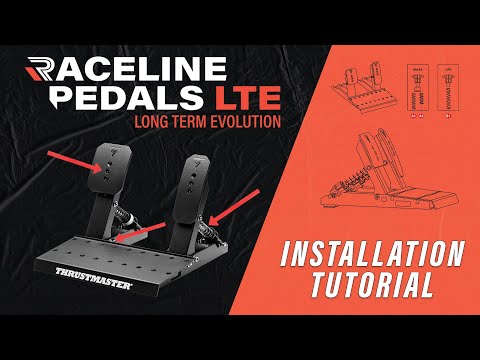
Raceline Pedals LTE - Installation Guide
Raceline Pedals LTE - Installation Guide