 English
  Français
 Deutsch
 Español
 Italiano
 Nederlands
 Português
 Русский
 中文 (中国)
 한국어
한국어 日本語
日本語 Svenska
Product: Sol-R 1 Flightstick
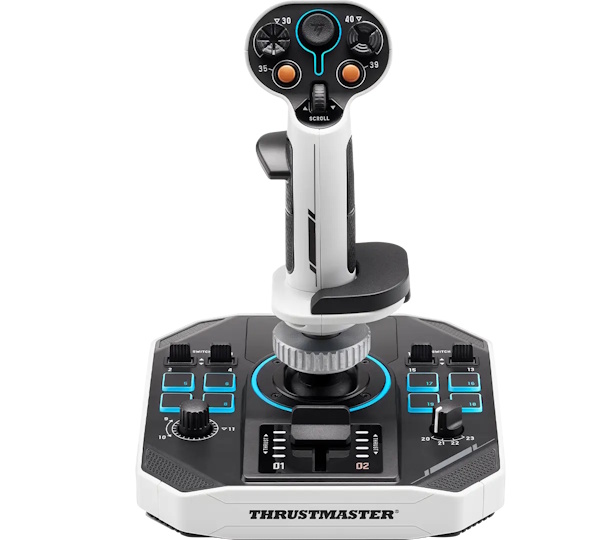
This guide will help you calibrate the joystick and mini-stick on the Sol-R 1 Flightstick. Calibration is useful if the joystick or mini-stick is no longer centered.
Important:
The Sol-R Flightstick must be mounted on the Sol-R base.
1- Make sure the Sol-R 1 Flightstick is unplugged before starting
2- Press button 35 and push trigger 27 upward. Hold both in position
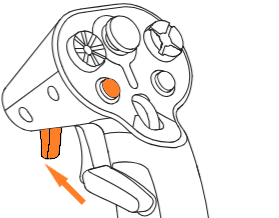
3- While holding button 35 and trigger 27, connect the Sol-R 1 Flightstick to a USB port on your PC
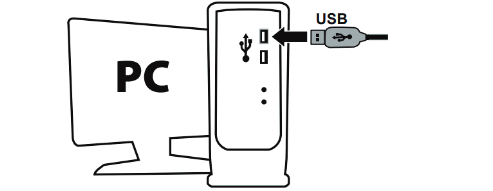
- The LED around the Analog mini-stick will start flashing.
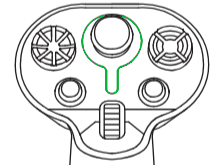
4- Release button 35 and trigger 27
5- Press and release the SCROLL button
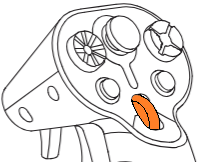
- The LED around the Analog mini-stick will flash faster.
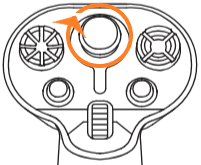
6- Rotate the analog mini-stick three times
- Push the mini-stick fully to its outer edge so it touches the stop.
- Rotate the stick three full turns while keeping it against the stop.
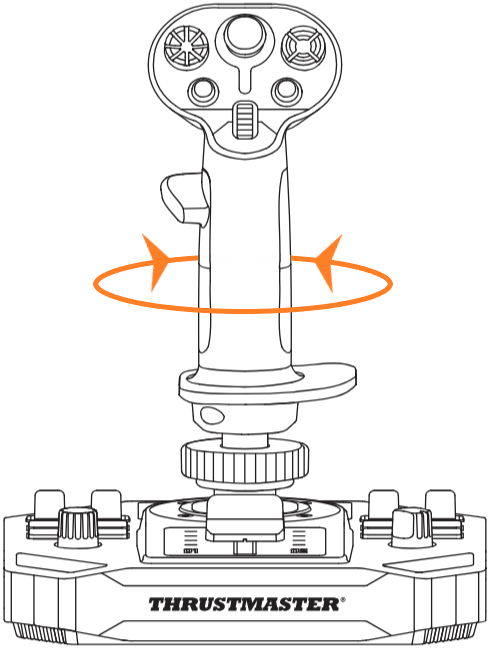
7- Calibrate the RZ axis
- Rotate the stick counterclockwise to the stop, then return it to center
- Rotate the stick clockwise to the stop, then return it to center
8- Press and release SCROLL button
- The LED around the Analog mini-stick will stop flashing
9- Unplug the Sol-R 1 Flightstick, then plug it back in
Your RZ axis calibration is now complete.