 English
  Français
 Deutsch
 Español
 Italiano
 Nederlands
 Português
 Русский
 中文 (中国)
 한국어
한국어 日本語
日本語 Svenska
Products: T98 Ferrari 296 GTB (PS4/PS5/PC) ; T98 Ferrari 296 GTS (Xbox One/XBox Series/PC)
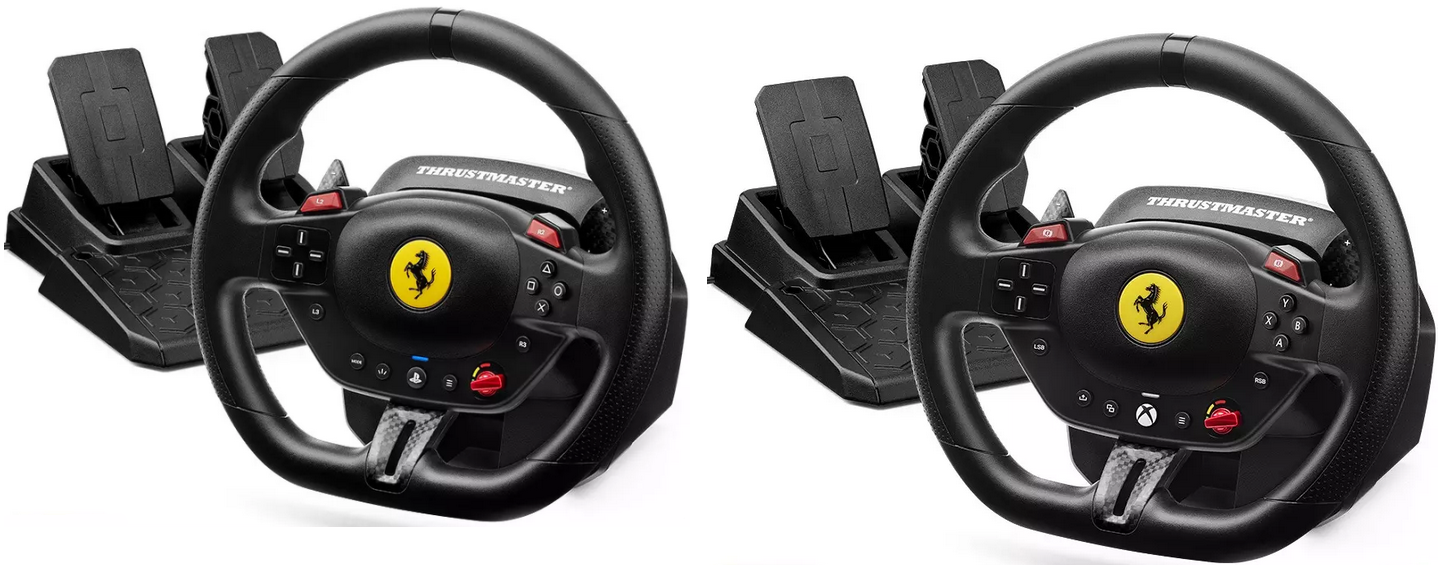
System required: PC natively running Windows® 10/11 or more recent
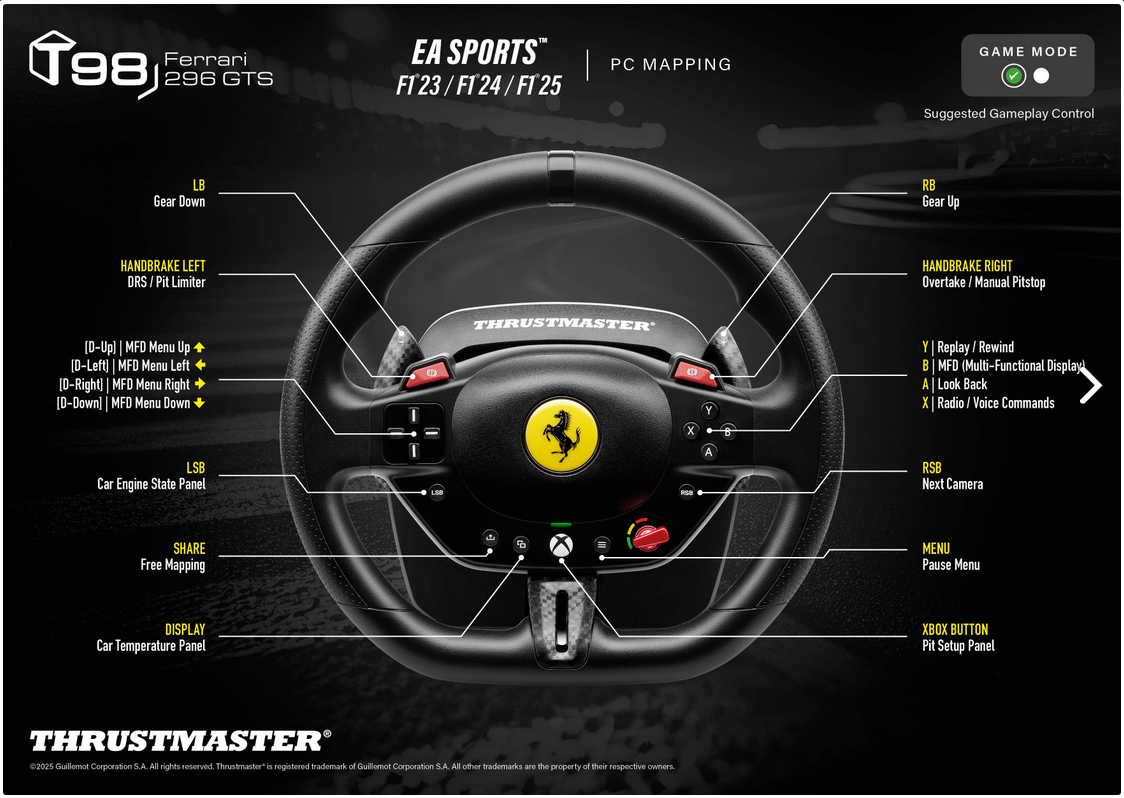
This article explains how to map your T98 buttons and axes in the F1® 23 (PC version) and F1® 24 (PC version) games.
This mapping method also applies to the entire F1® (Formula 1) series on PC, from F1® 2015 to F1® 24.
Drivers:
- The T98 does not need the T80 driver (see our article for T98P or T98X) to work on PC.
- For F1 games (PC version), you can download and install the PC - DRIVERS FORCE FEEDBACK driver. This allows the game to detect the T98.
For F1® 25: The T98 is natively compatible with F1® 25 (PC version). The T98’s buttons and axes work for gameplay, and the steering wheel will appear in the game’s controller list under the name T80.
Important:
- Make sure the LED on the steering wheel is green.

This article includes:
1- Steps to map the T98 in F1® 23 (PC version) and F1® 24 (PC version)
2- Recommended mappings based on your T98 version
- F1® (PC version) Mapping T98 Ferrari 296 GTB (PS4/PS5/PC)
- F1® (PC version) Mapping T98 Ferrari 296 GTS (Xbox One/XBox Series/PC)
1- Steps to map the T98 in F1® 23 (PC version) and F1® 24 (PC version)
Connect your T98 to the PC and launch the game. Use the keyboard to navigate the menus.
When using your T98 in F1® 23 or F1® 24 for the first time, after the home screen, you will see a message indicating that the T98 is detected but needs to be mapped.

- Click Okay
You will go directly to SETTINGS
In CONTROL SCHEME:
- All buttons and axes are marked as Unassigned.
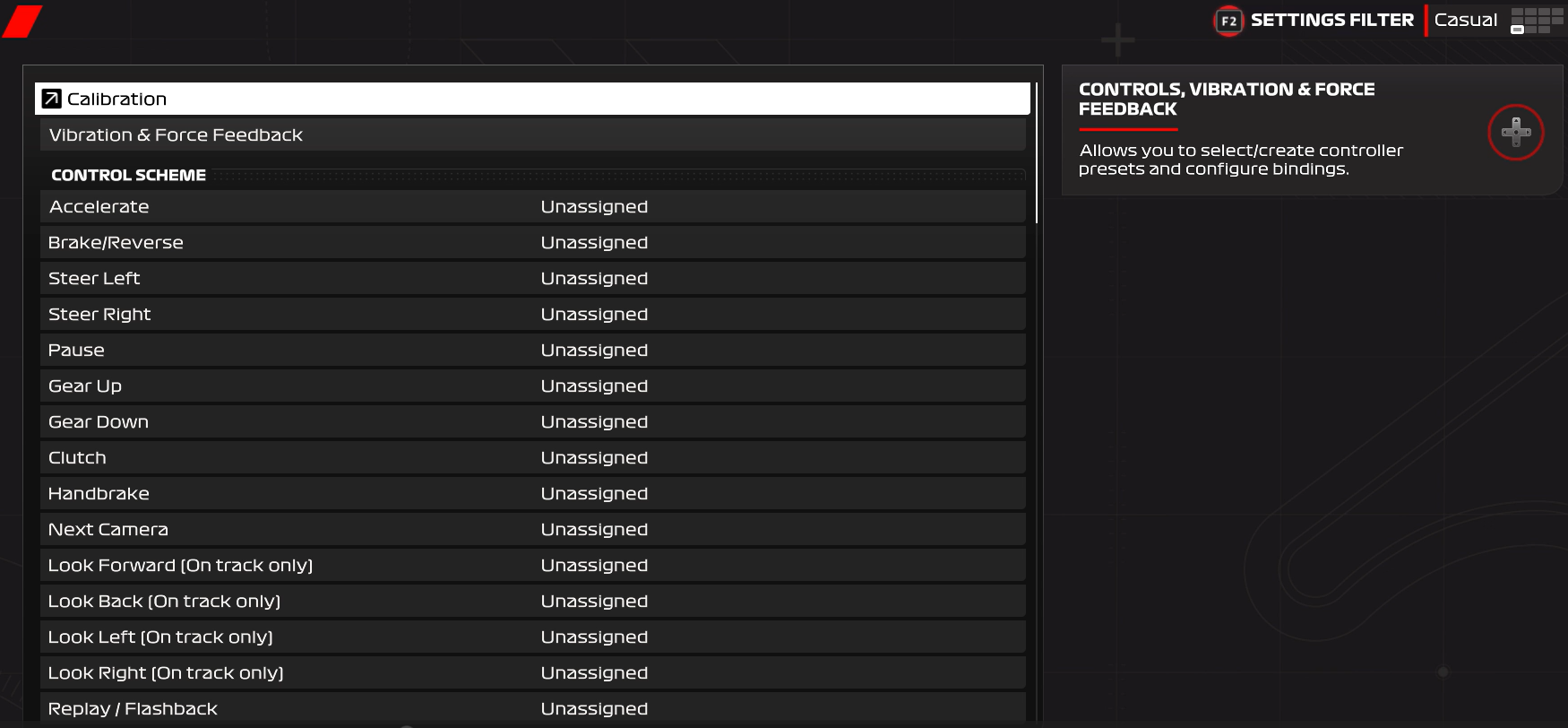
- Select the line for an axis or button
- Press ENTER: a waiting message will appear
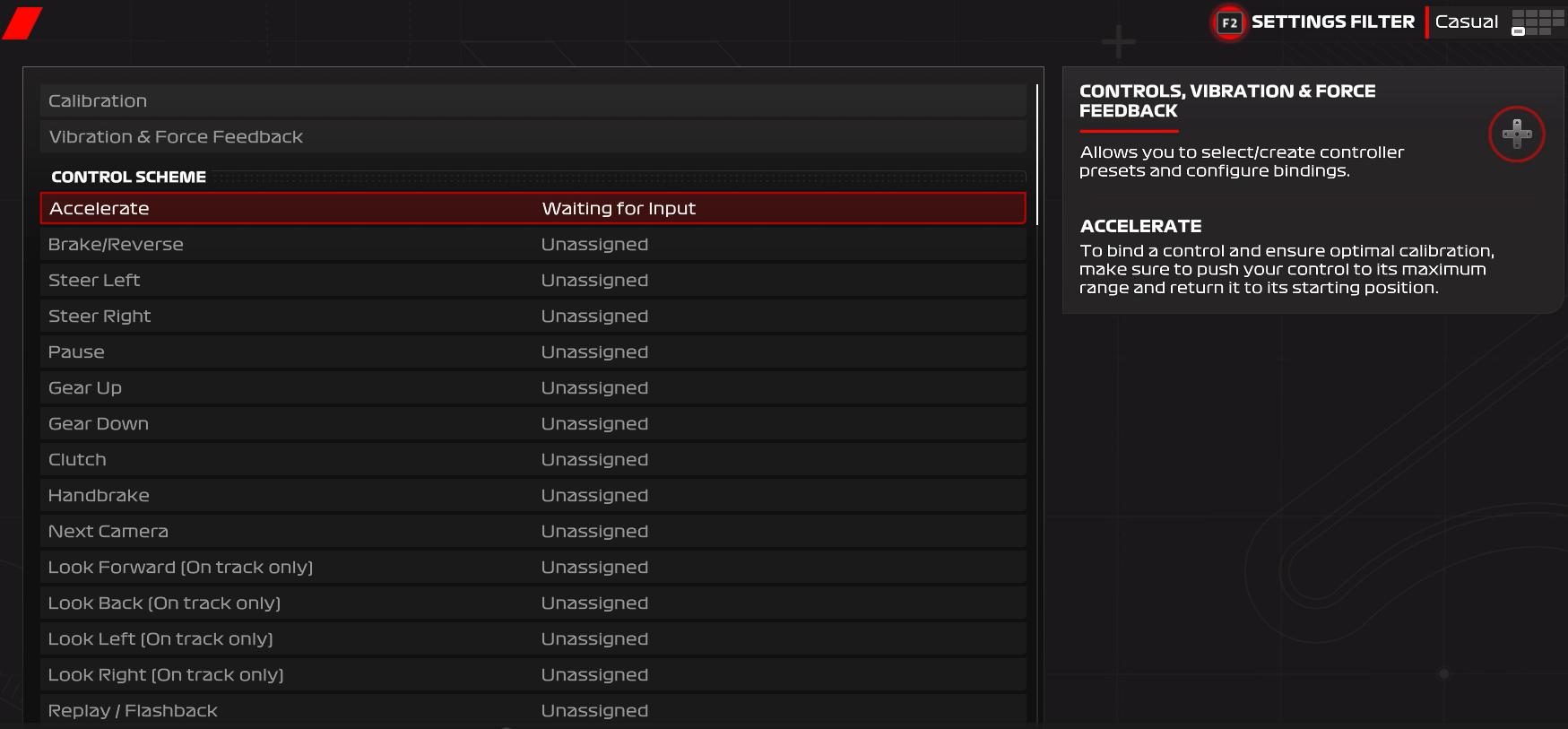
- Physically activate the corresponding T98 axis or button: a symbol will confirm the mapping
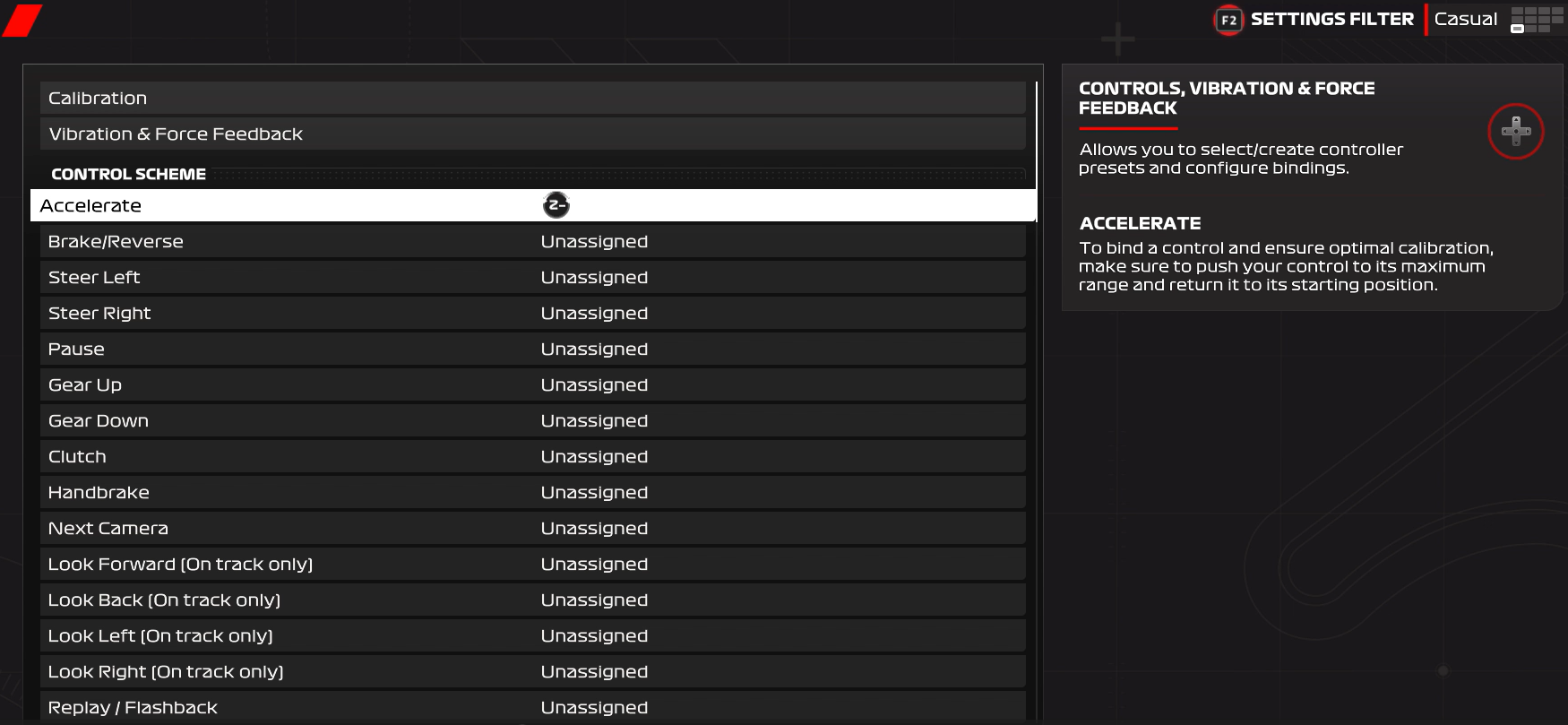
Repeat this process to assign all buttons and axes:
- ACCELERATE = press the accelerator pedal
- BRAKE/REVERSE = press the brake pedal
- STEER LEFT = turn the steering wheel fully left
- STEER RIGHT = turn the steering wheel fully right
- etc.
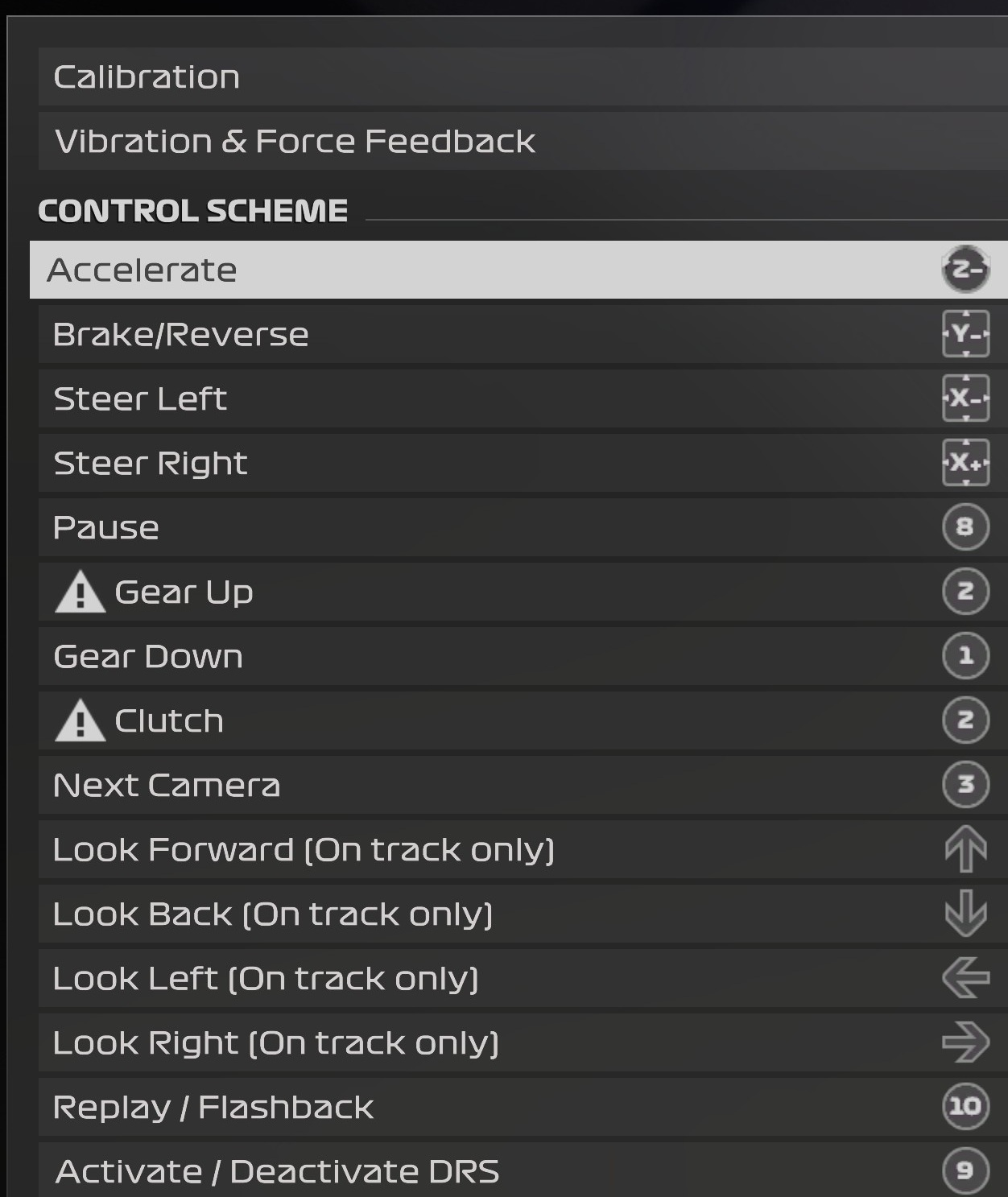
For guidance, see the next section for recommended mappings based on your T98 version:
- F1® (PC version) Mapping T98 Ferrari 296 GTB (PS4/PS5/PC)
- F1® (PC version) Mapping T98 Ferrari 296 GTS (Xbox One/XBox Series/PC)
Note on rotation angle:
F1® 24 uses a default rotation angle of 400°. For the T98, we strongly recommend setting the rotation angle to 240°.
Once mapping is complete, press ESC (Escape) on your keyboard to save. A confirmation menu will appear:
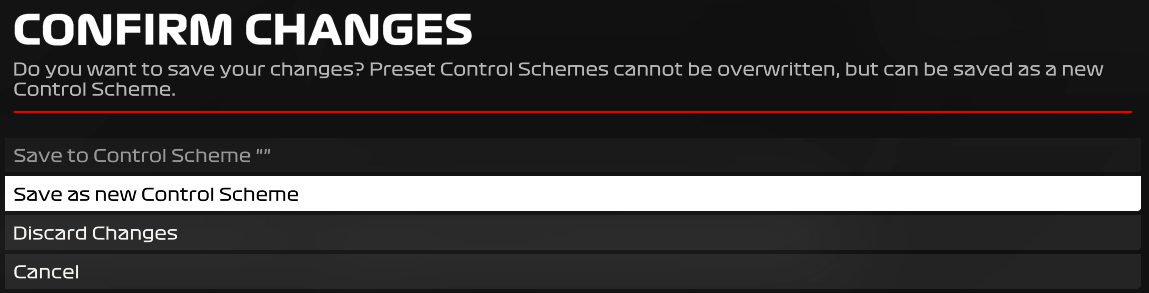
- Save as a new file: press ENTER
- Name your mapping file (e.g., T98)

- Press ENTER to confirm
If needed, you can find your file in OPTIONS / SETTINGS / CONTROLS
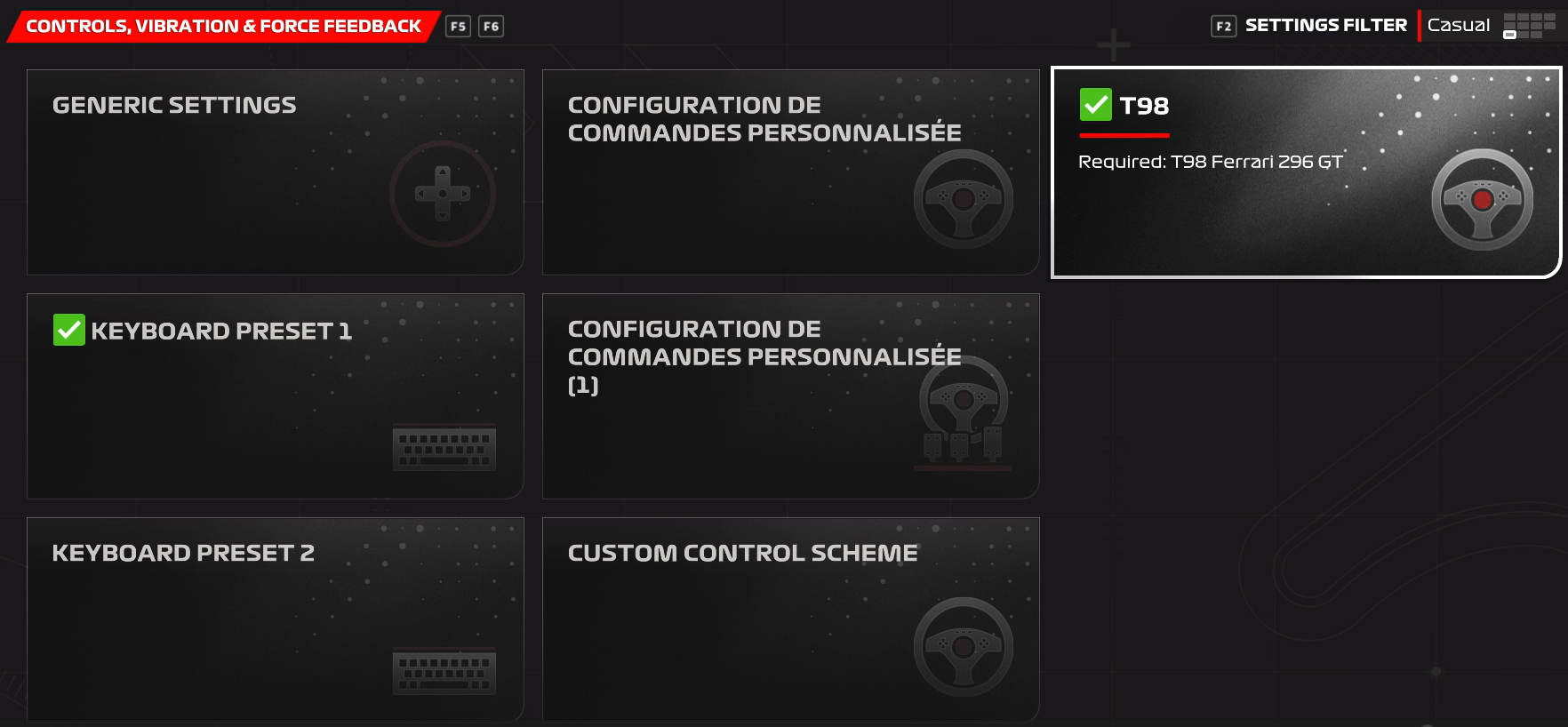
2- Recommended mappings based on your T98 version
F1® (PC version) Mapping T98 Ferrari 296 GTB (PS4/PS5/PC)
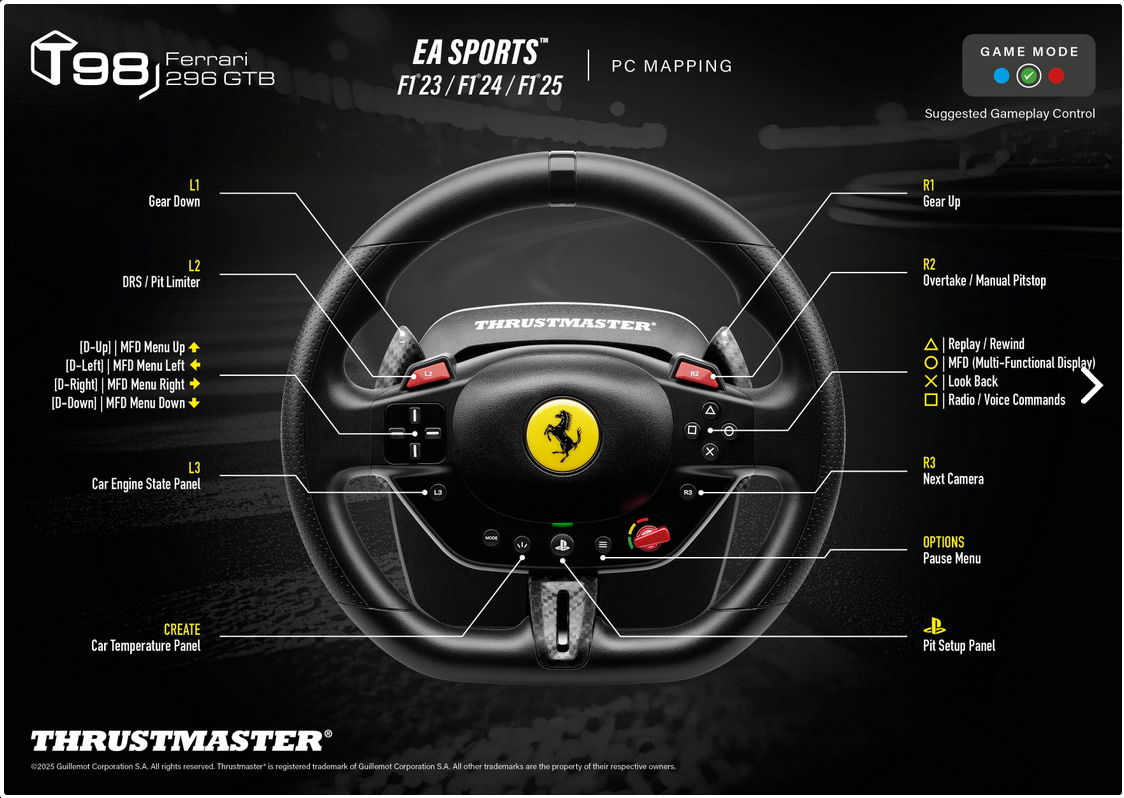
F1® (PC version) Mapping T98 Ferrari 296 GTS (Xbox One/XBox Series/PC)
Enjoy the race!