Предупреждение
FIRMWARE and T.A.R.G.E.T. UPDATES
To ensure your AVA Base will be compatible in the future with all our new add-ons such as the Sol-R grip, it is important that you update your base’s firmware with the latest version (select Drivers and follow the instructions describing the download and installation procedure).
Be aware that following this firmware update:
- You will need to create new mappings in most of your games even if you have created some before.
- T.A.R.G.E.T will also need to be updated. The profiles already created or used before this update will perfectly work with this new version. Don’t hesitate to have a look at our tutorial to see how to download them in the new version. Please note this update will only work if your AVA base is updated first
Your joystick’s Firmware version appears at the bottom right in the Thrustmaster Flight Control Panel. Firmware: 2.07 is the latest version.
T.A.R.G.E.T software version appears at the top right corner of the T.A.R.G.E.T COMMAND CENTER window. v3.0.25.603 is the latest version
Инструкция по эксплуатации
Программное обеспечение
T.A.R.G.E.T - Software v3.0.26.303 [System Requirement: Windows® 10 / 11]PC
Примечания к выпуску - T.A.R.G.E.T - Software v3.0.26.303 [System Requirement: Windows® 10 / 11]
=======================================================================================================
New Features in T.A.R.G.E.T v3.0.26.303:
=======================================================================================================
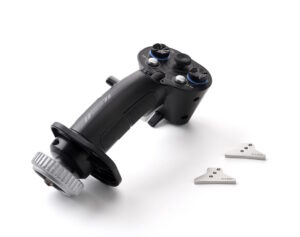
- Add support for AIRBUS Grip add-on.
IMPORTANT:
Be aware that AVA Firmware update to FW 2.07 or newer is required starting from v3.0.25.127_rev1 of TARGET.
user who do not want to update yet to FW 2.07 for AVA base will need to use TARGET V3.0.24.618_rev1.
TARGET V3.0.24.618_rev1 will see no further evolution.
=======================================================================================================
System requirements:
=======================================================================================================
- Windows 11 / 10
=======================================================================================================
Supported Thrustmaster products:
=======================================================================================================
- AVA Advanced Versatile Aviation (FW 2.07 and above only, earlier FW not supported)- HOTAS Warthog- HOTAS Cougar- Viper TQS- Viper Panel- TPR Rudder- MFD Cougar pack- SOL-R 1- SOL-R 2 HOSAS- SOL-R 4 HOTAS- SOL-R 6 Throttle- Airbus Grip add-on- T.16000M- T.16000M FCS- T.16000M FCS HOTAS- T.16000M FCS Flight Pack- TCA Yoke Boeing Edition- TCA Quadrant Boeing Edition- TCA Sidestick Airbus Edition- TCA Quadrant Airbus Edition- TCA Officer Pack Airbus Edition- TWCS Throttle- TFRP (T.Flight Rudder Pedals)- SimTask Farmstick- SimTask Farmstick XBOX- SimTask Farmstick Playstation
=======================================================================================================
Change History:
=======================================================================================================
v3.0.25.603
* Add support for SOL-R 4 HOTAS & SOL-R 6 Throttle.
* Add support for Farmstick Playstation.
* bug fix: Sol_SolR & Sol_SolRL SOL_B18 now generates events when used under MODE_FILTERED.
v3.0.25.127_rev1
* Add support for SOL-R 1 & 2 products.
* Add support for Farmstick XBOX.
* Update firmware requirements for AVA (requires FW 2.07 or newer).
* bugfix: solves issue with DX96 replacing DX95.
* performance optimisation: TARGET now start faster.
V3.0.24.618_rev1
* Adds support for AVA Advanced Versatile Aviation base (FW 2.07 or newer NOT supported)
* bugfix: T.16000M: button 18 is no longer pressed by default when runing a script
V3.0.23.1205_rev1
* Win 11 support with new driver compatible with Memory Integrity
* Increase max buttons of Thrustmaster virtual device from 32 to 120
V3.0.23.1003_rev1
* Add Support for SimTask Farmstick
* Bugfix for Viper TQS / Viper Panel (solve bug preventing piloting LED from virtual buttons)
V3.0.23.608
* Add Support for Viper TQS
* Add Support for Viper Panel
V3.0.21.910_rev1
* Add support for TCA Quadrant Boeing edition & TCA Yoke Boeing Edition
V3.0.20.826
* Add Support for TCA Quadrant Airbus Edition
V3.0.20.427
* Add support for TCA sidestick Airbus Edition.
V.3.0.18.328:
* Add support for TPR.
* Add the ability in GUI to offset stick axis to accomodate cocpkit setups.
V.3.0.16.615:
* Added support for the TWCS Throttle
* Solving an installation issue on 32bits operating systems
V.3.0.16.520: Fixed a mapping bug on the HOTAS Warthog’s H4L button
V.3.0.16.426: New graphic interface.
V.3.0.16.426: Added support for the Thrustmaster TFRP (T.Flight Rudder Pedals).
V.3.0.16.426: Updated support for the T.16000M joystick (T.A.R.G.E.T. now differentiates between right- and left-handed models, allowing for configurations combining a right-handed T.16000M + a left-handed T.16000M).
V.3.0.16.426: Added support for simplified Chinese.
=======================================================================================================
Warning
=======================================================================================================
Unplug all T.A.R.G.E.T-compatible controllers before proceeding with installation.
When prompted to reboot after installation, plug each controller again.
=======================================================================================================
Installation procedure :
=======================================================================================================
1- Download the new T.A.R.G.E.T software and manuals:
• Create a folder for all your Thrustmaster downloads: right-click the Windows desktop, then point to New/Folder.
• Name the folder Thrustmaster Downloads.
• Click the download link (or the T.A.R.G.E.T. icon).
• A File Download dialog box appears. Click Save.
• A Save As dialog box appears. Select the Thrustmaster Downloads folder you have created and then click Save.
2- Uninstall the previous T.A.R.G.E.T version:
Please save all your private profiles before installing this new version of T.A.R.G.E.T.
(Windows 10/11) : Right-Click the Start button, then select Installed Apps then uninstall Thrustmaster TARGET.
Alternatively, you can simply launch this package, and select Uninstall.
3- Install T.A.R.G.E.T:
Double-click the installation (.exe) file and follow the instructions provided to install the software.