 Italiano
  Français
 English
 Deutsch
 Español
 Nederlands
 Português
 Русский
 中文 (中国)
 한국어
한국어 日本語
日本語 Svenska
 Türkçe
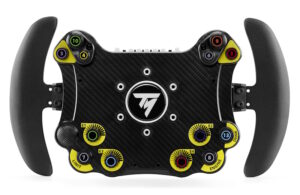
EVO RACING HUB
Numero prodotto 4060305 4060318
Attenzione
Importante
Devi aggiornare il firmware della base del tuo volante (T300 / TX / T-GT / T-GT II / TS-XW / TS-PC) alla versione disponibile più recente.
- T300: Firmware V34
- TX: Firmware V58.06
- T-GT / T-GT II: Firmware V10
- TS-XW Racer: Firmware V8.07
- TS-PC Racer: Firmware V13
Devi aggiornare il firmware della base del tuo volante (T300 / TX / T-GT / T-GT II / TS-XW / TS-PC) alla versione disponibile più recente.
- T300: Firmware V34
- TX: Firmware V58.06
- T-GT / T-GT II: Firmware V10
- TS-XW Racer: Firmware V8.07
- TS-PC Racer: Firmware V13
Manuale
Mappatura
 EVO Racing HUB - Button MappingPC PS4™ PlayStation®5 Xbox One™ Xbox Series X|S™
-
 PC - GENERIC MAPPING – EVO Racing HUBPC
 -
PS5™ - GENERIC MAPPING – EVO Racing HUBPlayStation®5
-
Xbox One™ / Xbox Series X|S™ - GENERIC MAPPING – EVO Racing HUBXbox One™ Xbox Series X|S™
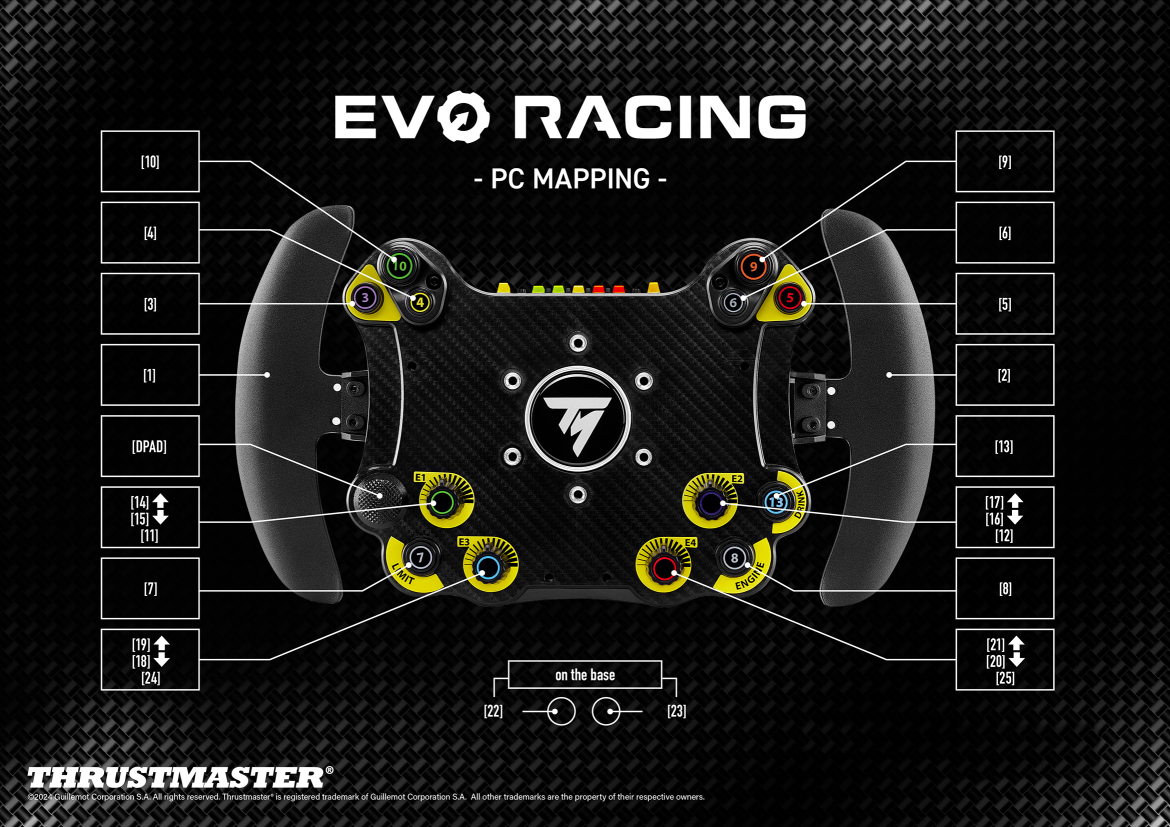
PC - GENERIC MAPPING – EVO Racing HUB
PC
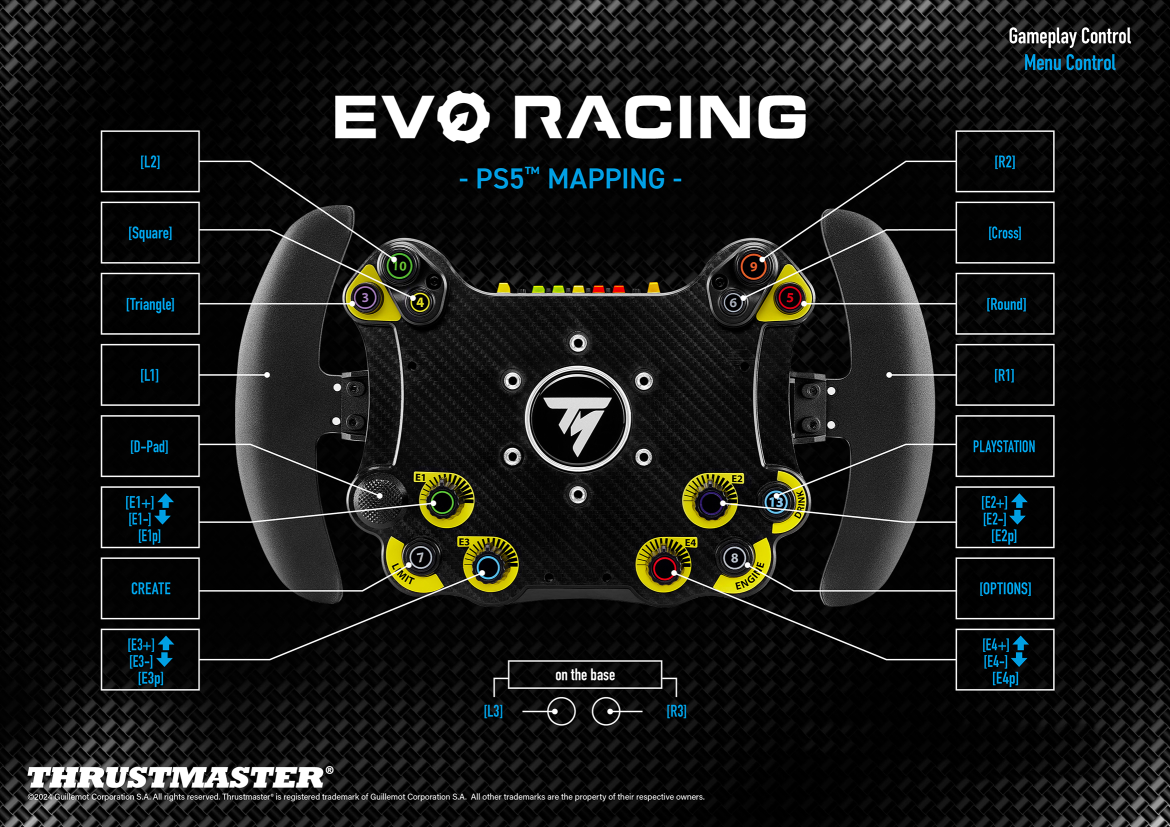
PS5™ - GENERIC MAPPING – EVO Racing HUB
PlayStation®5
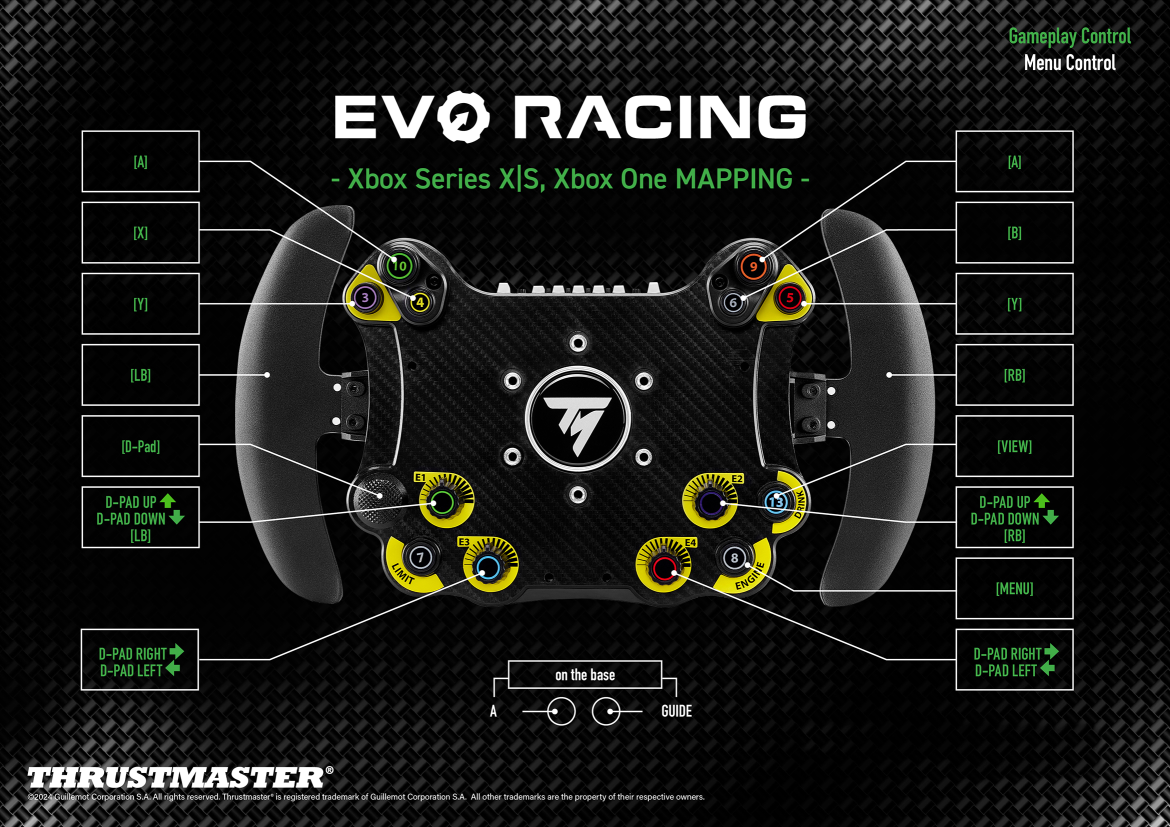
Xbox One™ / Xbox Series X|S™ - GENERIC MAPPING – EVO Racing HUB
Xbox One™ Xbox Series X|S™
Impostazioni giochi
 EVO Racing HUB: LIST OF GAMES COMPATIBLE WITH THE LEDs PC PS4™ PlayStation®5
-
Mapping – Assetto Corsa Competizione (PC) – EVO Racing HUB PC
-
Mapping – Assetto Corsa Competizione (PS5™) – EVO Racing HUB PlayStation®5PlayStation®5
-
Mapping – Assetto Corsa Competizione (Xbox One - Xbox XS) – EVO Racing HUB Xbox One™ Xbox Series X|S™
-
Mapping – Automobilista 2 (PC) – EVO Racing HUB PC
-
Mapping – EA SPORTS™ WRC (PC) – EVO RACING HUB PC
-
Mapping – EA SPORTS™ WRC (PS5™) – EVO RACING HUB PlayStation®5
-
Mapping – EA SPORTS™ WRC (Xbox Series X|S™) – EVO RACING HUB Xbox One™ Xbox Series X|S™
-
Mapping – F1® 2021 / F1® 22 / EA SPORTS™ F1® 23 (PC) – EVO Racing HUBPC
-
Mapping – F1® 2021 / F1® 22 / EA SPORTS™ F1® 23 (PS4™ - PS5™) – EVO Racing HUB PlayStation®5
-
Mapping – F1® 2021 / F1® 22 / EA SPORTS™ F1® 23 (Xbox One - Xbox XS) – EVO Racing HUBXbox One™ Xbox Series X|S™
-
Mapping – GRAN TURISMO™ 7 (PS4™ - PS5™) – EVO Racing HUB PS4™ PlayStation®5
-
Mapping – iRacing® (PC) – EVO Racing HUB PC
-
Mapping – RaceRoom Racing Experience – EVO Racing HUBPC
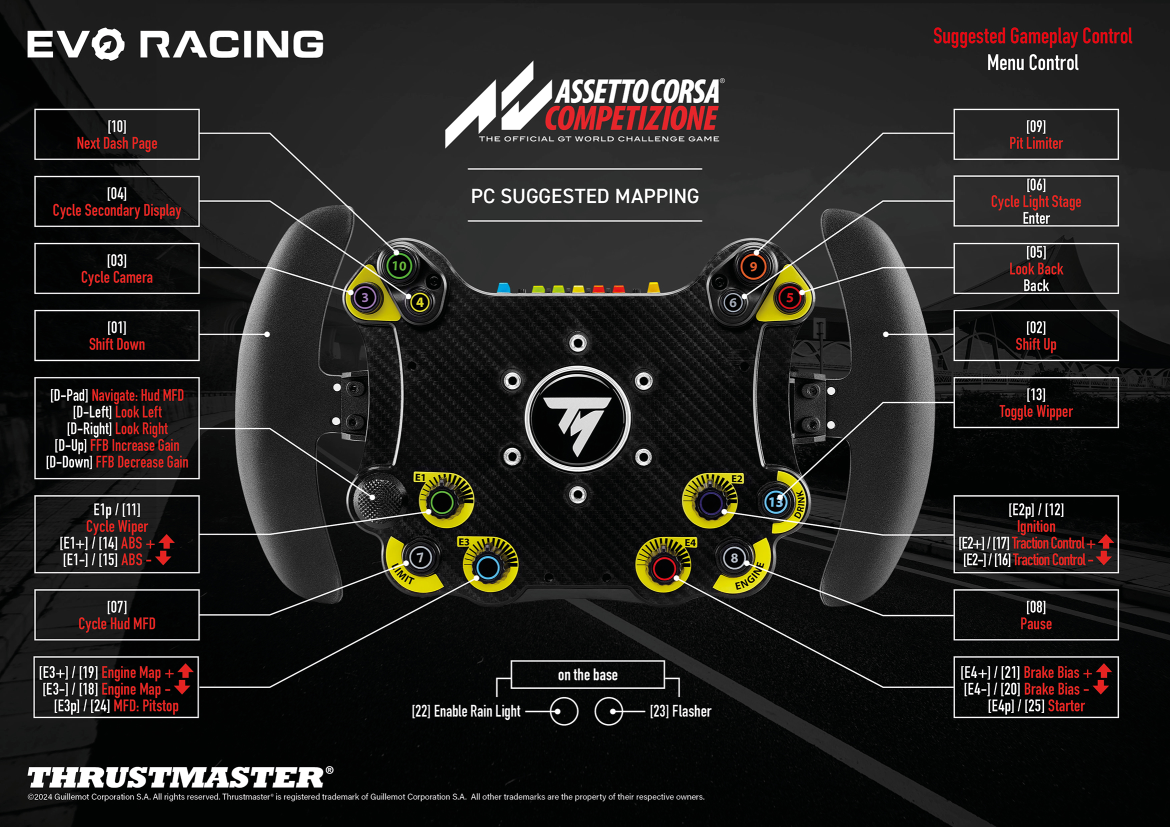
Mapping – Assetto Corsa Competizione (PC) – EVO Racing HUB
PC
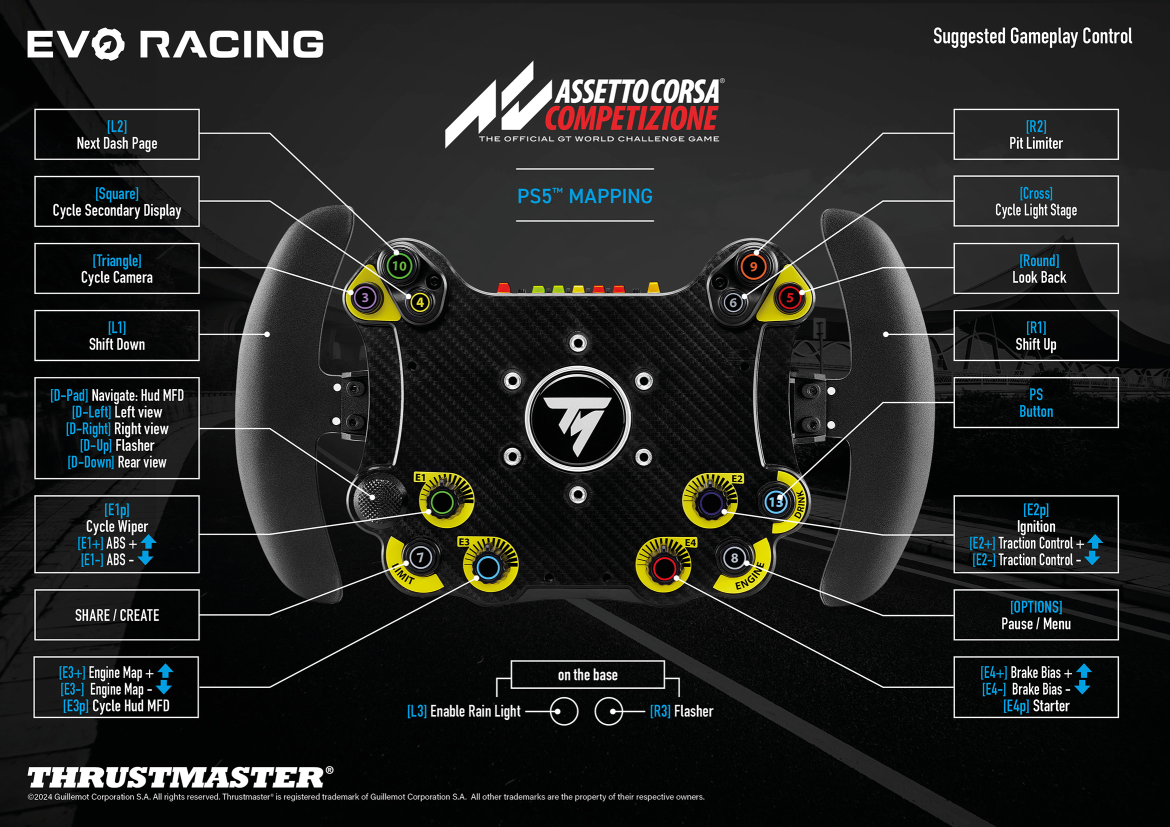
Mapping – Assetto Corsa Competizione (PS5™) – EVO Racing HUB PlayStation®5
PlayStation®5
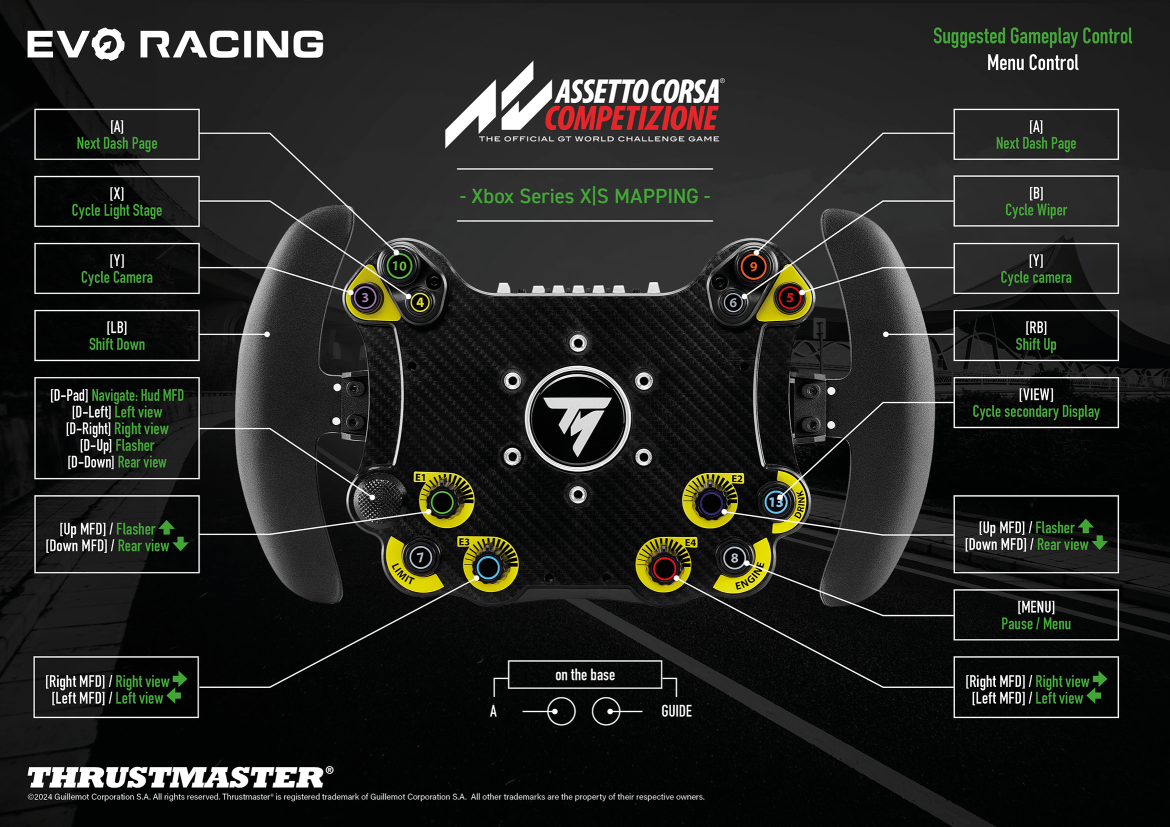
Mapping – Assetto Corsa Competizione (Xbox One - Xbox XS) – EVO Racing HUB
Xbox One™ Xbox Series X|S™
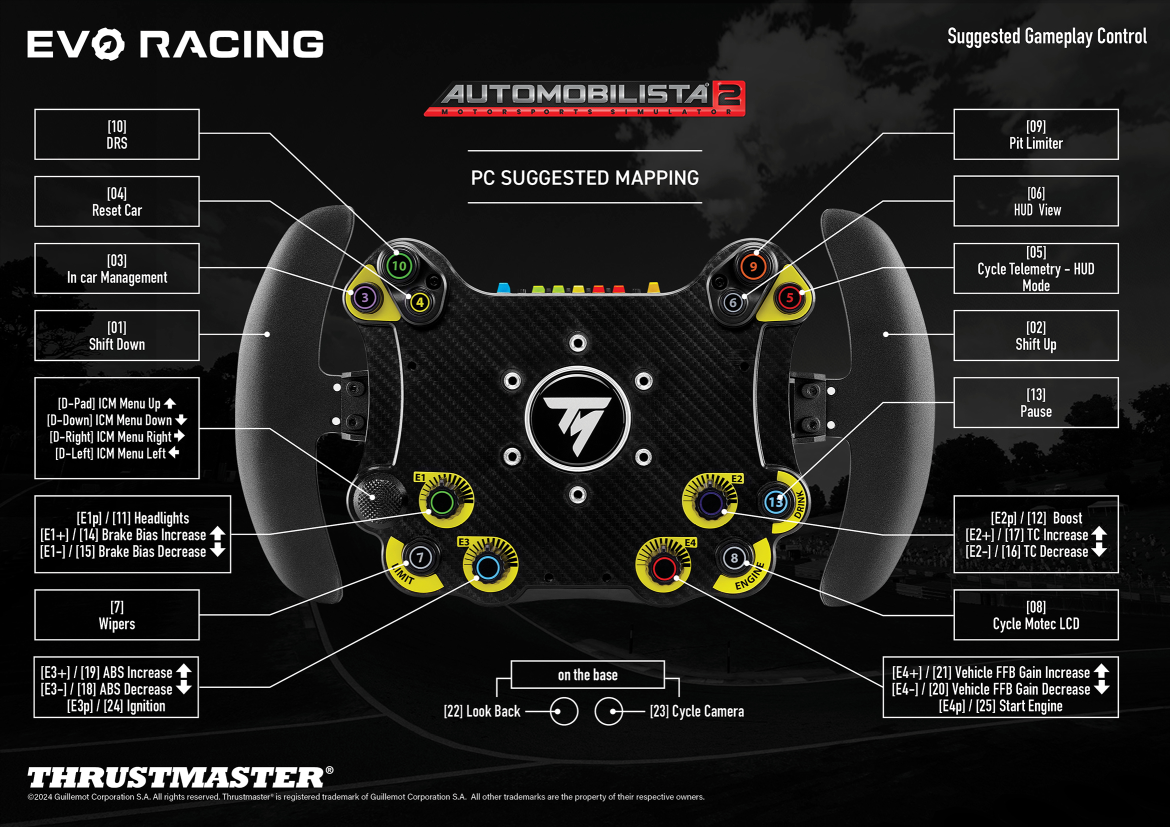
Mapping – Automobilista 2 (PC) – EVO Racing HUB
PC
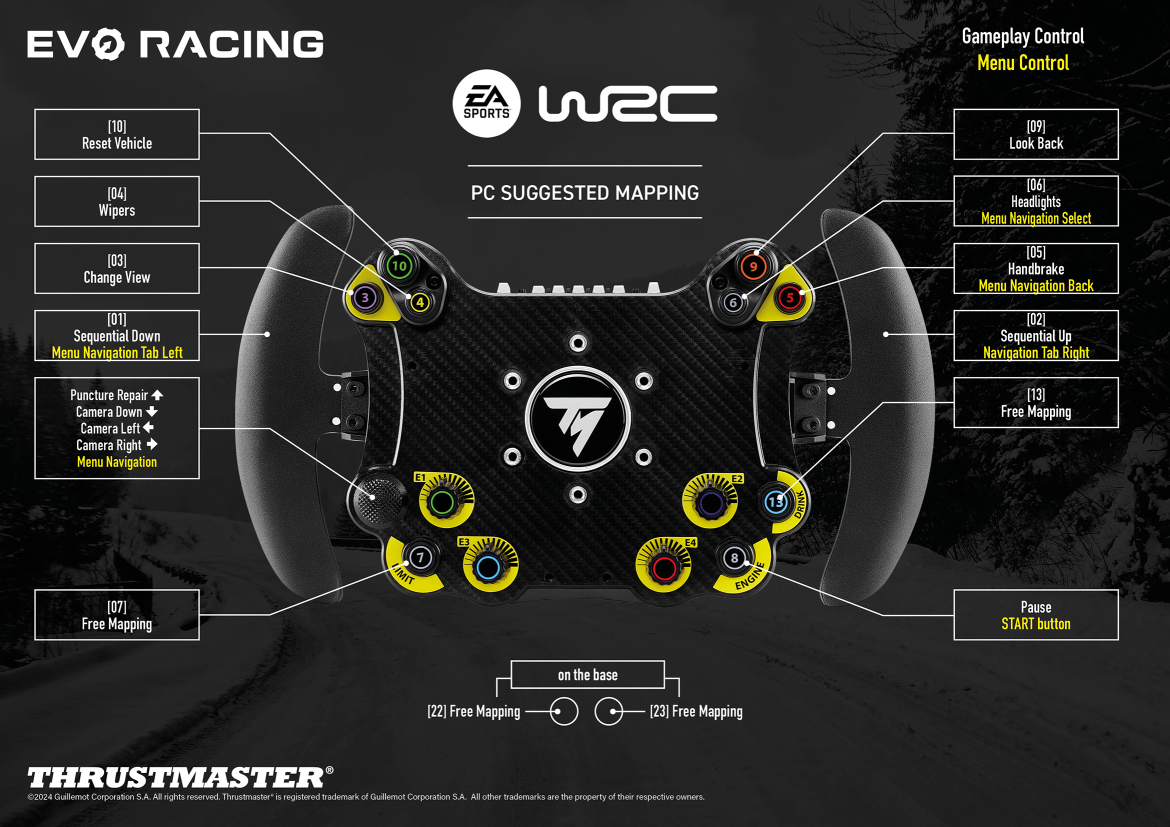
Mapping – EA SPORTS™ WRC (PC) – EVO RACING HUB
PC
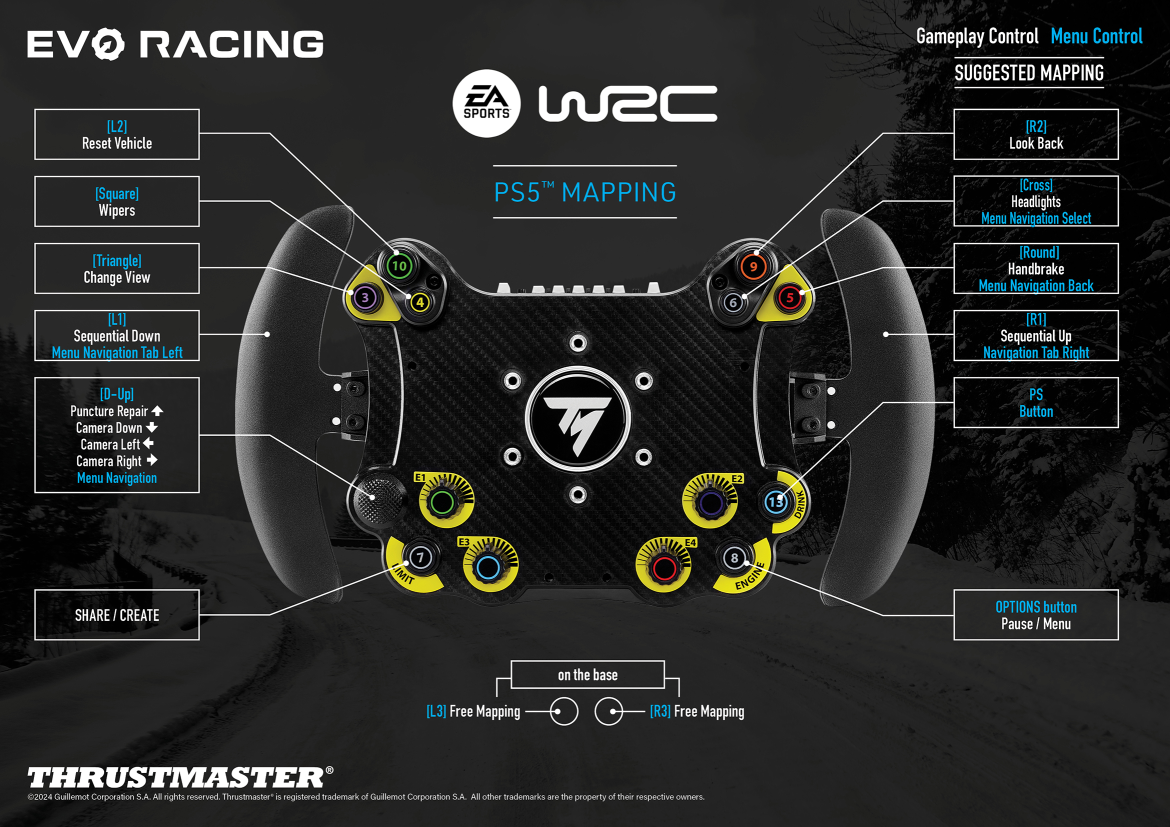
Mapping – EA SPORTS™ WRC (PS5™) – EVO RACING HUB
PlayStation®5
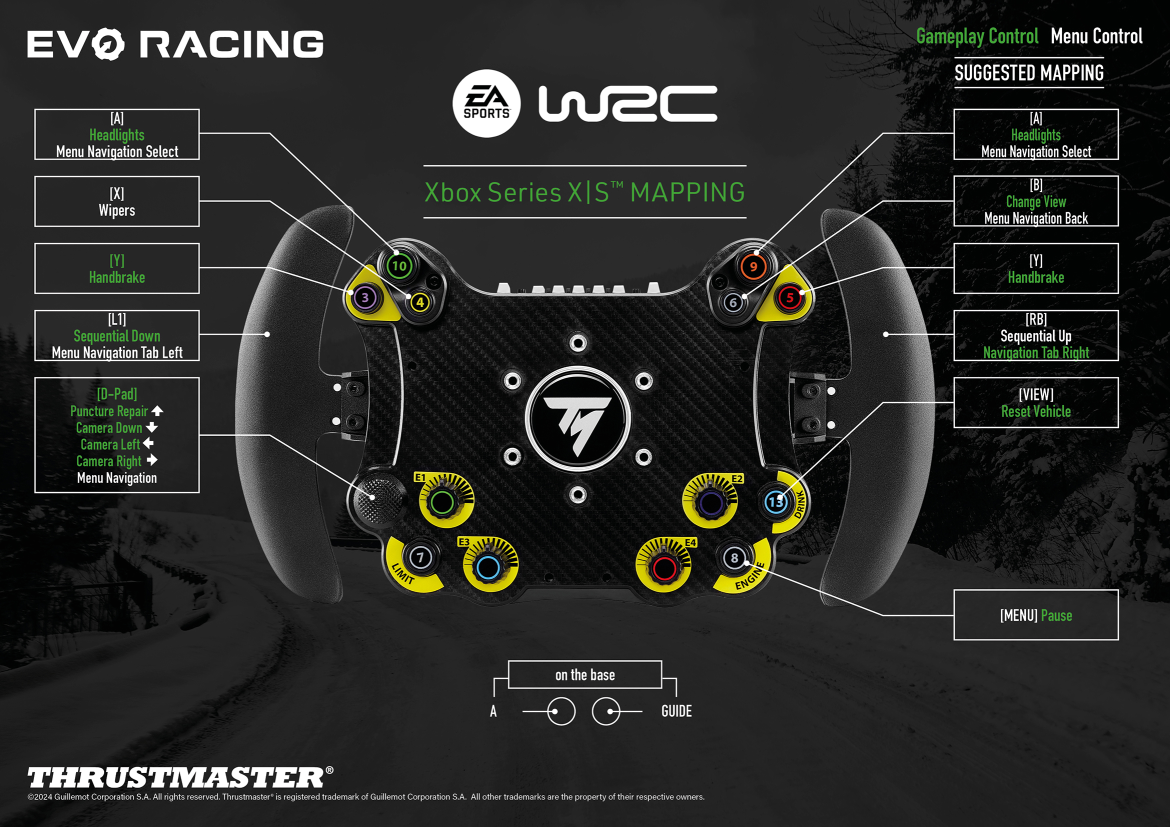
Mapping – EA SPORTS™ WRC (Xbox Series X|S™) – EVO RACING HUB
Xbox One™ Xbox Series X|S™
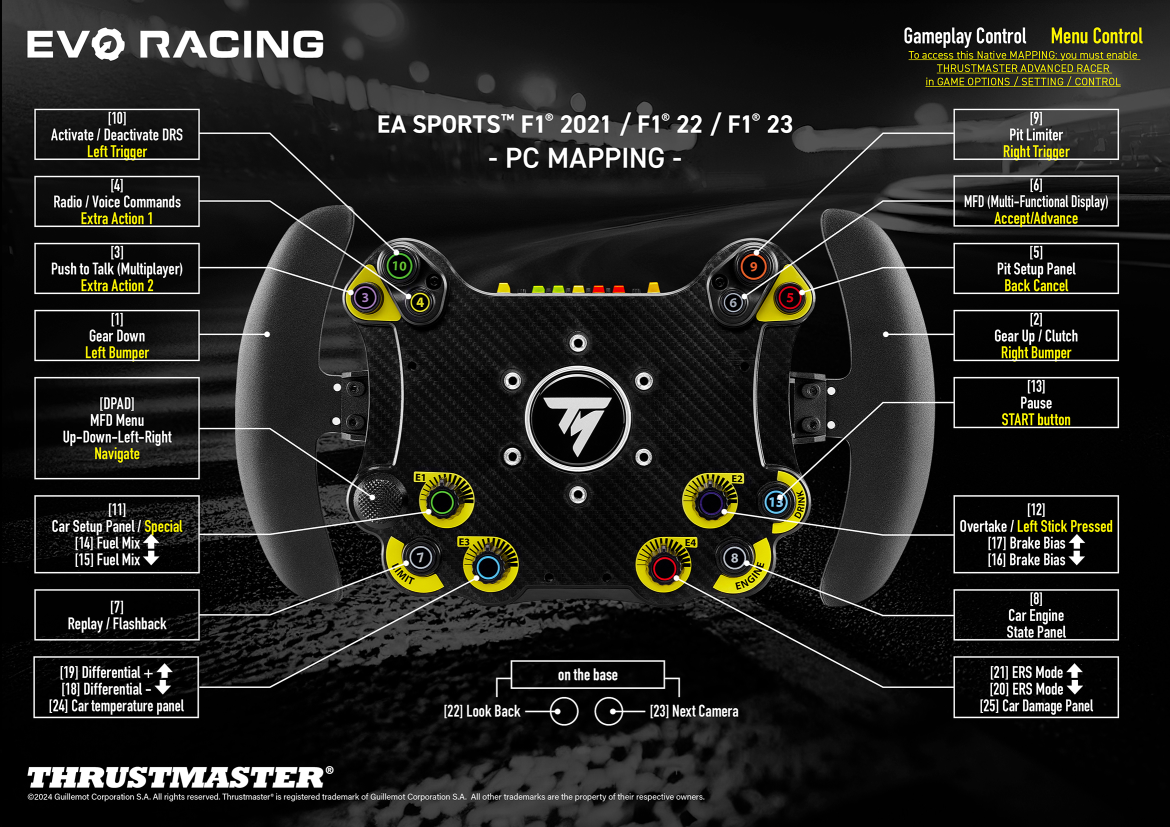
Mapping – F1® 2021 / F1® 22 / EA SPORTS™ F1® 23 (PC) – EVO Racing HUB
PC
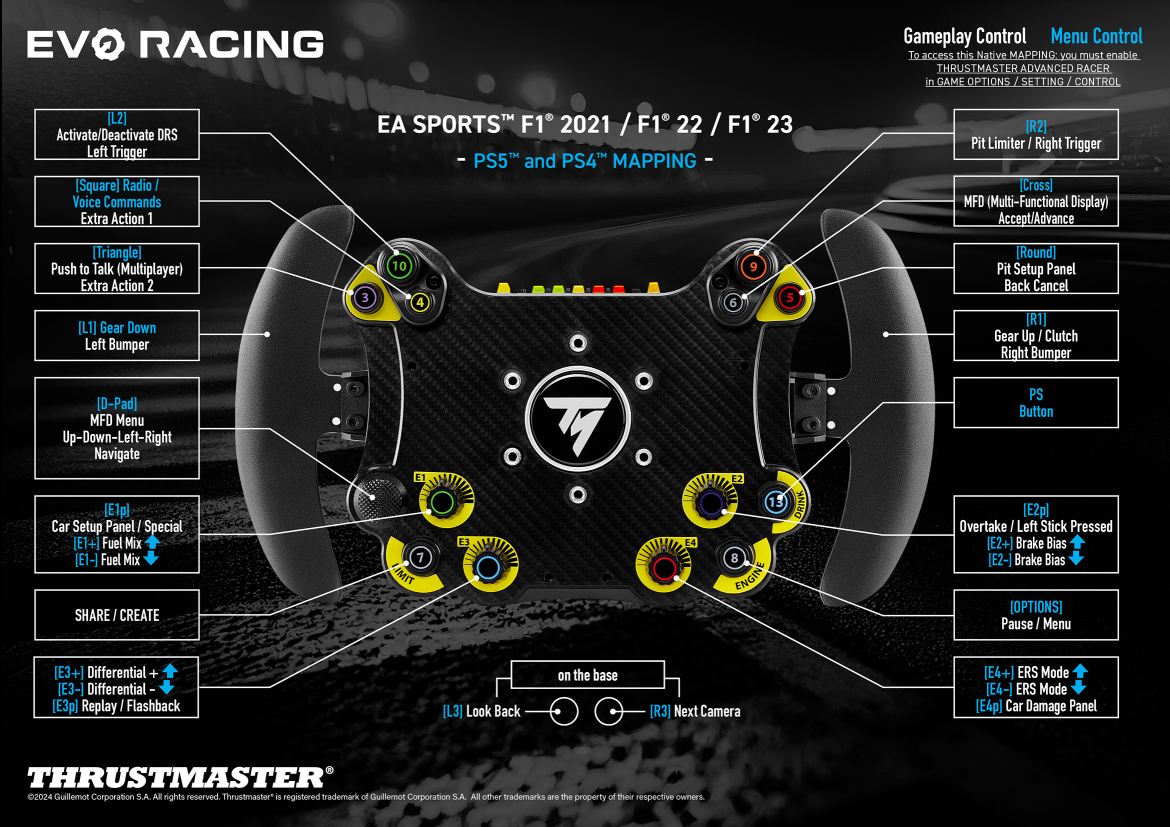
Mapping – F1® 2021 / F1® 22 / EA SPORTS™ F1® 23 (PS4™ - PS5™) – EVO Racing HUB
PlayStation®5
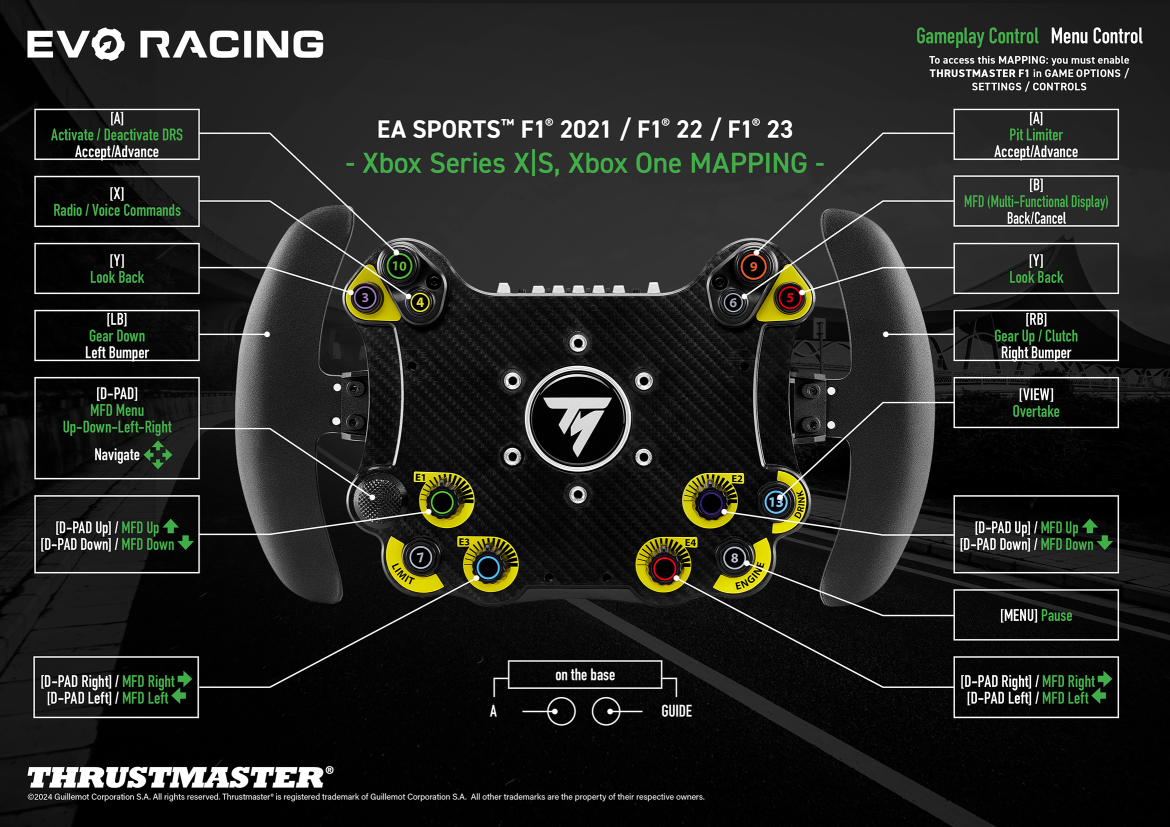
Mapping – F1® 2021 / F1® 22 / EA SPORTS™ F1® 23 (Xbox One - Xbox XS) – EVO Racing HUB
Xbox One™ Xbox Series X|S™
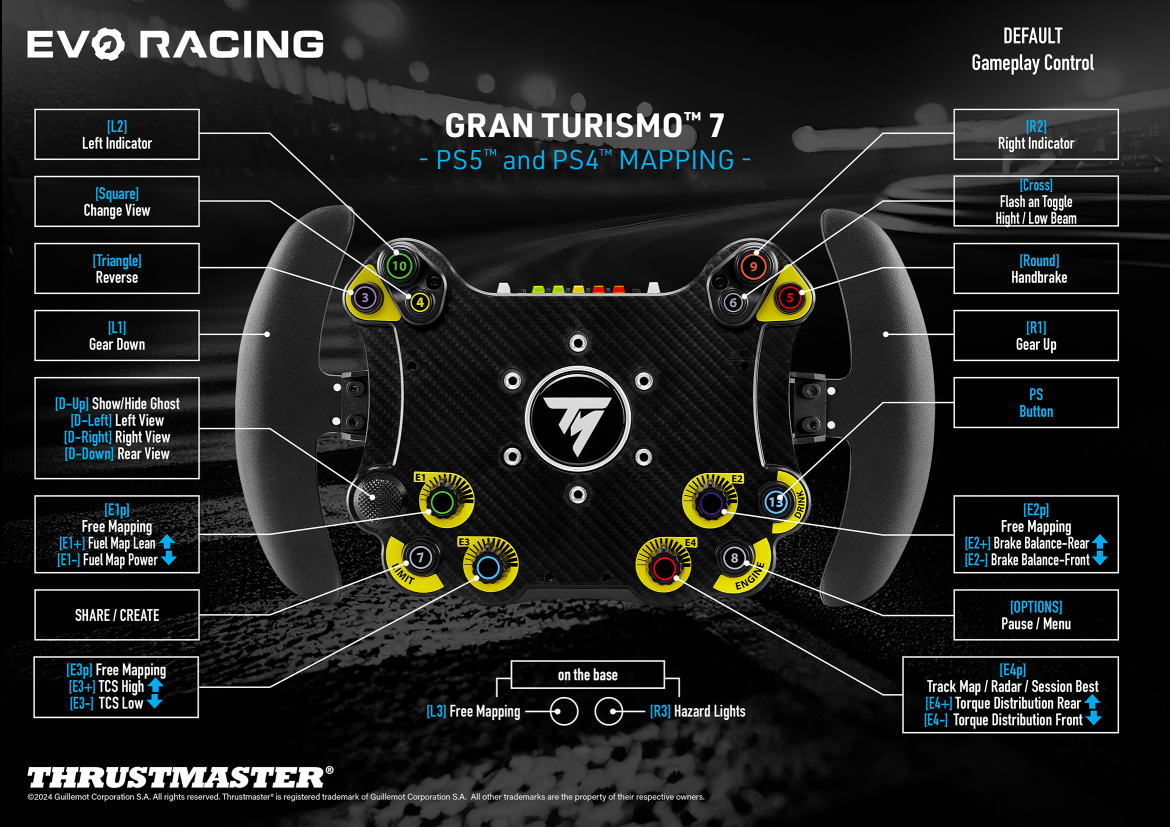
Mapping – GRAN TURISMO™ 7 (PS4™ - PS5™) – EVO Racing HUB
PS4™ PlayStation®5
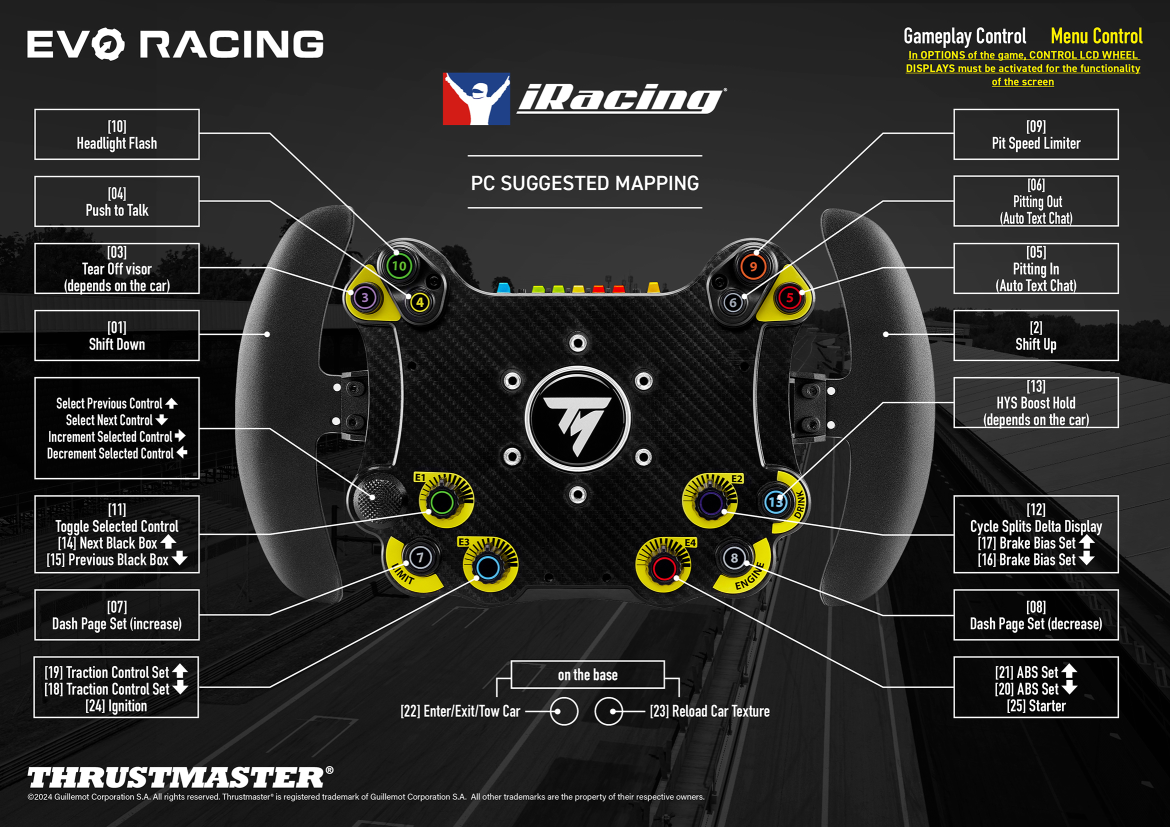
Mapping – iRacing® (PC) – EVO Racing HUB
PC
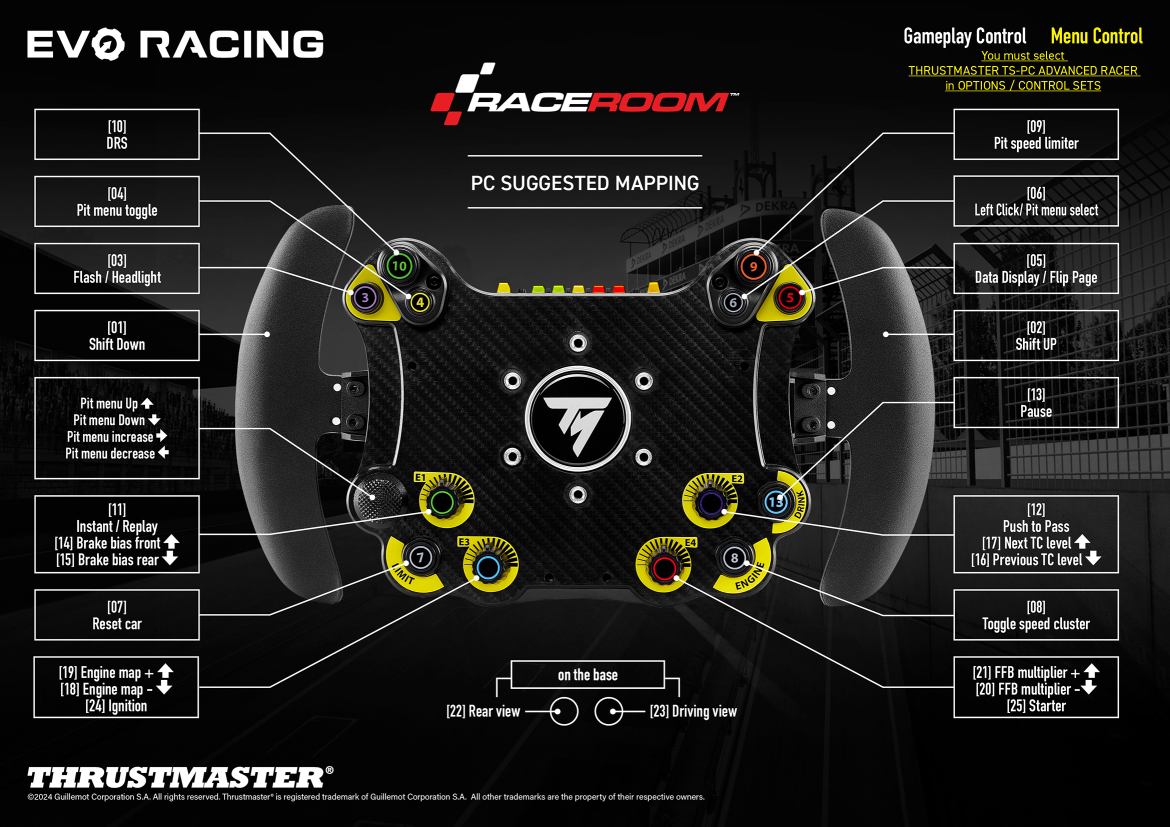
Mapping – RaceRoom Racing Experience – EVO Racing HUB
PC
Base di conoscenza
 Volanti: compatibilità con piattaforme, dispositivi e add-on
- Il mio volante add-on (488 GT3, EVO 32 o HYPERCAR) si disconnette o perdo il Force Feedback dopo l'aggiornamento al Firmware 2.04
- Aggiornamento del firmware per il suo volante rimuovilibile (Hypercar, Ferrari 488 GT3, Evo Racing, ecc.) per giocare con una base sterzo Direct Drive (T818; T598)
- Centro assistenza – Volanti: Come aggiornare il suo volante Thrustmaster (basi di volante, volanti rimuovilibili, applicazioni, driver)
- Metodo di riattivazione (Bootloader): Hypercar, Ferrari 488 GT3 ed Evo Racing tramite My Thrustmaster Panel